Install a Unified API
Install a Unified API into an environment, and its /unified/<name>/... endpoints answer for every integrated account in that environment.
Skip the reading — fast path for coding agents
truto env-unified-models list/skill truto
Available Unified APIs
The catalog's Unified APIs tab lists the Unified APIs you can install. They are grouped into categories such as CRM, E-commerce and Ticketing.
Install from the dashboard
- Open the catalog: click Catalog at the top right of the dashboard, then the Unified APIs tab.
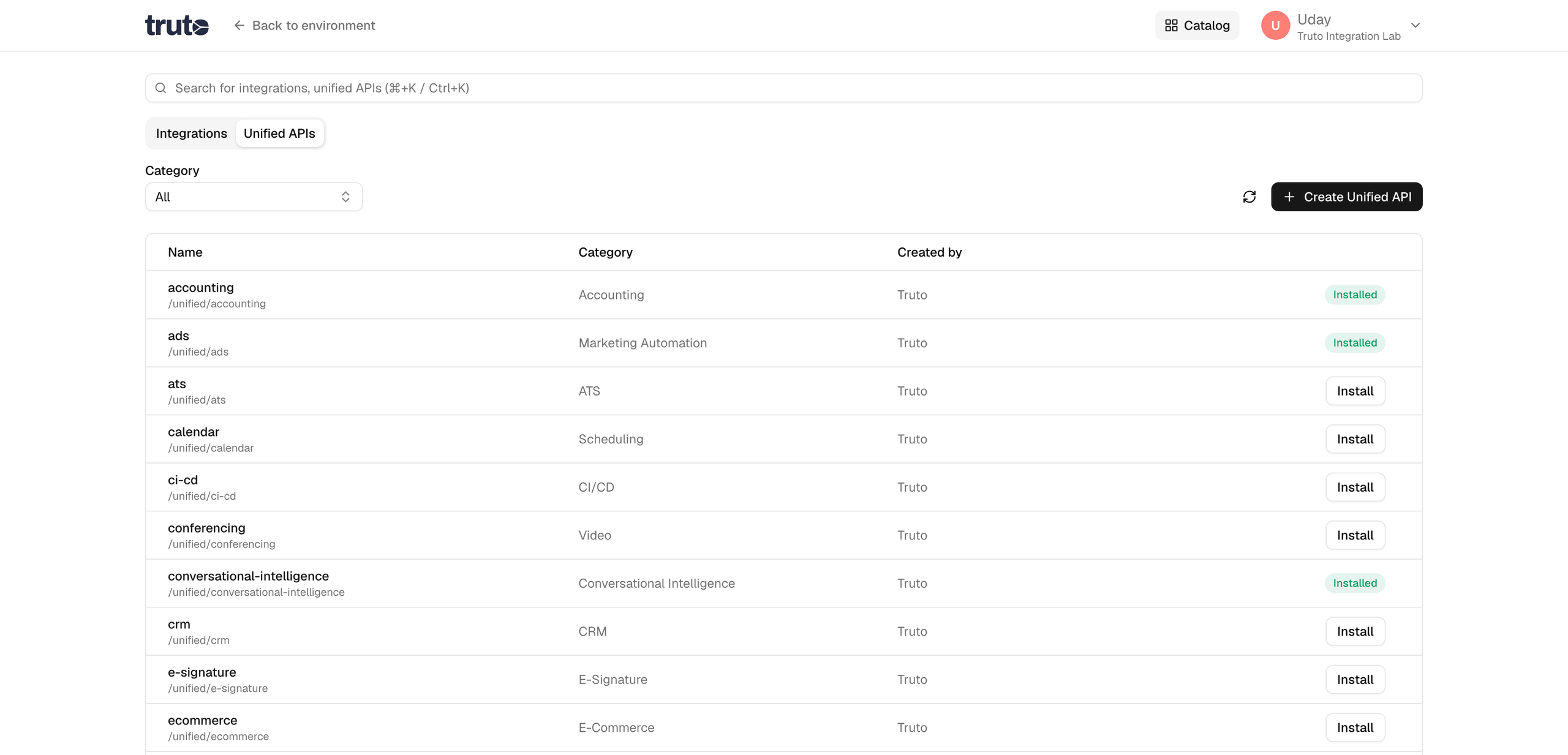
- Click Install next to the Unified API you want.
- In Install Unified API, select the environments to install it into, then click Install.
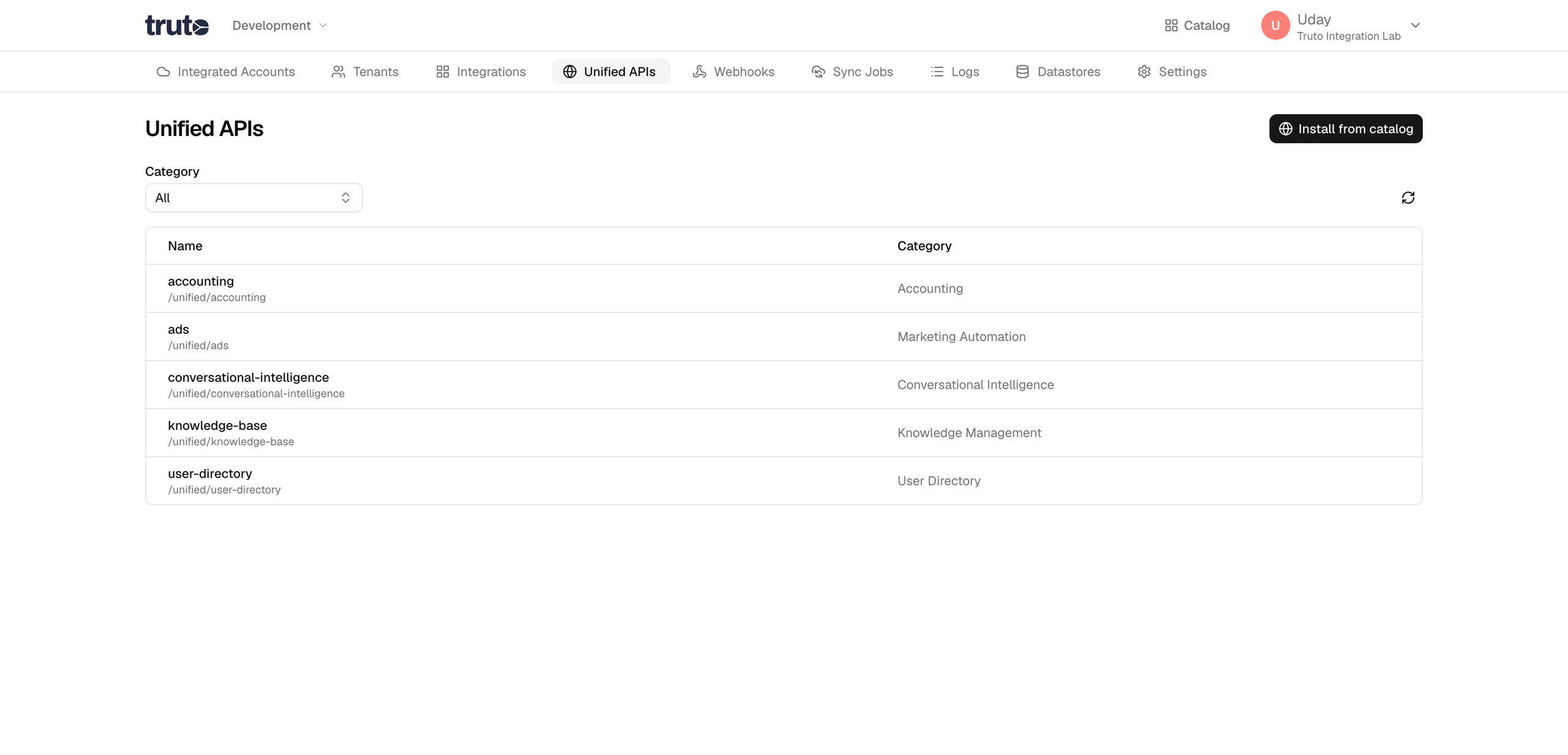
Each environment has its own install. The Unified API then appears under Unified APIs in each environment you picked.
Install with the API or CLI
Send the environment's ID and the Unified API's ID. truto environments list and truto unified-models list show both. An API token can install only into its own environment.
curl -X POST https://api.truto.one/environment-unified-model \
  -H 'Authorization: Bearer <API token>' \
  -H 'Content-Type: application/json' \
  -d '{ "environment_id": "<environment_id>", "unified_model_id": "<unified_model_id>" }'
truto env-unified-models create --environment-id <environment_id> --unified-model-id <unified_model_id>If the Unified API is already installed in that environment, the call returns the existing install.
Calls before you install
Until a Unified API is installed in the integrated account's environment, every call to it returns 404 with this message:
<name> Unified model is not installed in environment <environment_id>. Please refer https://truto.one/docs/guides/unified-apis/overview#installing-a-unified-api for more information.Uninstall
Open the Unified API under Unified APIs, open the three-dot menu, click Uninstall, and confirm. With the API, send DELETE /environment-unified-model/<id>, where <id> is the install's ID from GET /environment-unified-model. With the CLI, run truto env-unified-models delete <id>.
Uninstalling removes the Unified API from that environment, together with the environment's schema and mapping overrides for it. Calls to its endpoints in that environment return 404 until you install it again, and the overrides don't come back.
Build your own
If the Unified API you need isn't in the catalog, build your own. See Creating Unified APIs.
Viewing the resources, schema and mappings for a Unified API
Each Unified API has resources, a schema and mappings:
- Resources: the data endpoints the Unified API offers, such as
contactsoremployees. - Schema: the structure and type of the data each resource returns.
- Mappings: how data from each integration's API is transformed into the structure the schema defines.
To explore them:
- Open the Unified API from the catalog's Unified APIs tab, or from Unified APIs if it's installed.
- Open the Resources tab. It lists every resource of the Unified API.
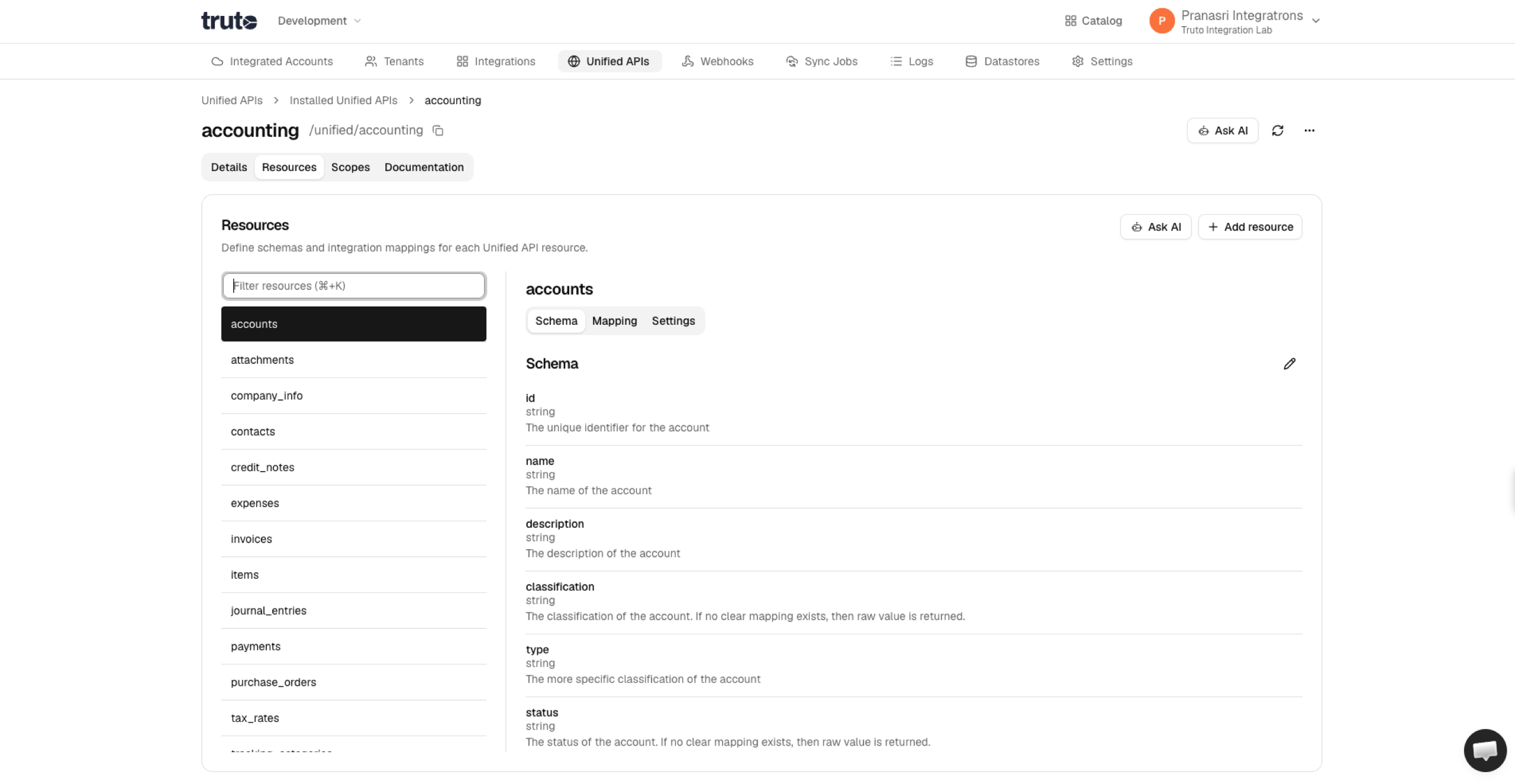
- Click a resource to see its Schema and Mapping tabs.
The Mapping tab has an Integration dropdown listing the integrations that support the resource. Pick one to see its methods and the mapping that converts its data into the Unified API's format.
Next
To change a mapping for your environment or for one integrated account, see Overriding Unified API mappings. Unified API request flow shows what Truto does with each call.