Uninstalling
Uninstalling removes an integration from one environment and deletes every integrated account that uses it there.
Skip the reading — fast path for coding agents
truto environment-integrations delete <id>/skill truto-cli
What uninstalling deletes
- The installation in this environment, with its configuration: your OAuth app, custom resources, environment variables, RapidForm setup and version history.
- Every integrated account that uses it in this environment, with their MCP servers.
Reinstalling does not bring any of this back. It creates a new, empty installation, and your customers have to connect again. Other environments keep their own installation and accounts.
Truto asks the provider to revoke the access token of each OAuth 2.0 account. This runs in the background and is best effort. Truto then sends one environment_integration:deleted webhook event, not an integrated_account:deleted event per account.
To stop new connections but keep the existing ones, turn off Enabled instead; see Enabling and disabling integrations.
Steps to Uninstall Integration
-
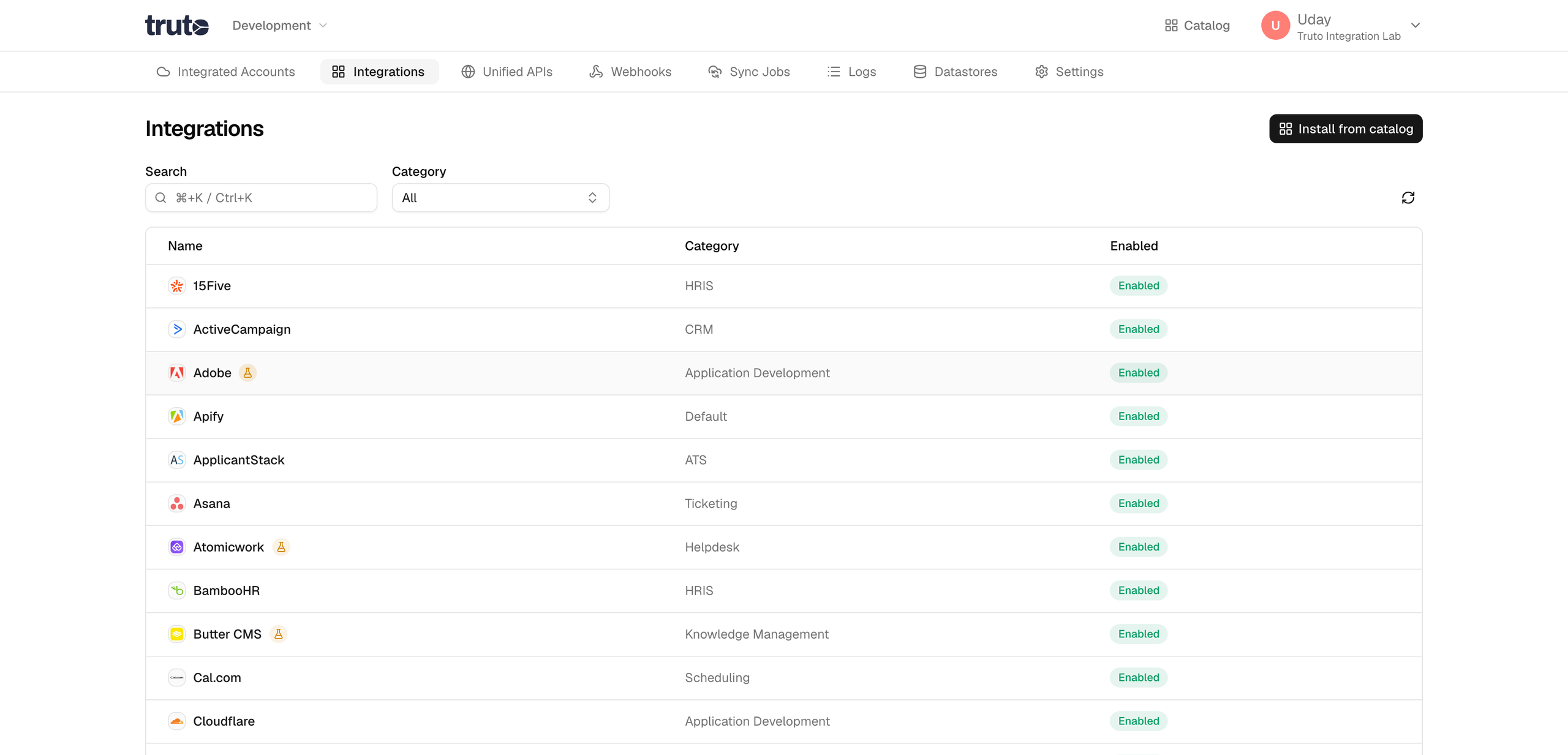
Click Integrations in the top navigation bar and select the integration you want to uninstall.
-
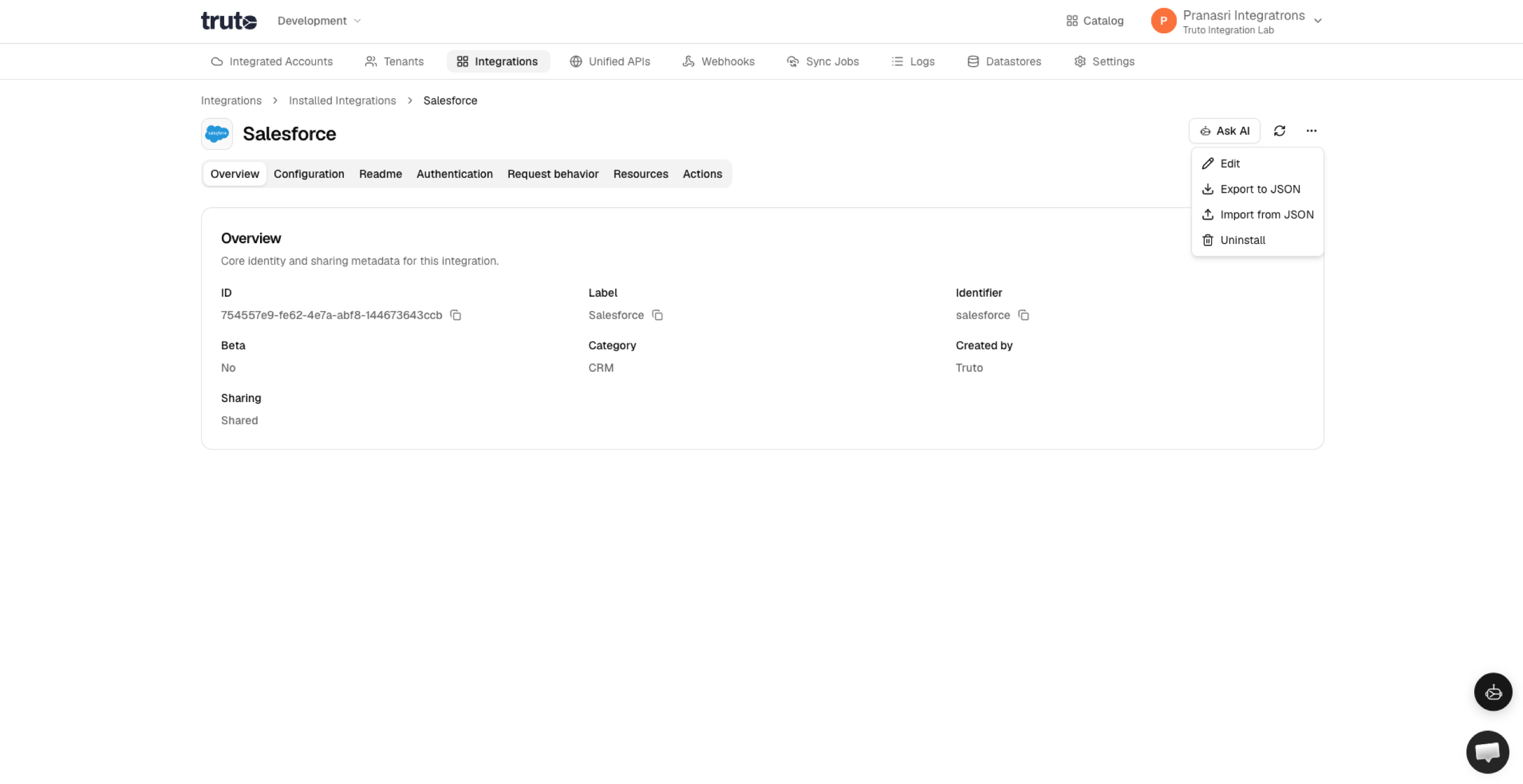
Open the overflow menu (⋯) and choose Uninstall.
-
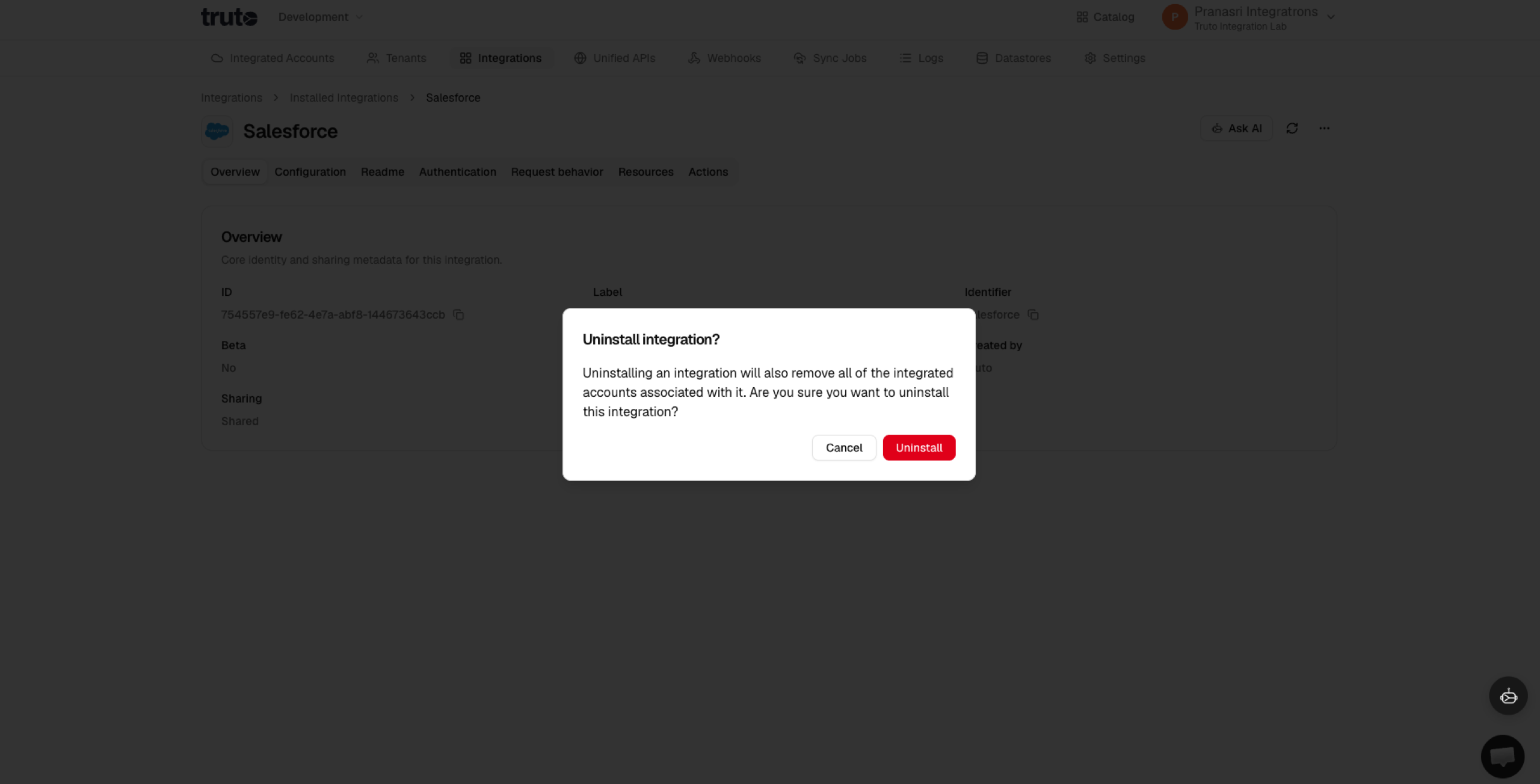
Click Uninstall to confirm. Truto removes the integration from the current environment and returns you to Integrations.
Through the API, delete the installed integration:
curl -X DELETE "https://api.truto.one/environment-integration/<id>" \
  -H "Authorization: Bearer <API token>"
truto environment-integrations delete <id>Next
Install an integration again, or turn it off instead of uninstalling.