Reauthorizing Connections in an Integrated Account
Reconnect an account when its credentials stop working (status needs_reauth) or when you need new OAuth scopes. Reconnecting updates the same integrated account: its ID, tenant, MCP servers and sync job triggers stay.
Skip the reading — fast path for coding agents
truto accounts list --status needs_reauth -o json/skill truto
Getting notified about reauthorization
In case of OAuth integrations, when an end-user revokes access for the OAuth app, Truto will not be able to refresh the access tokens. In such cases, when Truto fails to refresh the access token, it marks the integrated account needs_reauth and sends an integrated_account:authentication_error event with the integrated account as the payload. You can use this event to notify the end-user about the issue and ask them to re-authorize the connection. The event is sent once, when the account moves into needs_reauth; further failures while it stays in that state send nothing.
For OAuth with refresh token functionality, the account moves to needs_reauth (and the integrated_account:authentication_error event is sent) when there is an issue with refreshing the access token for an integrated account regardless of what the underlying issue is.
For other authentication methods and OAuth without refresh token functionality, the account moves to needs_reauth when an underlying API call to the integration fails with a 401 response status code. This can happen when Proxy and Unified APIs are called, or when sync jobs run.
How the account recovers decides which events you get:
| How the account recovers | Status | Webhooks |
|---|---|---|
| A token refresh succeeds, or an API call or sync run on the account succeeds at the provider | active |
integrated_account:reactivated |
| The end user reconnects | connecting while post install and validation steps run, then active |
integrated_account:updated, then integrated_account:active |
You update the credentials with PATCH /integrated-account/{id}/credentials or PATCH /integrated-account/{id} |
stays needs_reauth until the next call succeeds |
integrated_account:updated, then integrated_account:reactivated |
You set status to active with PATCH /integrated-account/{id} |
active |
integrated_account:updated only |
See the Webhooks guide to receive these events.
Find accounts that need reauthorization
List the accounts in needs_reauth. Each one carries last_error, the reason it failed. In the dashboard, pick Needs re-auth in the Status filter of Integrated Accounts.
curl 'https://api.truto.one/integrated-account?status=needs_reauth' \
  -H "Authorization: Bearer $TRUTO_API_TOKEN"
truto accounts list --status needs_reauthKeeping existing variables
By default, a reauthorization replaces the account's variables with what the new connection produces: the credentials the end user enters (or the new OAuth token) plus any context you set on the link token. Everything else stored on the account is dropped, including:
- variables you added on the account's Variables section or through the API,
- the choices the end user made in a RapidForm,
- the
drive_itemssaved by the Link SDK's native file pickers, - the account's static gate (
truto_static_gate_id). The dashboard's Re-authorize connection dialog keeps the current gate selected. A link token you create through the API must passtruto_static_gate_idagain or setpersist_previous_context: true.
To keep them, create the link token with persist_previous_context: true. The account's existing variables are kept and the reconnection's values are layered on top, so a variable with the same name is overwritten by the new value.
curl -X POST https://api.truto.one/link-token \
  -H "Authorization: Bearer $TRUTO_API_TOKEN" \
  -H "Content-Type: application/json" \
  -d '{"integrated_account_id": "<integrated_account_id>", "persist_previous_context": true}'
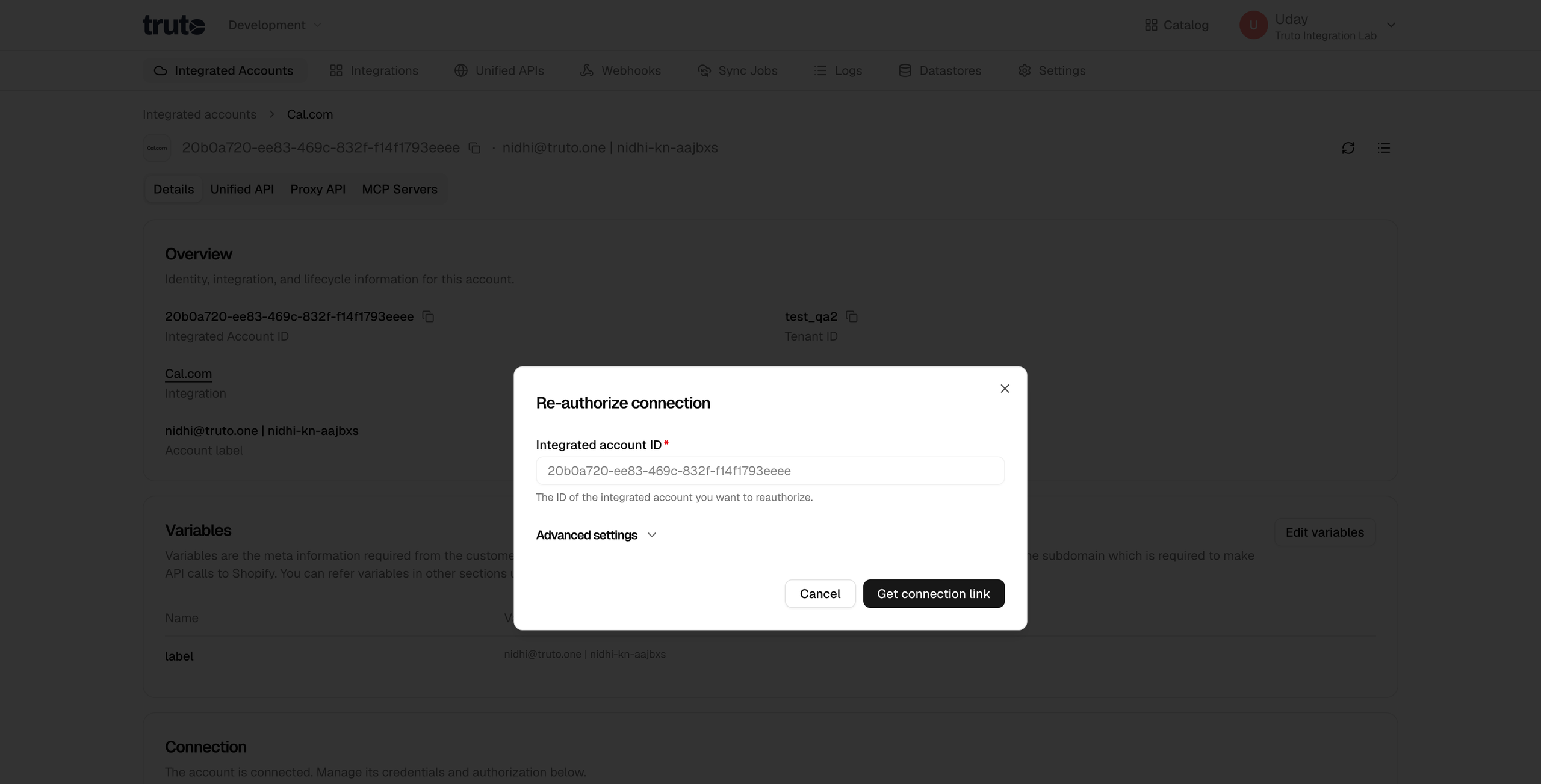
In the dashboard, the same option is the Persist existing variables checkbox under Advanced settings in the reauthorize dialog. It is off by default in both places.
Stale accounts
An account that stays needs_reauth, with no change, for 7 days becomes stale: Truto stops calling the provider for it, and its API calls get a 401 with truto_error_code: integrated_account_needs_reauth, until it is reconnected. Reconnecting it as described below ends the pause. See Stale integrated accounts for what stops, how you find out, and the other ways to end the pause.
Reauthorize connections from the dashboard
- Open Integrated Accounts.
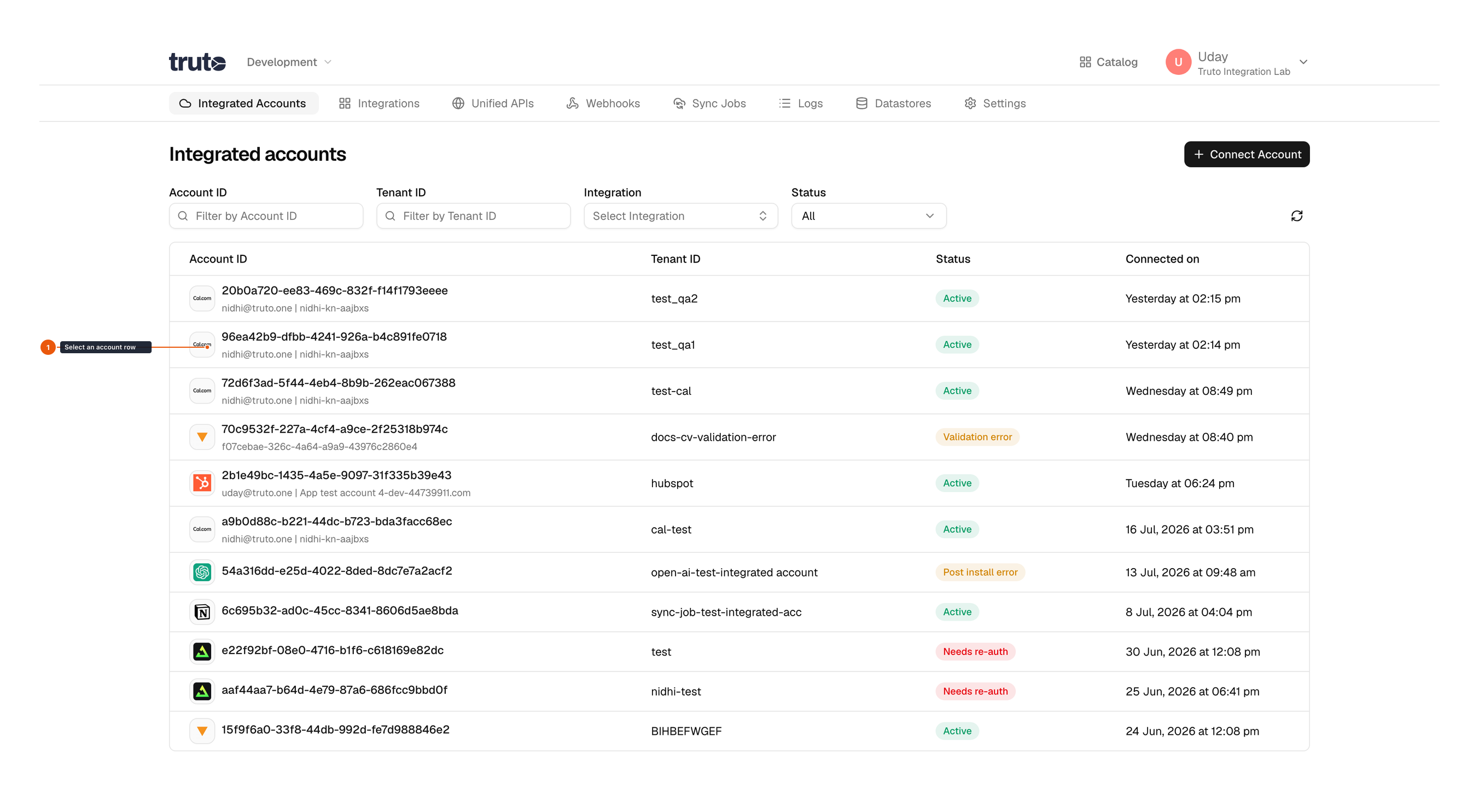
- Select an Integrated Account. On the account detail page, click Re-authorize connection.
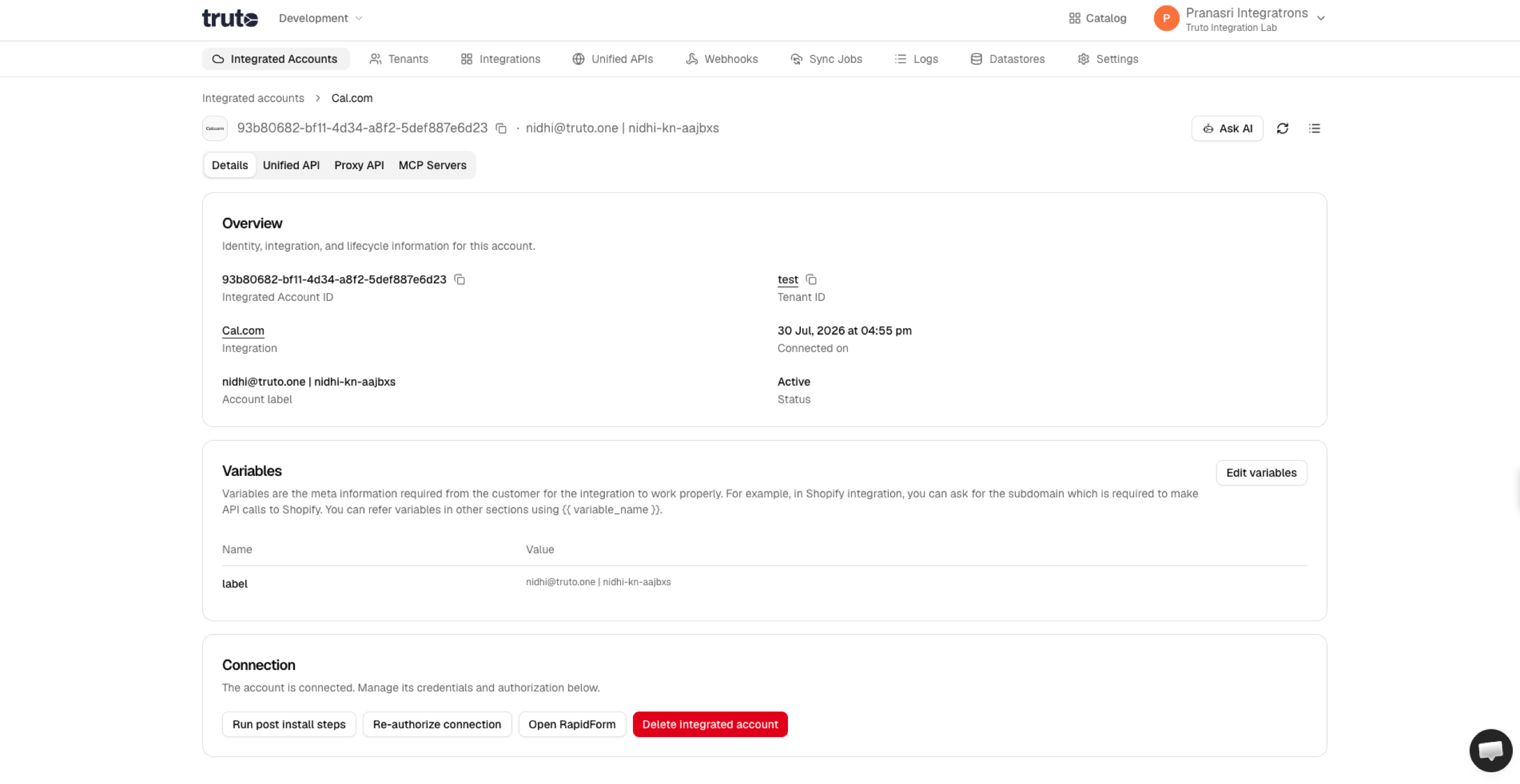
- In the dialog, click Get connection link. To keep the account's current variables, first open Advanced settings and check Persist existing variables (see Keeping existing variables).
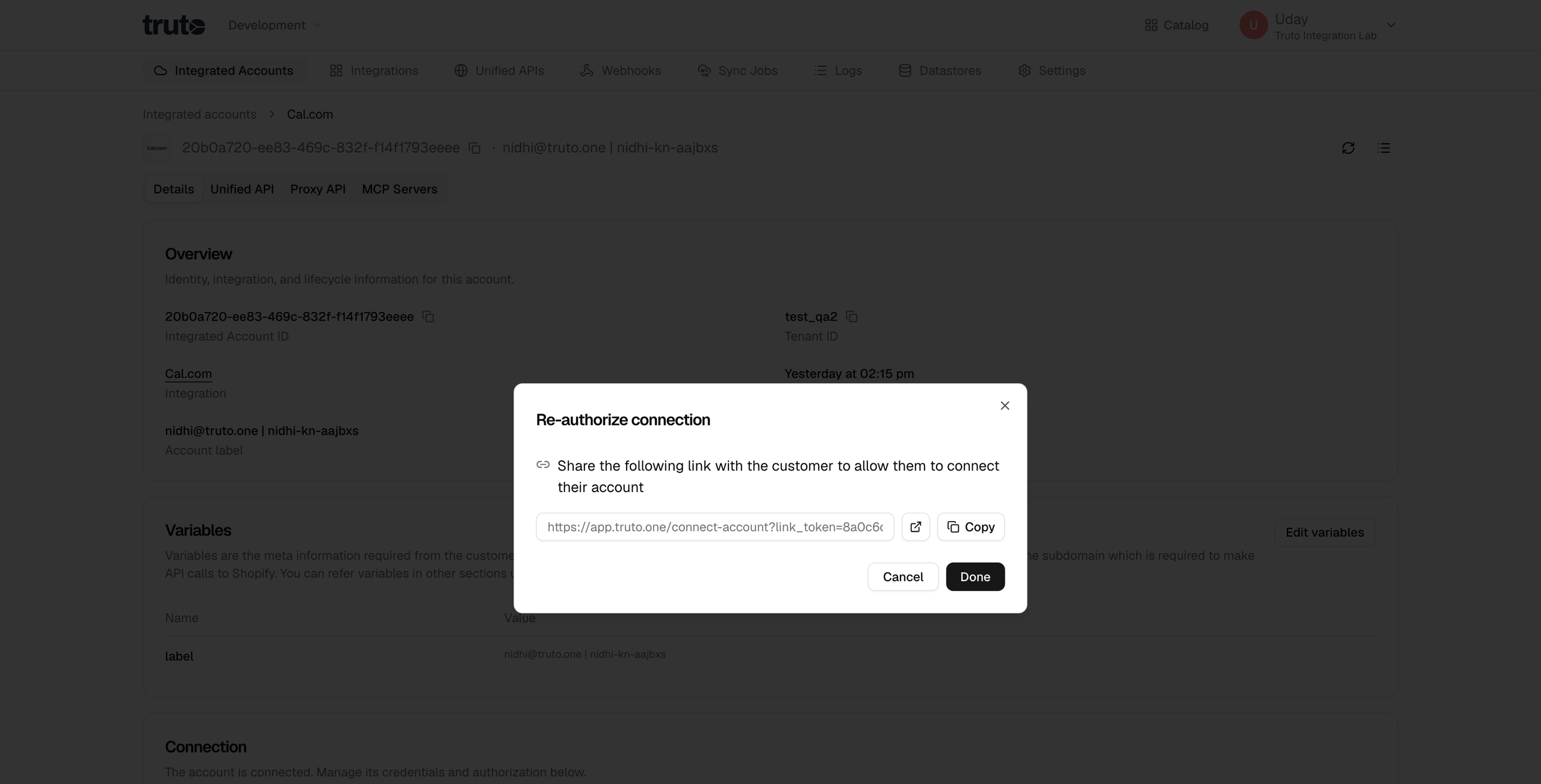
- Open the connection link to finish re-authorizing, or send it to your customer. The link works for 7 days, or until the account reconnects with it. If the attempt fails before the account updates, the same link can be retried. If the account updates but post install or validation then fails, the link is used up; create a new one.
What happens next?
The connection link opens the Connect UI, which takes you to the integration to sign in and allow access to Truto. Follow the steps for authentication, and upon successful completion, you will see a 'Connection successful' message. You can then close the tab.
Reauthorizing an account via API
Create a link token with the account's integrated_account_id, authenticated with your API token.
# Add "persist_previous_context": true to keep the account's variables, and
# "truto_static_gate_id": "<static_gate_id>" if the account uses a static gate.
curl -X POST https://api.truto.one/link-token \
  -H "Authorization: Bearer $TRUTO_API_TOKEN" \
  -H "Content-Type: application/json" \
  -d '{"integrated_account_id": "<integrated_account_id>"}'
truto link-tokens create --integrated-account-id <integrated_account_id>Response:
{
    "link_token": "e73c7b9b-2e4d-47d1-b5d2-83441fd24e4c"
}
The connection link opens the Connect UI with that link token. It works for 7 days, or until the account reconnects with it:
https://app.truto.one/connect-account?link_token=<link_token>When the token is refused
Reauthorization may switch sign-in method: the Connect UI offers whatever methods the integration still has, and the account's authentication_method is updated when the end user picks a different one. So the token is refused only when nothing on the integration can connect — every method it has is a bring-your-own-app one (OAuth 2.0 or AWS STS) whose app credentials have been removed from this environment since the account connected. Then no token is created and the API answers 400 with truto_error_code: "app_credentials_not_configured"; the body also carries integration, environment_integration_id and authentication_methods. Add the credentials back (or enable another method) and retry; nothing the end user does can complete the reauthorization until then. An account on an integration that still has a working method — an API key beside an unconfigured OAuth app, say — gets its token as usual and reconnects with that method.
Embed the Connect UI in your app
Use the Link SDK to open the Connect UI inside your own page instead of sending the connection link.
Next
An account left in needs_reauth for 7 days is paused; Stale integrated accounts covers what stops and how to resume it.