Configuration reference
Every field of an integration's configuration, with the key it has in the JSON.
Skip the reading — fast path for coding agents
truto integrations get <integration_id> -o json/skill truto-integrations-build
Names in bold are the dashboard's labels. A config key is where the field sits in the integration's config: the JSON you send to POST /integration and PATCH /integration/{id}, apply with truto integrations apply, or put in an installed integration's override. Enum values are written as they are stored, for example qs, indices or single_select.
Top-level keys
| Key | What it holds |
|---|---|
label |
Required. The name shown in the catalog and the Connect UI. |
logo, icon |
The integration's Logo and Icon. |
credentials |
The sign-in methods, keyed by method. See Authentication. |
authorization |
How every request is authorized. See Authorization. |
base_url, headers |
See Base URL and Headers. |
query, query_array_format |
See Query params. |
pagination |
See Pagination. null turns pagination off. |
rate_limit |
See Rate limiting. |
error_expression |
See Error expression. |
resources |
See Resources. |
actions |
See Actions. |
webhook |
See Webhooks. |
tool_tags |
Tags for the integration's tools, keyed by resource (contacts) or by resource and method (contacts.delete). A method's tags add to its resource's. An MCP server created with tags gets only the tools that carry one of them. A resource's Tags and a method's Method tags fields set them. |
oauth_app_headers |
Headers built from the OAuth app that issued the account's token, and sent on every request of an account that signs in with OAuth 2.0. For a provider that wants the app's own key next to the user's token. A value can use only {{client.id}} and {{client.secret}}. Names such as content-type, accept, user-agent and any x-truto-* are refused. |
browser_file_picker_requires_access_token |
true when the provider's file picker runs in the browser with the account's access token, as Google Drive's and Box's do. The picker gets the access token and nothing else. |
The integration's Overview tab sets its Identifier (name), Category (category) and Beta (is_beta). These sit beside config, not in it.
Authentication
Authentication is how your end users sign in to the provider when they connect. Check each sign-in method the provider supports. Your end users pick one in the Connect UI, and each method has its own variables. To turn a method off in one environment, set credentials.<method>.enabled to false in that environment's override.
In the JSON, credentials is a map keyed by method: oauth2, oauth, api_key, keka_oauth, oauth2_client_credentials, jwt_bearer or aws_sts. Each entry holds format (the same name) and config, and the config keys in this section are relative to that config. A new integration starts with OAuth 2.0 checked and Bearer Auth authorization.
Every method also has the fields listed under Set once per sign-in method.
1. OAuth 2.0
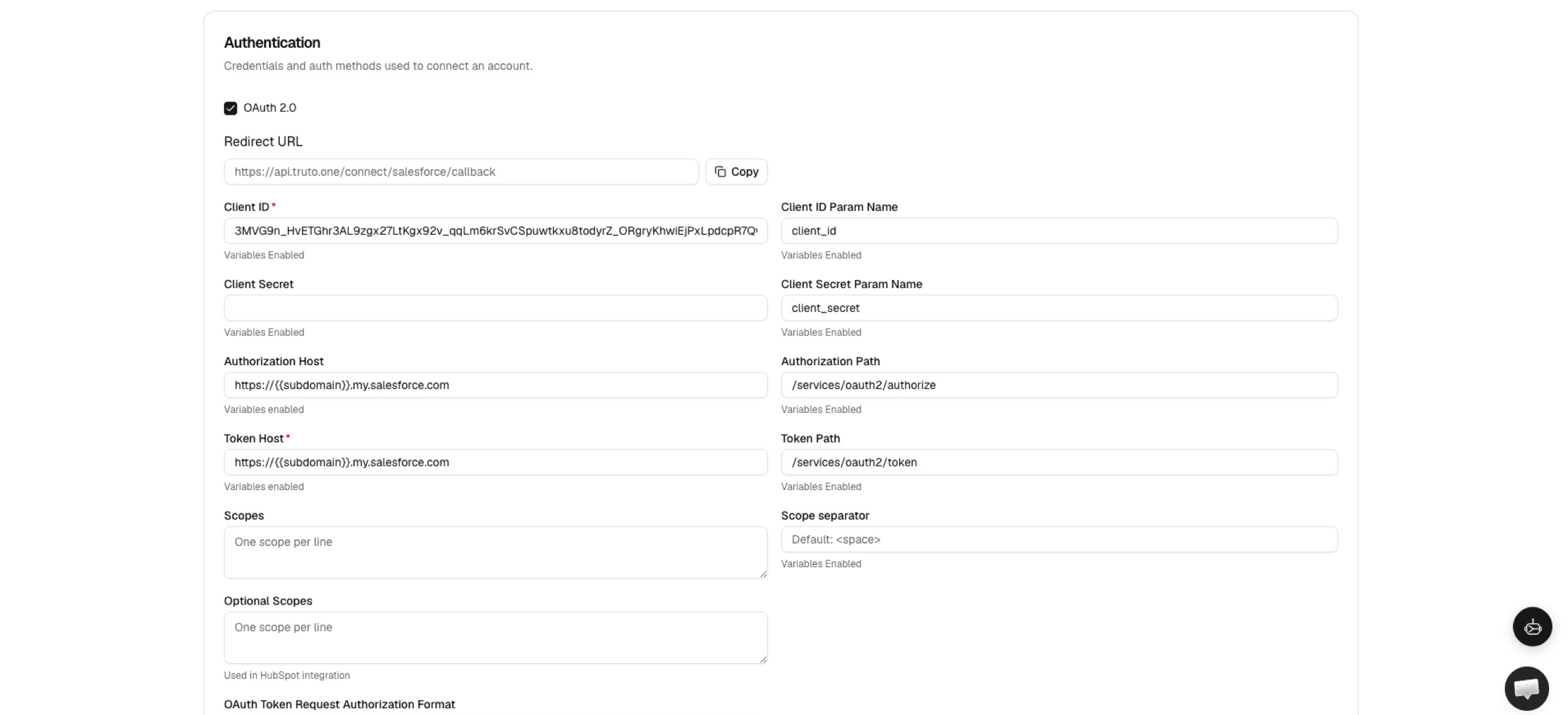
OAuth 2.0 (oauth2) sends your end user to the provider to sign in and grant access. Use it wherever the provider supports it.
| Field | Config key | What it does |
|---|---|---|
| Redirect URL | — | Shown for you to register with the provider, for example https://api.truto.one/connect/salesforce/callback. To use one on your own domain, see Use a redirect URL on your own domain. |
| Client ID, Client Secret | client.id, client.secret |
Your OAuth app's credentials. Variables enabled. |
| Client ID Param Name, Client Secret Param Name | client.idParamName, client.secretParamName |
The names Truto sends them under. Default client_id and client_secret. |
| Authorization Host, Authorization Path | auth.authorizeHost, auth.authorizePath |
Where your end user signs in, for example https://{{subdomain}}.my.salesforce.com. The host defaults to the token host, and the path to /oauth/authorize. |
| Token Host, Token Path | auth.tokenHost, auth.tokenPath |
Where Truto exchanges the code for a token, and refreshes it. The host is required. The path defaults to /oauth/token. |
| Scopes | scope |
The permissions to ask for: one per line in the form, a list in the JSON. |
| Scope separator | options.scopeSeparator |
What joins the scopes in the authorize URL. A space by default. |
| Optional Scopes | optional_scope |
Scopes the user may grant or decline, sent separately as optional_scope. Used by HubSpot. |
| OAuth Token Request Authorization Format | options.authorizationMethod |
Where the token request carries the Client ID and Secret: header (Header, the default), body (Body) or qs (Query). |
| OAuth Token Request Body Format | options.bodyFormat |
The token request's body: form (Form, the default), json (JSON) or qs (Query). |
| Token Expiry Duration (expires_in) | tokenExpiryDuration |
Seconds a token lasts when the provider's token response has no expires_in, for example 3600. |
| Add authorize URL params | params |
Extra parameters for the authorize URL. |
| Add token params | tokenParams |
Extra parameters for the token request. |
| Add refresh token params | refreshParams |
Extra parameters for the refresh request. |
| Use OAuth token scope | use_oauth_token_scope |
When on, a token refresh asks only for the scopes returned in the token response. Useful for providers like Google, where users can consent to fewer scopes than you asked for. |
| OAuth token scope separator | oauth_token_scope_separator |
How to split the scope string in the token response. A space by default. |
The authorize URL carries redirect_uri, state, scope, optional_scope (joined with spaces), access_type=offline, prompt=consent and, with pkce, the PKCE challenge. Your Add authorize URL params come last, so they win. Truto always sends access_type=offline and prompt=consent: to change either, add it there; to drop it, add it with an empty value. A parameter with an empty value is left out.
When a token has an expiry, Truto refreshes it 1 to 3 minutes before it expires, and a request refreshes it when less than 30 seconds are left.
A few OAuth 2.0 settings are set in the integration's JSON rather than the form:
| Key | What it does |
|---|---|
pkce |
Turns on PKCE, for example {"method": "S256", "challengeKey": "code_challenge", "challengeMethodKey": "code_challenge_method", "challengeVerifierKey": "code_verifier"}. The three *Key values name the parameters that carry the challenge, its method and the verifier; set all three. method must be S256 or plain, but Truto always sends an S256 challenge. |
auth.refreshPath |
Path for the refresh token request. Defaults to the token path. |
auth.revokePath |
Path Truto calls to revoke the token when a connection is removed. Defaults to /oauth/revoke. |
options.expiresInPropertyName |
Name of the token response field that holds the token lifetime, when it is not expires_in. |
2. API Key
API Key (api_key) signs in with a key your end user pastes into the connect form.
| Field | Config key | What it does |
|---|---|---|
| API Key Scopes (optional) | scope |
The permissions the API key needs, one per line. |
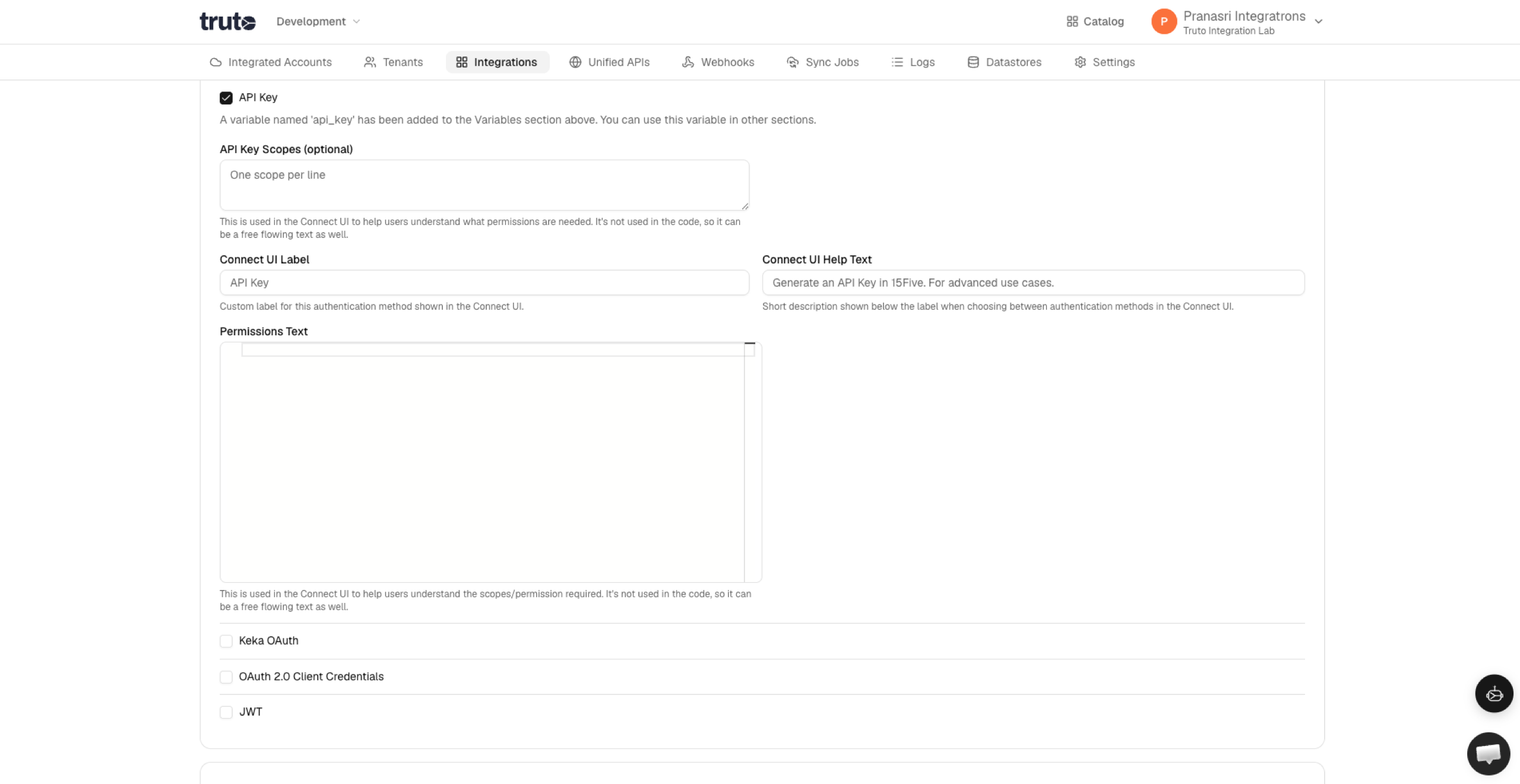
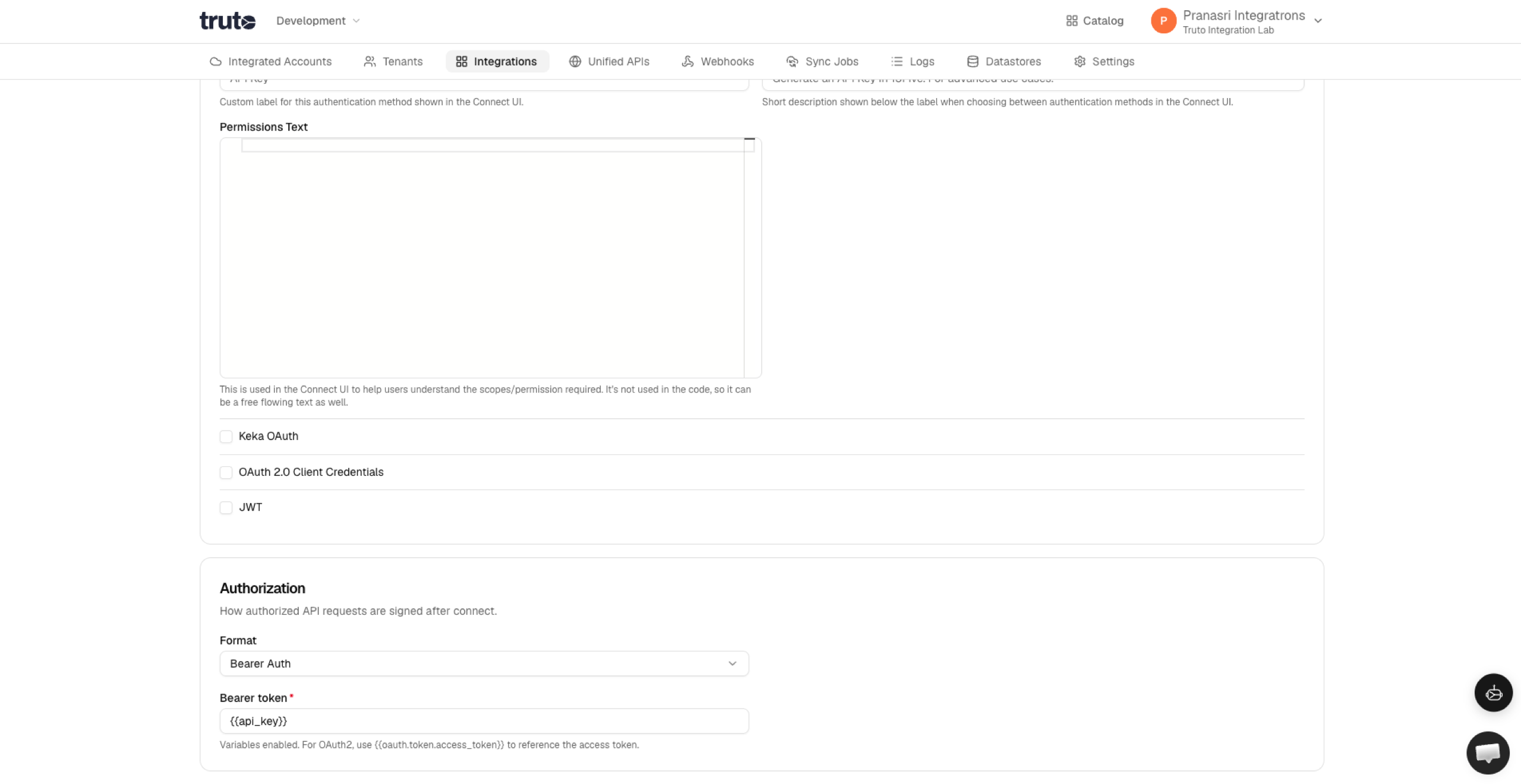
Checking API Key adds a required api_key variable of type Password, labelled API Key. Give it a Help text, or a Pattern such as ^AK- to check the key's form; see Variables. Templates read the key as {{api_key}}: Cloudflare, for example, uses it as the Bearer token of a Bearer Auth authorization, which sends Authorization: Bearer <key>.
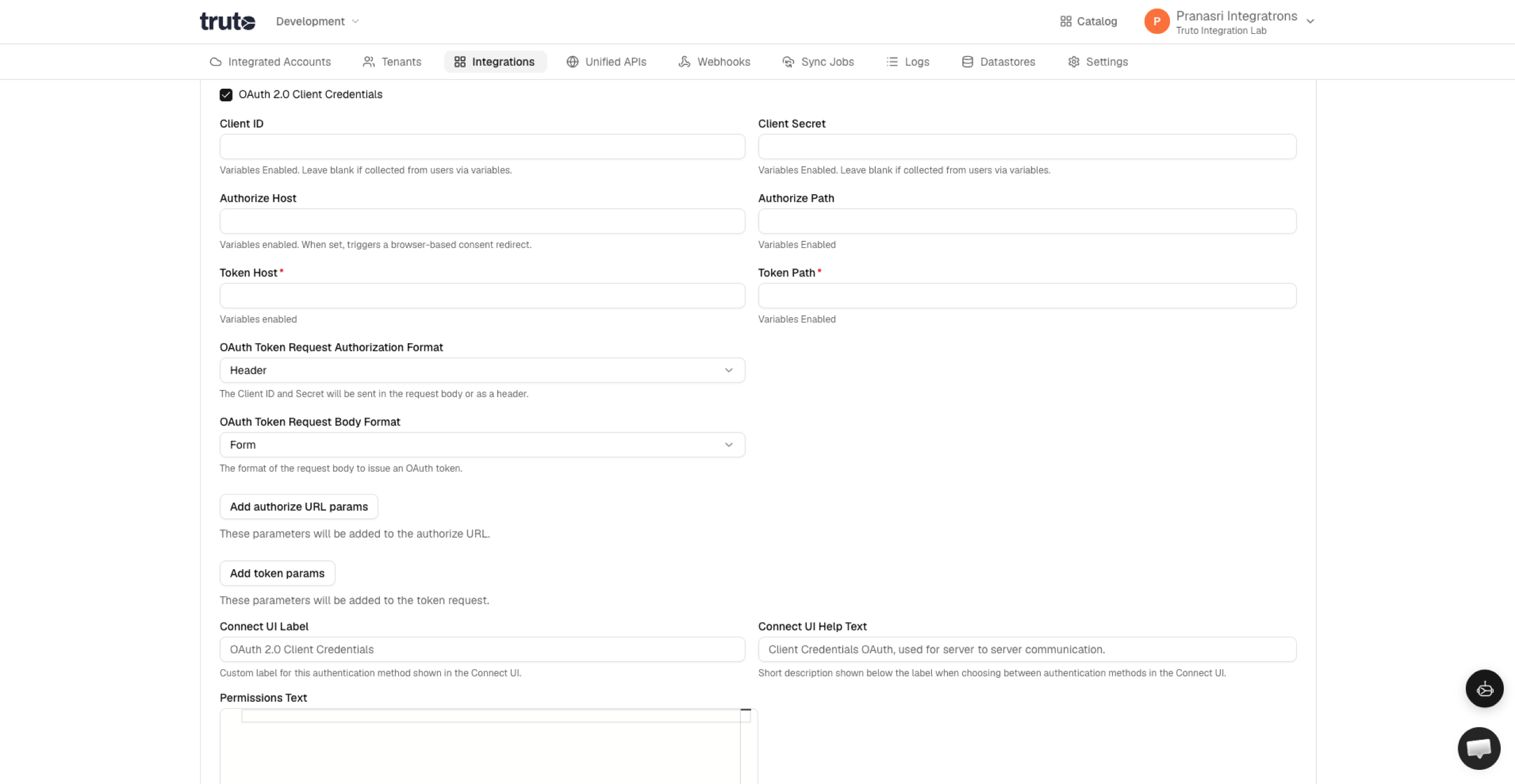
3. OAuth 2.0 Client Credentials
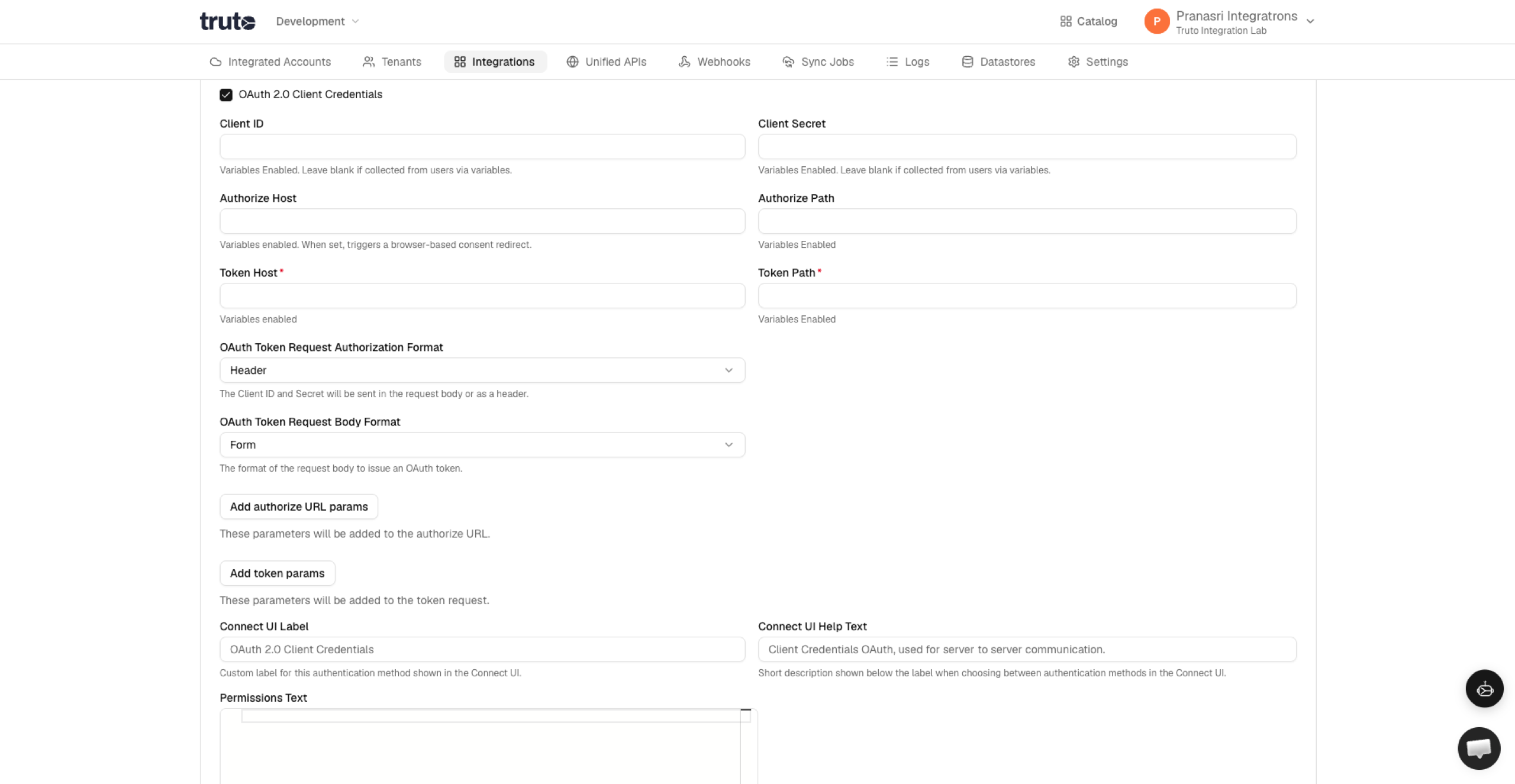
OAuth 2.0 Client Credentials (oauth2_client_credentials) gets a token server to server, with a client ID and secret and no user sign-in. Check the provider's documentation to see whether it supports this grant.
| Field | Config key | What it does |
|---|---|---|
| Client ID, Client Secret | client.id, client.secret |
The app's credentials, when every connection uses the same app. Leave them blank to collect them from your end users through the client_id and client_secret variables. Variables enabled. |
| Authorize Host, Authorize Path | auth.authorizeHost, auth.authorizePath |
Optional. With both set, your end user is first sent there in the browser to approve the app, and the form shows a Redirect URL to register with the provider. |
| Token Host, Token Path | auth.tokenHost, auth.tokenPath |
Both required. Where Truto requests the token, for example https://login.salesforce.com and /services/oauth2/token. |
| OAuth Token Request Authorization Format | options.authorizationMethod |
Where the Client ID and Secret go: header (Header, the default), body (Body) or qs (Query). |
| OAuth Token Request Body Format | options.bodyFormat |
form (Form, the default), json (JSON) or qs (Query). |
| Add authorize URL params | params |
Extra parameters for the authorize redirect. |
| Add token params | tokenParams |
Extra parameters for the token request. This method has no Scopes field: to ask for a scope, add scope here. |
Two more keys are set in the integration's JSON: tokenExpiryDuration, the seconds a token lasts when the token response has no expires_in, and oauth_token_scope_separator, which splits the scope string in the token response (a space by default).
Variables added for OAuth 2.0 Client Credentials
Checking OAuth 2.0 Client Credentials adds two required variables:
| Name | Label | Type |
|---|---|---|
client_id |
Client ID | text (Text) |
client_secret |
Client Secret | password (Password) |
When the app-level Client ID and Client Secret above are set, Truto uses those instead, so you can remove the two variables.
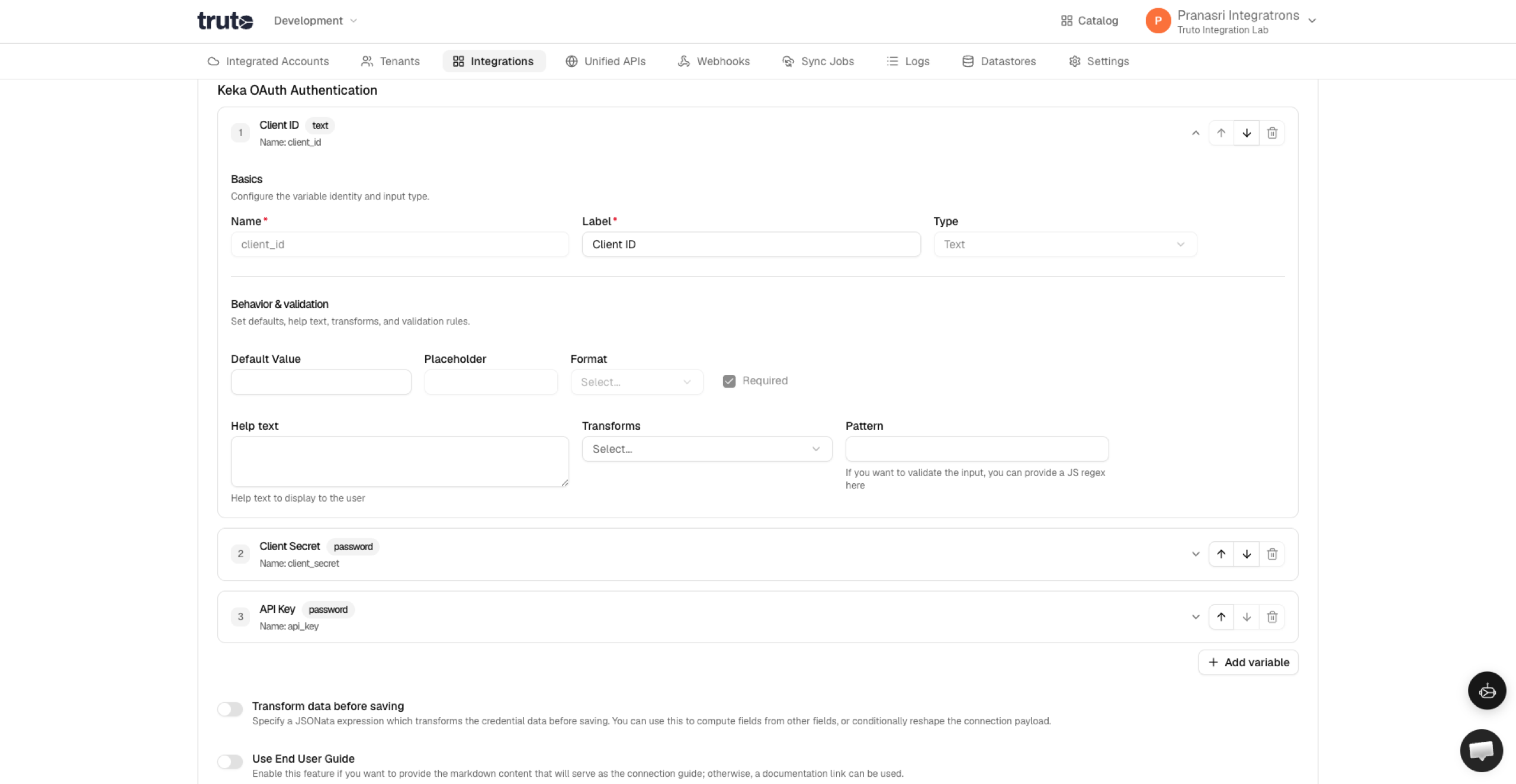
4. Keka OAuth
Keka OAuth (keka_oauth) is for Keka only. Checking it adds three required variables, which your end users fill in when they connect:
| Name | Label | Type |
|---|---|---|
client_id |
Client ID | text (Text) |
client_secret |
Client Secret | password (Password) |
api_key |
API Key | password (Password) |
5. JWT
JWT is for integrations where authentication uses JSON Web Tokens. Use it when the provider issues or accepts JWTs for API access.
Open the integration’s Authentication tab, choose Edit from the page menu, and check JWT. The fields shown depend on the provider — use their documentation to fill them in.
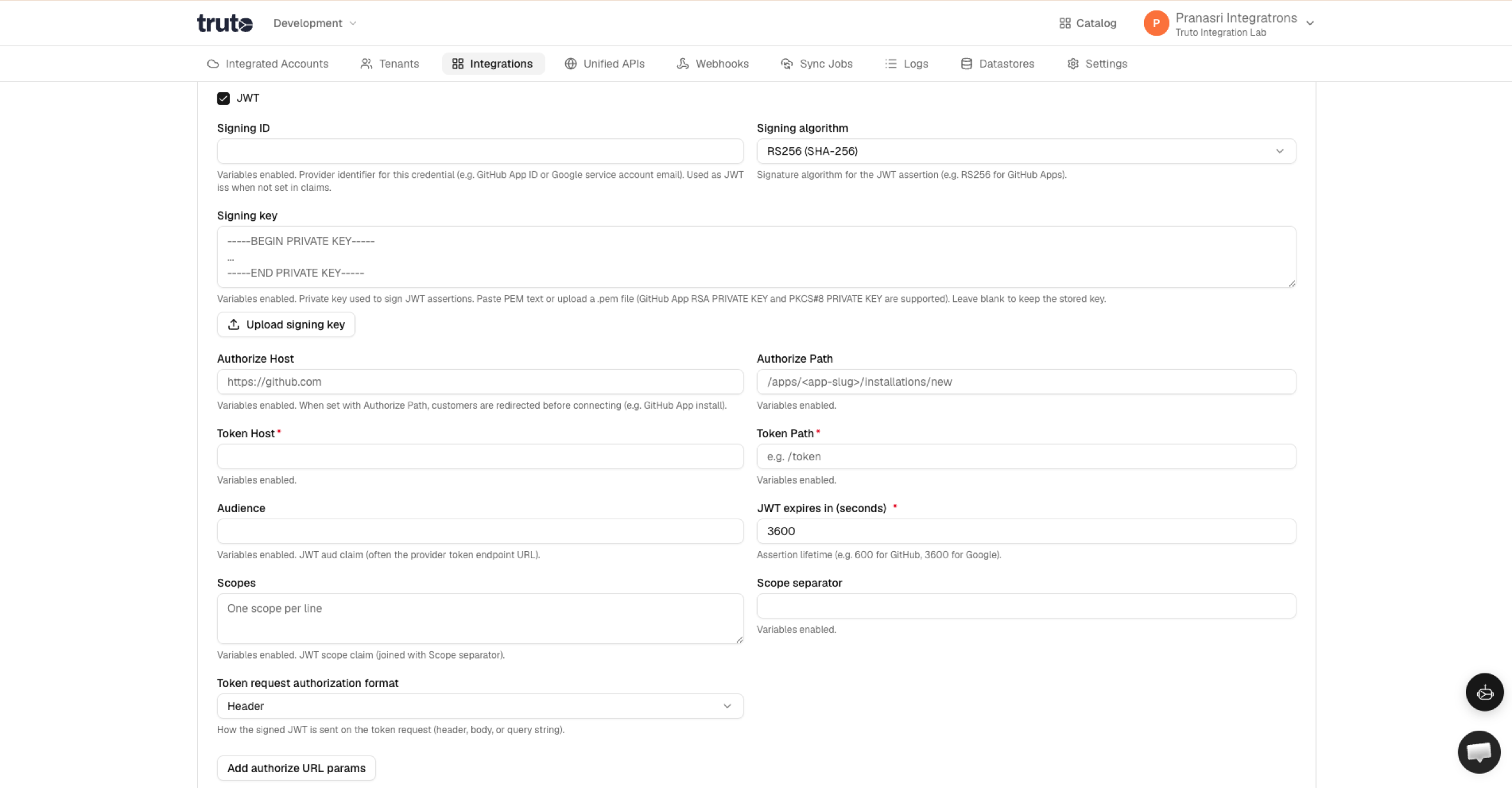
If the provider signs in a service account with a key pair, Truto can make the key pair for each connection, so that your end users only install a public key. See Truto-generated key pairs.
JWT fields
Truto signs a JWT with the signing key, then posts it to Token Host + Token Path and keeps the token the provider returns. It reads the token from access_token (or token) in the response, and its expiry from expires_at or expires_in. Leave Token Host and Token Path empty and the signed JWT itself is used as the access token. Either way the token is available as {{oauth.token.access_token}}, so the usual Authorization is Bearer with that value.
| Field | Config key | What it does |
|---|---|---|
| Signing ID | signing.id |
The provider's identifier for the credential, such as a GitHub App ID or a Google service account email. Used as the iss claim when the claims don't set one. |
| Signing algorithm | jwt.algorithm |
Default RS256. Also RS384, RS512, PS256, PS384, PS512, ES256, ES384, ES512, EdDSA, HS256, HS384, HS512. |
| Signing key | signing.key |
The private key: PEM text (or upload a .pem file), a JWK as JSON, or an HMAC secret. To sign with a Truto-generated key pair instead, set signing.generated to the key pair's name. An EC key must be PKCS#8. Convert a BEGIN EC PRIVATE KEY file with openssl pkcs8 -topk8 -nocrypt -in ec.pem -out ec-pkcs8.pem. A raw secret works only with HS256, HS384 and HS512. |
| Authorize Host, Authorize Path | auth.authorizeHost, auth.authorizePath |
Optional. When both are set, your end user is redirected here before connecting, for example to install a GitHub App. |
| Token Host, Token Path | auth.tokenHost, auth.tokenPath |
Where the signed JWT is exchanged for an access token. |
| Audience | jwt.claims.aud |
The aud claim, often the provider's token URL. |
| JWT expires in (seconds) | jwt.expires_in |
Required. Truto sets iat to the signing time and exp to iat plus this value. For example 600 for GitHub, 3600 for Google. |
| Scopes, Scope separator | jwt.claims.scope, jwt.scope_separator |
The scope claim. One scope per line in the form, joined with the separator (a space by default). |
| Token request authorization format | options.authorizationMethod |
How the JWT goes on the token request: Header (default, as Authorization: Bearer <jwt>), Body, or Query. |
| Token request body format | options.bodyFormat |
With Body: Form (default) or JSON. |
| Add authorize URL params, Add token params | params, tokenParams |
Extra parameters for the authorize redirect and the token request. |
These keys are set in the integration's JSON rather than the form:
| Key | What it does |
|---|---|
jwt.claims |
Any other claims, as a template. For example "iss": "{{signing.id}}". |
jwt.claims_expression |
A JSONata expression that returns more claims, merged over jwt.claims. It receives context and signing (id, public). |
jwt.header |
Extra JWT header fields. |
options.assertion_field_name |
The body or query field the JWT goes in. Default assertion. |
auth.method |
The token request method. Default POST. |
headers |
Extra headers for the token request. |
{
  "format": "jwt_bearer",
  "config": {
    "fields": [
      { "name": "service_account_email", "label": "Service account email", "type": "text", "required": true },
      { "name": "private_key", "label": "Private key", "type": "password", "required": true }
    ],
    "signing": { "id": "{{service_account_email}}", "key": "{{private_key}}" },
    "jwt": {
      "algorithm": "RS256",
      "expires_in": 3600,
      "claims": {
        "iss": "{{signing.id}}",
        "aud": "https://oauth2.googleapis.com/token",
        "scope": "https://www.googleapis.com/auth/drive.readonly"
      }
    },
    "auth": { "tokenHost": "https://oauth2.googleapis.com", "tokenPath": "/token" },
    "options": { "authorizationMethod": "body" },
    "tokenParams": { "grant_type": "urn:ietf:params:oauth:grant-type:jwt-bearer" }
  }
}
6. OAuth 1.0
OAuth 1.0 is for integrations that use the OAuth 1.0 signing flow. Use it when the provider requires OAuth 1.0 instead of OAuth 2.0.
Open the integration’s Authentication tab, choose Edit from the page menu, and check OAuth 1.0. Configure the settings shown according to your provider’s documentation.
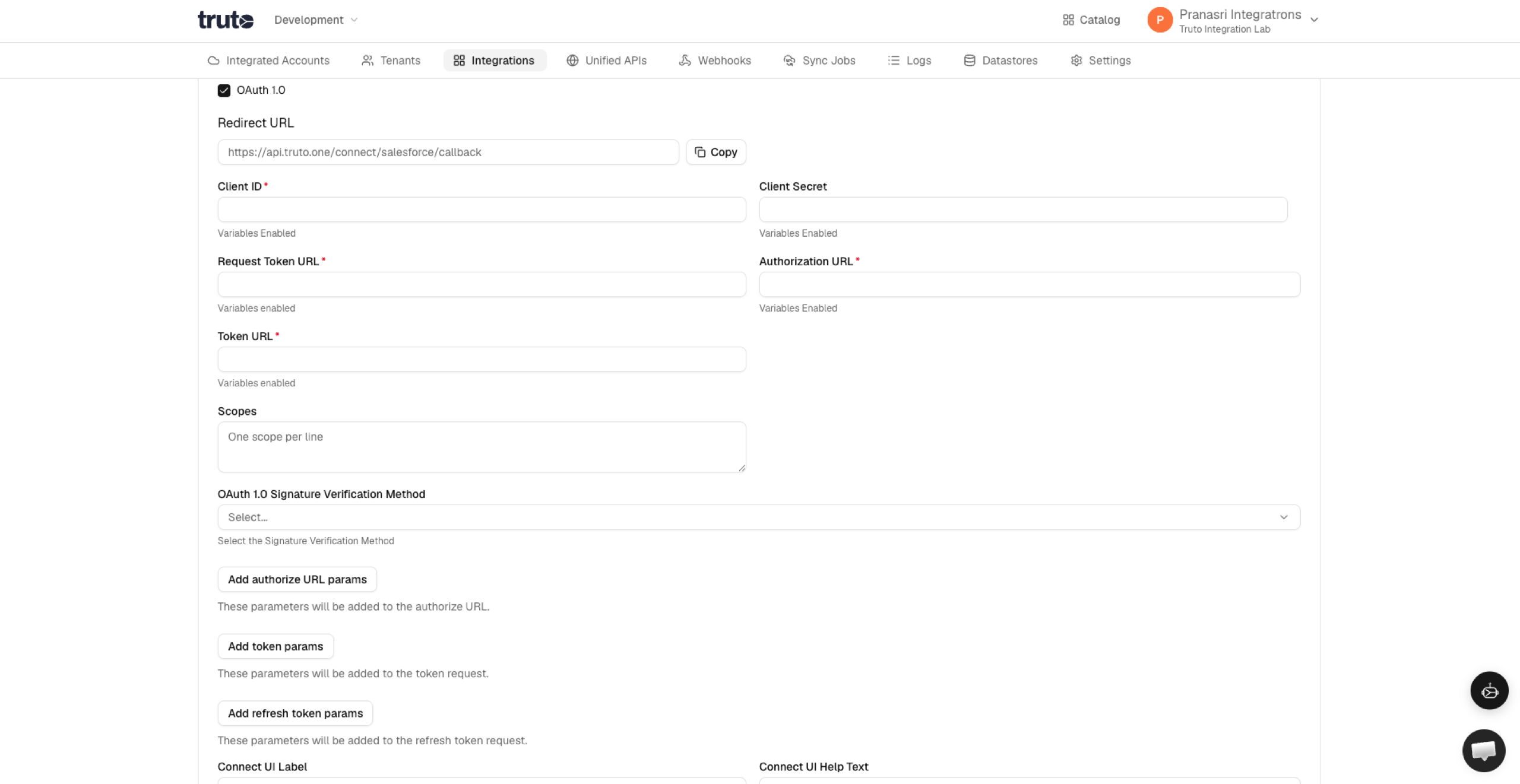
OAuth 1.0 fields
Register the Redirect URL shown at the top of the form with the provider, the same way as for OAuth 2.0.
| Field | Config key | What it does |
|---|---|---|
| Client ID, Client Secret | client.id, client.secret |
Required. The consumer key and secret from the provider. |
| Request Token URL | auth.requestTokenUrl |
Required. Where Truto gets the temporary request token. |
| Authorization URL | auth.authorizeUrl |
Required. Where your end user is sent to approve access. |
| Token URL | auth.tokenUrl |
Required. Where Truto exchanges the approved request token for an access token. |
| Scopes | scope |
One scope per line. |
| OAuth 1.0 Signature Verification Method | options.signatureMethod |
HMAC-SHA1 (HMAC-SHA1, the default) or PLAINTEXT (PLAINTEXT). |
Truto sends your end user to the Authorization URL with oauth_token, scope (the scopes joined with commas) and expiration=never, and adds nothing else. OAuth 1.0 tokens are not refreshed. Set options.addToQuery: true in the JSON to send the OAuth parameters in the query string instead of the Authorization header.
7. AWS STS
AWS STS is for AWS APIs. Your end user creates a role in their AWS account that trusts your AWS account. Truto signs an STS AssumeRole call for that role with a long-lived AWS key, and uses the short-lived key that comes back. One connection can read many AWS accounts, one role per account.
Open the integration’s Authentication tab, choose Edit from the page menu, and check AWS STS.
What Truto does
- Before a request, Truto calls
AssumeRolewith Role ARN, Session name, External ID and Duration (seconds), signed with the signing key. - It keeps the short-lived key on the connection and mints a new one when it is within one minute of expiry.
- The integration's Authorization signs each API request with AWS Signature Version 4, using the short-lived key. Don't add connect form fields for an AWS key.
- With Token key set to a per-request template, the connection keeps one short-lived key per resolved value, so a request for one AWS account never uses another account's key.
AWS STS fields
| Field | Config key | What it does |
|---|---|---|
| Access key ID, Secret access key | signing.access_key_id, signing.secret_access_key |
The long-lived AWS key that signs AssumeRole. Leave both empty and each environment supplies its own key (see below); fill them in and every connection uses this key. |
| Session token (optional) | signing.session_token |
Only needed when the signing key is itself a temporary credential. |
| Role ARN | role.arn |
Required. The role to assume. {{token_key}} resolves to the current token key, for example arn:aws:iam::{{token_key}}:role/TrutoCloudRead. |
| Session name | role.session_name |
Optional. Default truto. Characters AWS doesn't allow are replaced with -, and the name is cut to 64 characters. |
| External ID | role.external_id |
Optional. Usually {{external_id}}, generated by Truto (see below). |
| Duration (seconds) | role.duration_seconds |
How long the short-lived key lasts. Default 3600. A value under 900 is replaced with 3600. The role's own maximum session duration still applies. |
| Token host | auth.tokenHost |
Default https://sts.amazonaws.com. |
| Region | auth.region |
The region AssumeRole is signed for. Default us-east-1. |
| Token key | token_key |
Leave empty and the connection keeps one key. Set it to a per-request template such as {{query.truto_account_id}} and the connection keeps one key per value. When a request doesn't supply the value, Truto makes no AssumeRole call for it. |
The External ID should come from Truto, not from your end user. Declare it as a generated field and reference it in the role:
{
  "format": "aws_sts",
  "config": {
    "fields": [],
    "generated_fields": [{ "name": "external_id", "type": "uuid", "prefix": "truto-" }],
    "signing": { "access_key_id": "dummy", "secret_access_key": "dummy" },
    "role": {
      "arn": "arn:aws:iam::{{token_key}}:role/TrutoCloudRead",
      "external_id": "{{external_id}}"
    },
    "token_key": "{{query.truto_account_id}}"
  }
}
When Token key reads a query parameter, Truto doesn't forward that parameter to AWS on Proxy API calls.
When AssumeRole fails
With a per-request Token key, a failure that blames the role (AccessDenied, AccessDeniedException, NoSuchEntity, MalformedPolicyDocument, PackedPolicyTooLarge) fails that request only. The connection stays active, and the failure is recorded under context.oauth.token_errors.<token key> on the integrated account (code, message, first_failed_at, last_failed_at). A later success for that key clears it. Any other failure that outlasts Truto's retries, such as a revoked signing key, marks the connection as needing reauthorization. Without a per-request Token key, any failure that outlasts the retries does.
Your own signing key, template and AWS account
Each environment can use its own AWS key instead of the integration's. On the integration's settings page, under AWS STS, turn on Use your own signing credentials and fill in:
- Access Key ID, Secret Access Key and Session token (optional) — the key that signs
AssumeRole. - CloudFormation template URL (
template_url) — the Object URL of your copy of the role template in S3. It must be anhttpsURL on ans3.amazonaws.comhost (<bucket>.s3.amazonaws.comor<bucket>.s3.<region>.amazonaws.com) that ends in.yamlor.yml, with no query string. Leave it empty to use Truto's. - AWS account ID (
provider_account_id) — the 12-digit AWS account that holds your signing key, which your end users' roles trust. Leave it empty to use Truto's.
The connect form can use these values as {{template_url}}, {{template_url_encoded}} (percent-encoded, for a link into the AWS console), {{provider_account_id}} and {{provider_account_id_encoded}}. A value that doesn't match its format is rejected on save, and left out of the connect form.
Variables
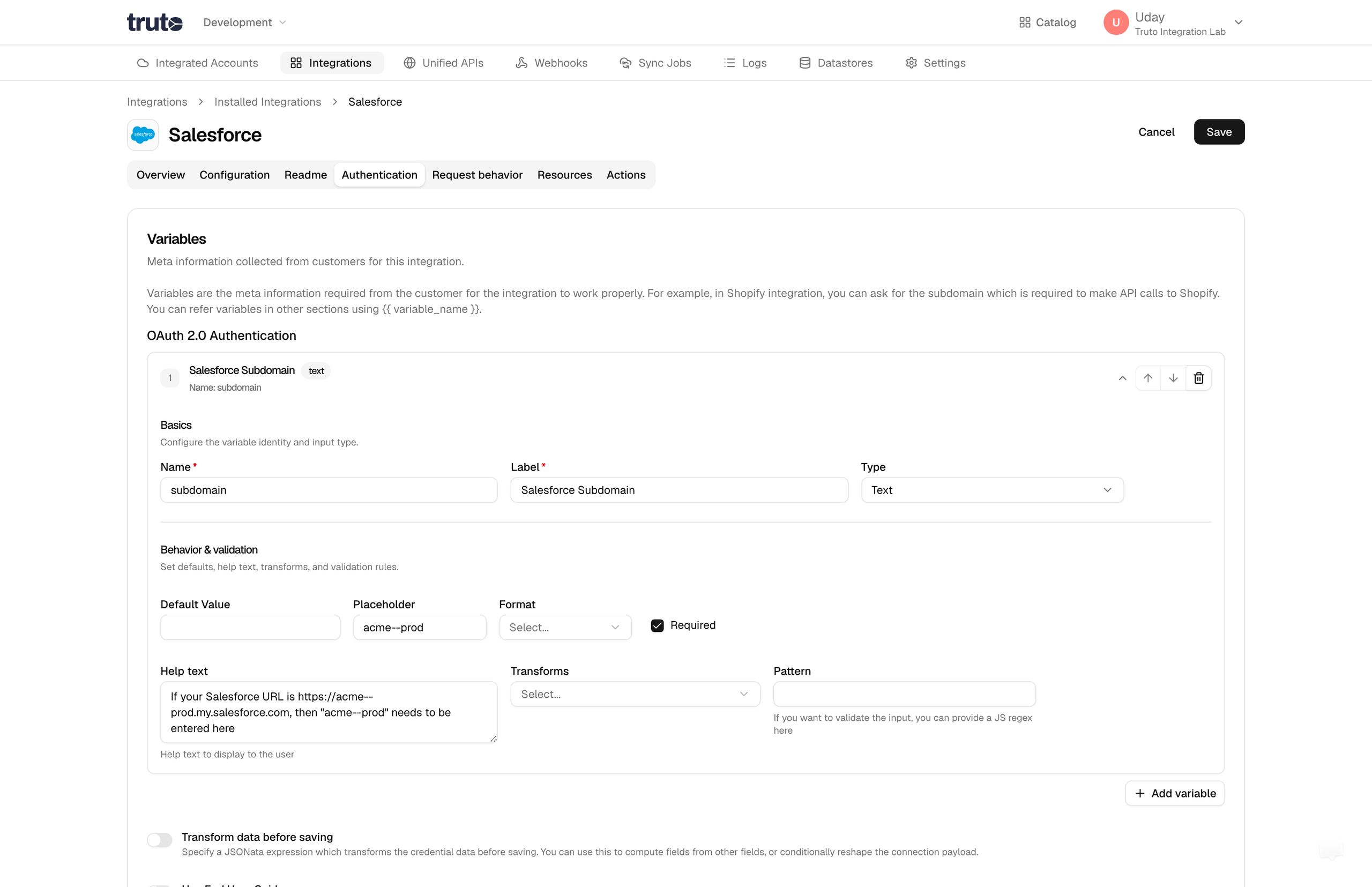
Variables are the fields your end users fill in when they connect, such as an API key or a subdomain. Each sign-in method has its own list, stored in credentials.<method>.config.fields, so check a method under Authentication before you add one. Click Add variable to add a field. Templates read a variable by its name, for example in the Base URL:
https://{{subdomain}}.myshopify.com| Field | Config key | What it does |
|---|---|---|
| Name | name |
The variable's key. Templates read it as {{<name>}}. |
| Label | label |
What your end user sees. |
| Type | type |
text (Text), password (Password, hidden as it is typed), single_select (Single Select) or checkbox (Checkbox). |
| Options | options |
For Single Select: the choices, each with a label and a value. |
| Default Value | default |
A starting value. A Checkbox has Checked by default instead. |
| Placeholder | placeholder |
Hint text shown in the empty field. |
| Format | format |
For Text: checks the value is an email (email), a number (number), a UUID (uuid) or a URL (url). |
| Required | required |
Your end user must fill it in. |
| Help text | help_text |
Explains what the field is for. |
| Transforms | transform |
Changes the value before it is saved: lowercase (lowercase), uppercase (UPPERCASE) or sha256 (SHA256). None keeps it as typed. |
| Pattern | pattern |
A regular expression the value must match, for example ^AK-. |
Values that differ per environment rather than per connection, such as your own app's secret or a regional host, belong in the installed integration's Environment variables instead: see Store per-environment values.
Set once per sign-in method
These fields belong to a sign-in method, not to one variable. The first two rows are on each method's Authentication form, the others on its Variables.
| Field | Config key | What it does |
|---|---|---|
| Connect UI Label, Connect UI Help Text | label, help_text |
The method's name and description in the Connect UI, where your end user picks a method. |
| Permissions Text | permissions_text |
Markdown or HTML shown in the Connect UI to explain what access you ask for. |
| Credential documentation link | documentation_link |
A link to where your end users find their credentials. |
| Use End User Guide | — | Write a markdown connection guide for the method instead of linking to one. The guide is stored with the integration's documentation, not in config. |
| Transform data before saving | transform_expression |
A JSONata expression over the values your end user entered. It returns the values to save, for example with a field computed from others. |
A Permissions Text, for example:
**Access Required:**
- View and manage your Salesforce data.
- Send updates to Salesforce on your behalf.
Authorization
Authorization is how every request proves it may access the provider's data, using the credentials the account got when it connected (see Authentication). In the JSON it is authorization, with a format and a config. A method's Override authorization (its own authorization) replaces it for that method.
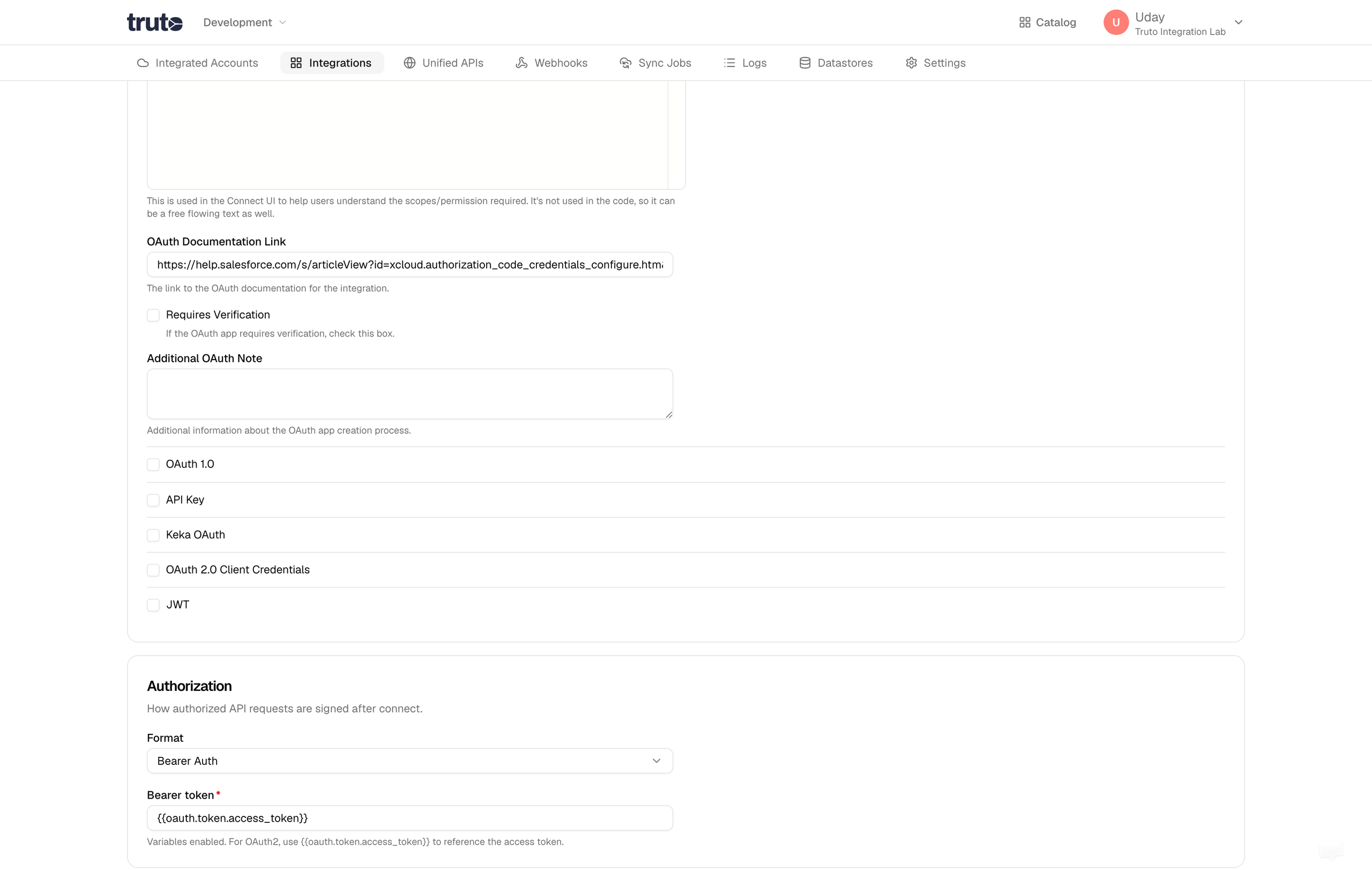
1. Bearer Auth (bearer)
| Field | Config key | What it does |
|---|---|---|
| Bearer token | config.value |
The token. Truto sends Authorization: Bearer <value>. For OAuth 2.0, use {{oauth.token.access_token}}. Variables enabled. |
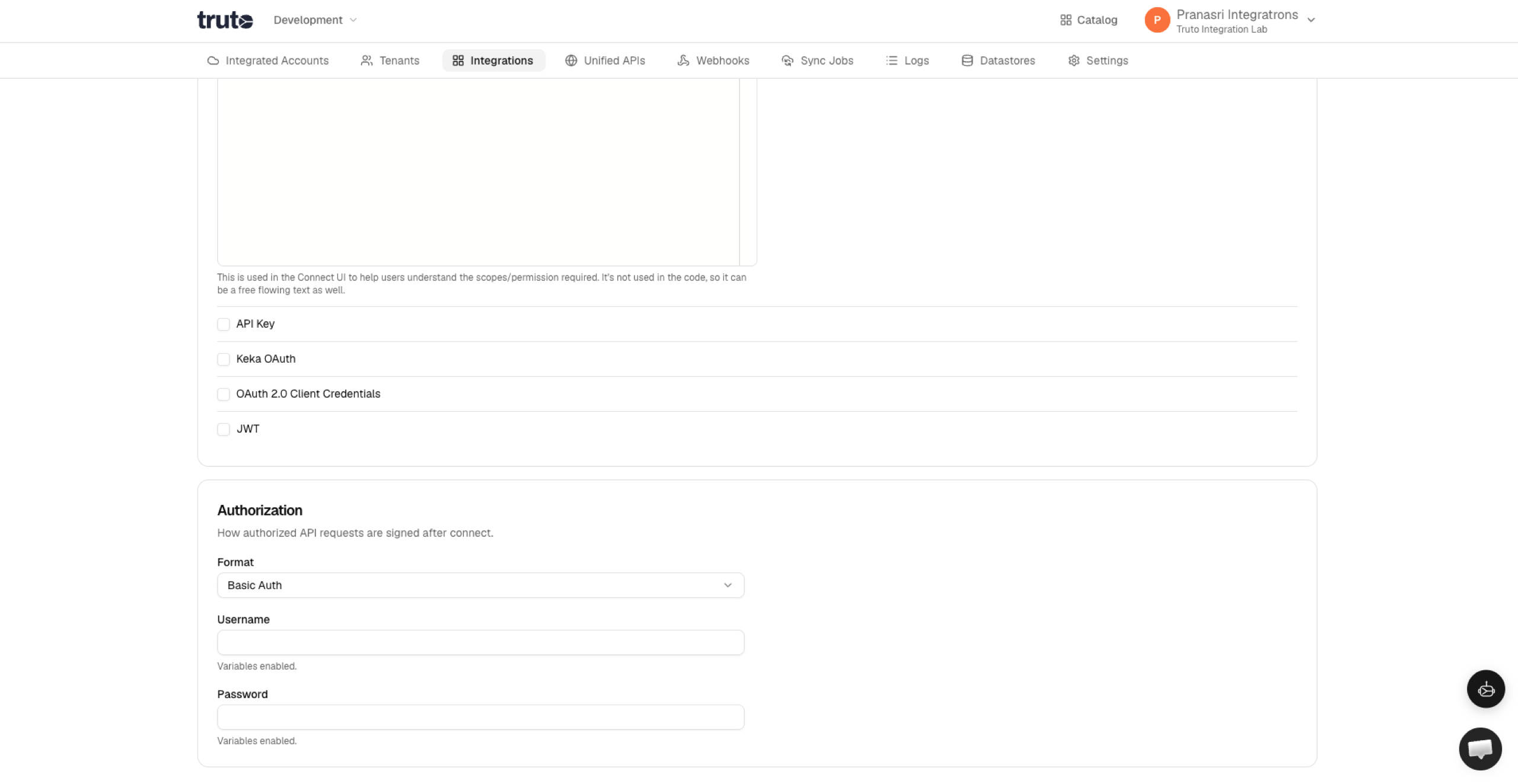
2. Basic Auth (basic)
| Field | Config key | What it does |
|---|---|---|
| Username, Password | config.username, config.password |
Truto sends them base64-encoded, as Authorization: Basic <username:password>. Use variables, such as {{username}}, so each account sends its own. |
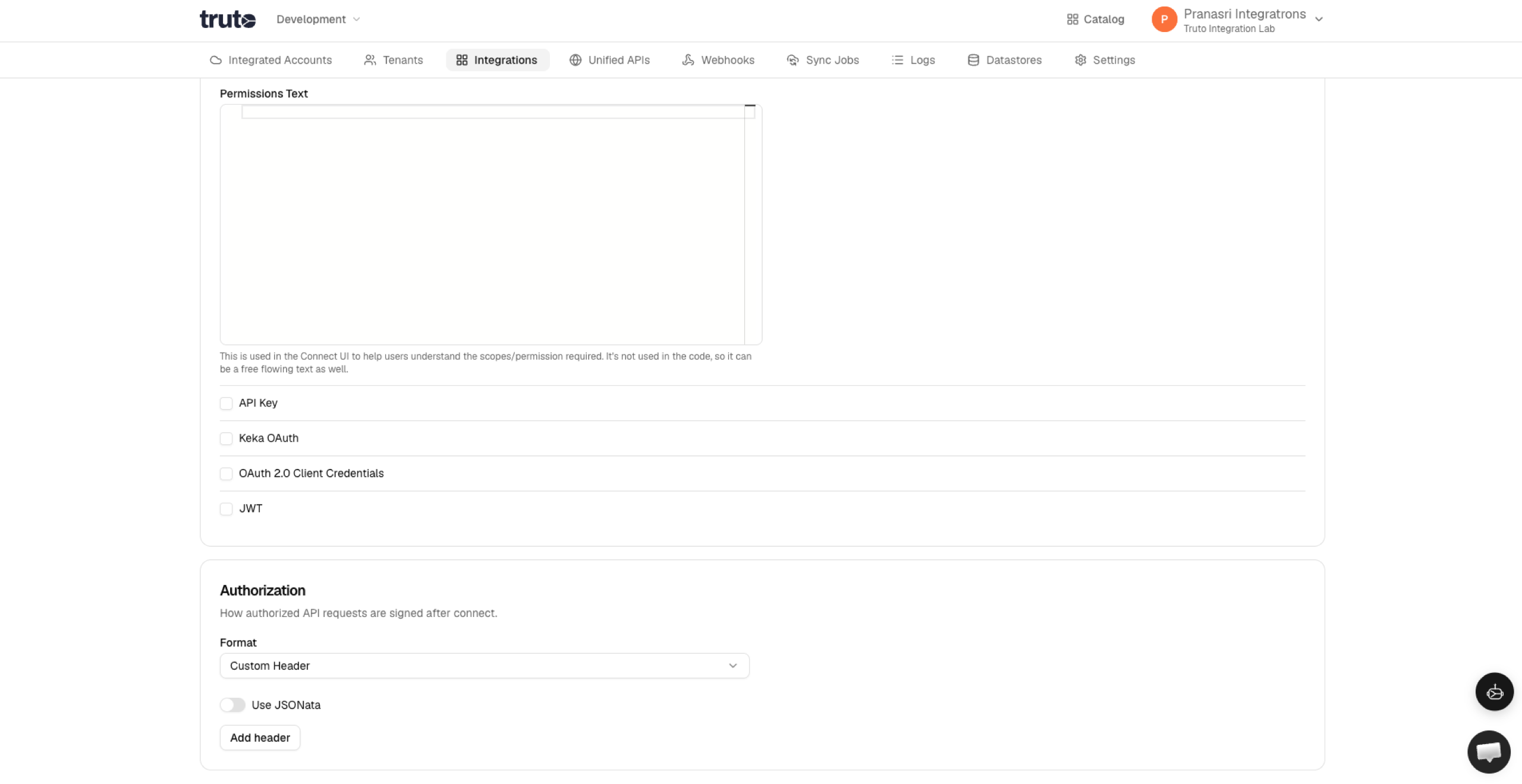
3. Custom Header (header)
Custom Header is for providers that don't use a standard scheme. It works one of two ways:
| Field | Config key | What it does |
|---|---|---|
| Add header, with Use JSONata off | config.headers |
Headers added to every request, as name and value, for example X-API-Key = {{api_key}}. Values are templates. This is the common case. |
| Custom header expression, with Use JSONata on | config.expression |
A JSONata expression that returns the request to send, as below. |
The expression receives:
url: The full URL of the request.requestOptions: The request details, including headers and body.context: Information stored in the account’s context.
It must return an object with url and requestOptions properties. The returned requestOptions replaces the request's options as a whole, so merge your changes into the incoming requestOptions to keep its method, body and other headers. Call $error("message") or $assert(...) to refuse a request: the caller gets a 400 with your message. Any other failure in the expression is a 500.
Example of JSONata Expression for Custom Header:
If an API needs a special signature in the header based on the URL and a secret key, you can use:
{
  "url": url,
  "requestOptions": $merge([
    requestOptions,
    {
      "headers": $merge([
        requestOptions.headers,
        { "X-Custom-Signature": $digest(url & context.secret, "SHA-256", "hex") }
      ])
    }
  ])
}- Explanation:
$digest: Hashes the request URL joined with a secret from the context, using SHA-256, as a hex string.$merge: Keeps everything already inrequestOptionsand its headers, and adds the new header (X-Custom-Signature).
Base URL and Headers
Base URL and Headers say where requests go and which headers every request carries.
Base URL
| Field | Config key | What it does |
|---|---|---|
| Base URL | base_url |
The provider's API address. Variables enabled, for example https://{{subdomain}}.api.example.com, where subdomain is a variable each account fills in. |
Truto joins the base URL and each method's path the way a browser resolves a link: a path that starts with / replaces any path in the base URL. With base URL https://api.example.com/v2 and path /users, the request goes to https://api.example.com/users. Put version segments in the method paths (/v2/users), or end the base URL in / and write paths without a leading /.
Headers
| Field | Config key | What it does |
|---|---|---|
| Add header | headers |
Headers sent with every request, as name and value. Values are stored as typed, so don't put quotes around them. Variables enabled. |
Set authorization in Authorization, not here: headers set here are sent on every method, including No auth ones, and an Authorization header here does not replace the one Authorization adds. The provider gets both values in one header.
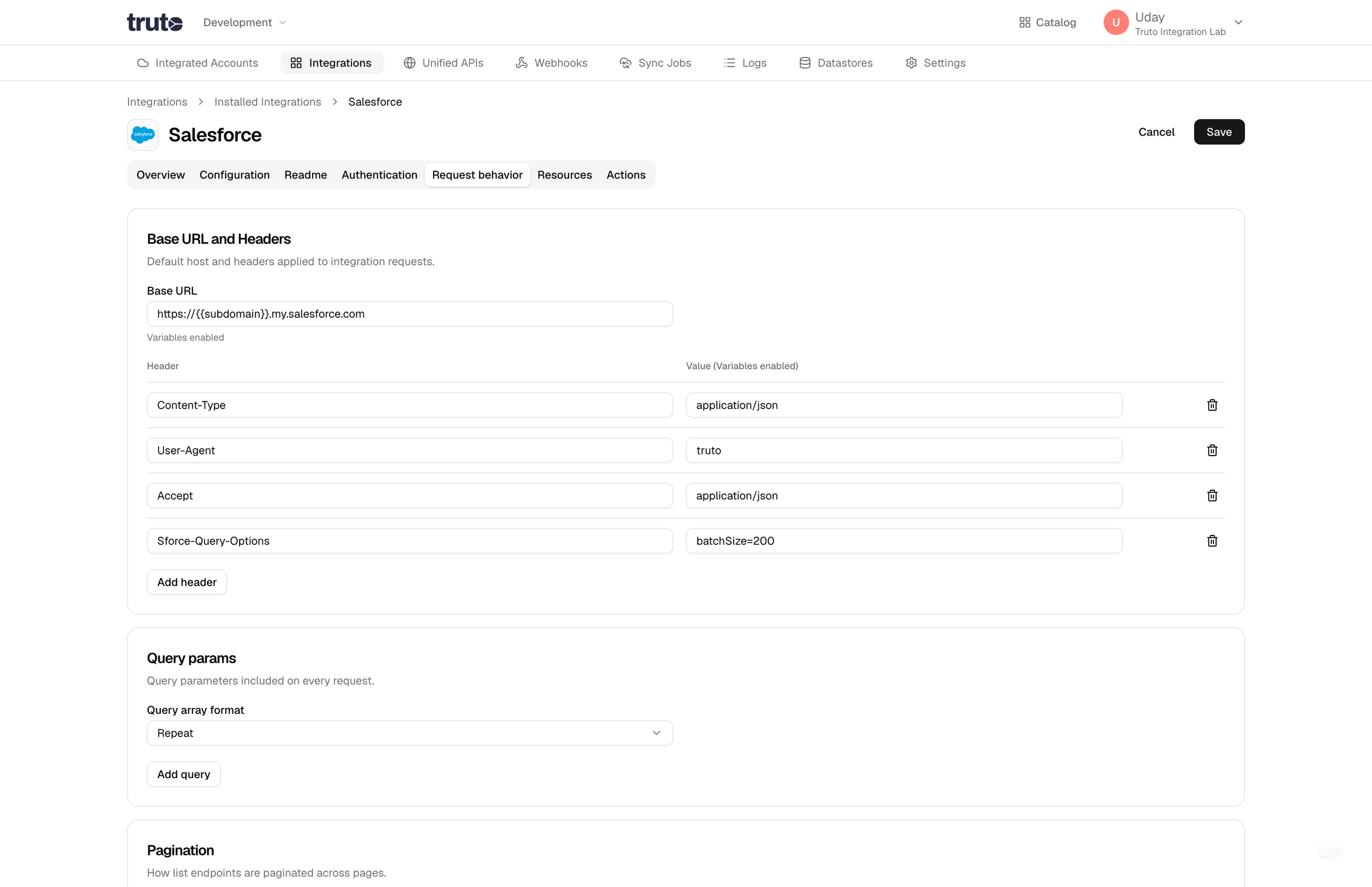
Example Usage: Base URL and Headers
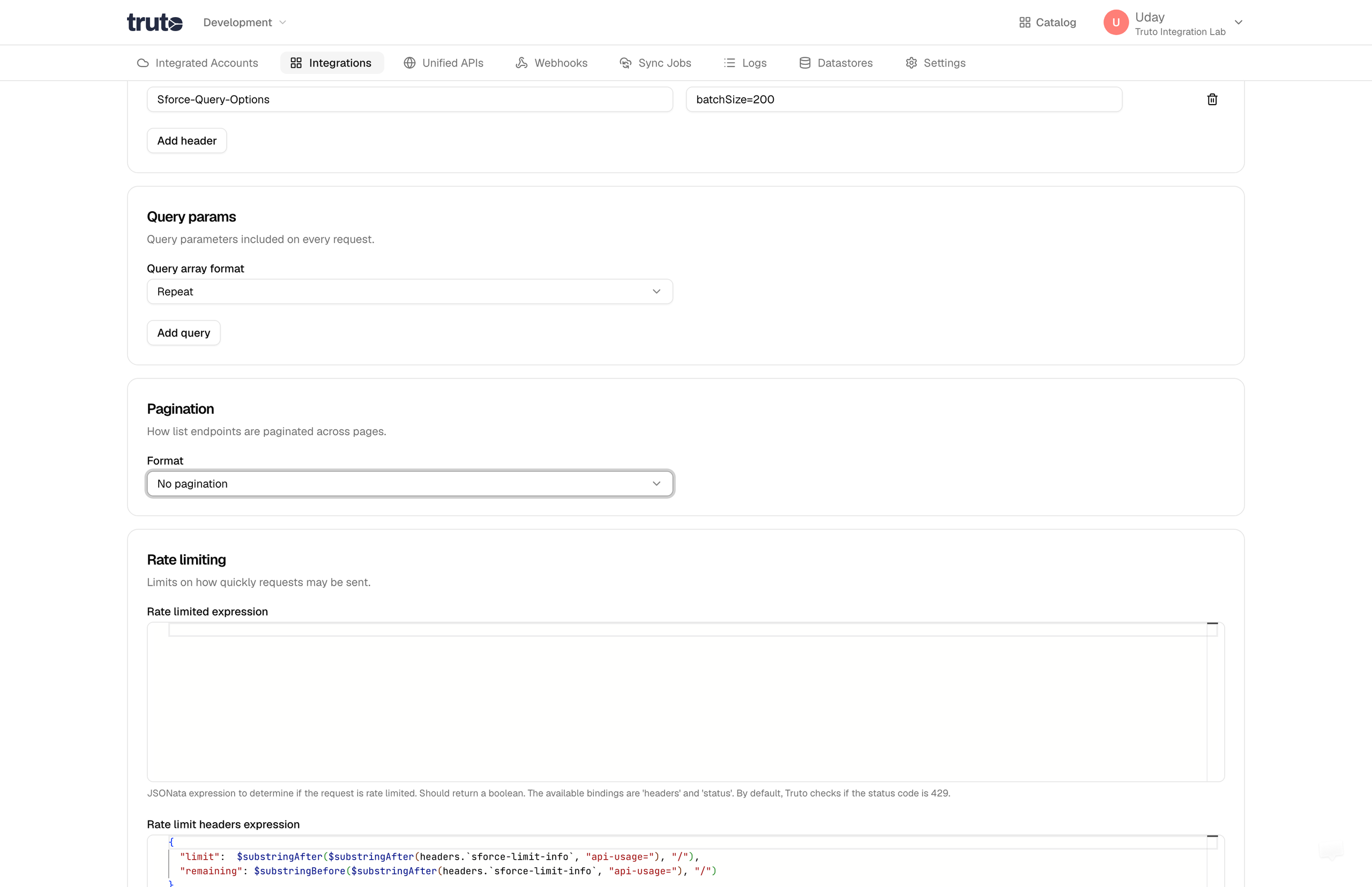
If you’re connecting to Salesforce to get customer data, here’s how you might set it up:
-
Base URL:
https://{{subdomain}}.my.salesforce.com.subdomaincomes from the account, so requests go to the right Salesforce org. -
Headers:
- Content-Type:
application/json, as you send JSON. - User-Agent:
truto, to identify your integration in the provider's logs. - Sforce-Query-Options (optional, Salesforce only):
batchSize=200, the number of records per page.
- Content-Type:
Here’s a visual of the Base URL and Headers setup:
Query params
Query params are added to the URL of every request.
| Field | Config key | What it does |
|---|---|---|
| Query params | query |
Query parameters sent with every request, as key and value, for example api_version = {{api_version}}. Values are text and can use placeholders. A resource method's own Query params and the caller's query are merged over these. |
| Query array format | query_array_format |
How a parameter that holds an array is written in the URL: comma, brackets, indices or repeat. Default repeat. A resource method can override it. |
Query array format
An array reaches the query from a resource method's query or a Unified API query mapping. The four formats, for colors set to ["red", "green", "blue"]:
1. Comma (comma)
The values are joined with commas in one parameter.
https://api.example.com/items?colors=red,green,blue2. Brackets (brackets)
Each value gets its own parameter, with empty brackets [] after the name.
https://api.example.com/items?colors[]=red&colors[]=green&colors[]=blue3. Index (indices)
Each value gets its own parameter, with its index in the brackets.
https://api.example.com/items?colors[0]=red&colors[1]=green&colors[2]=blue4. Repeat (repeat)
The same parameter name is repeated for each value. This is the default.
https://api.example.com/items?colors=red&colors=green&colors=blue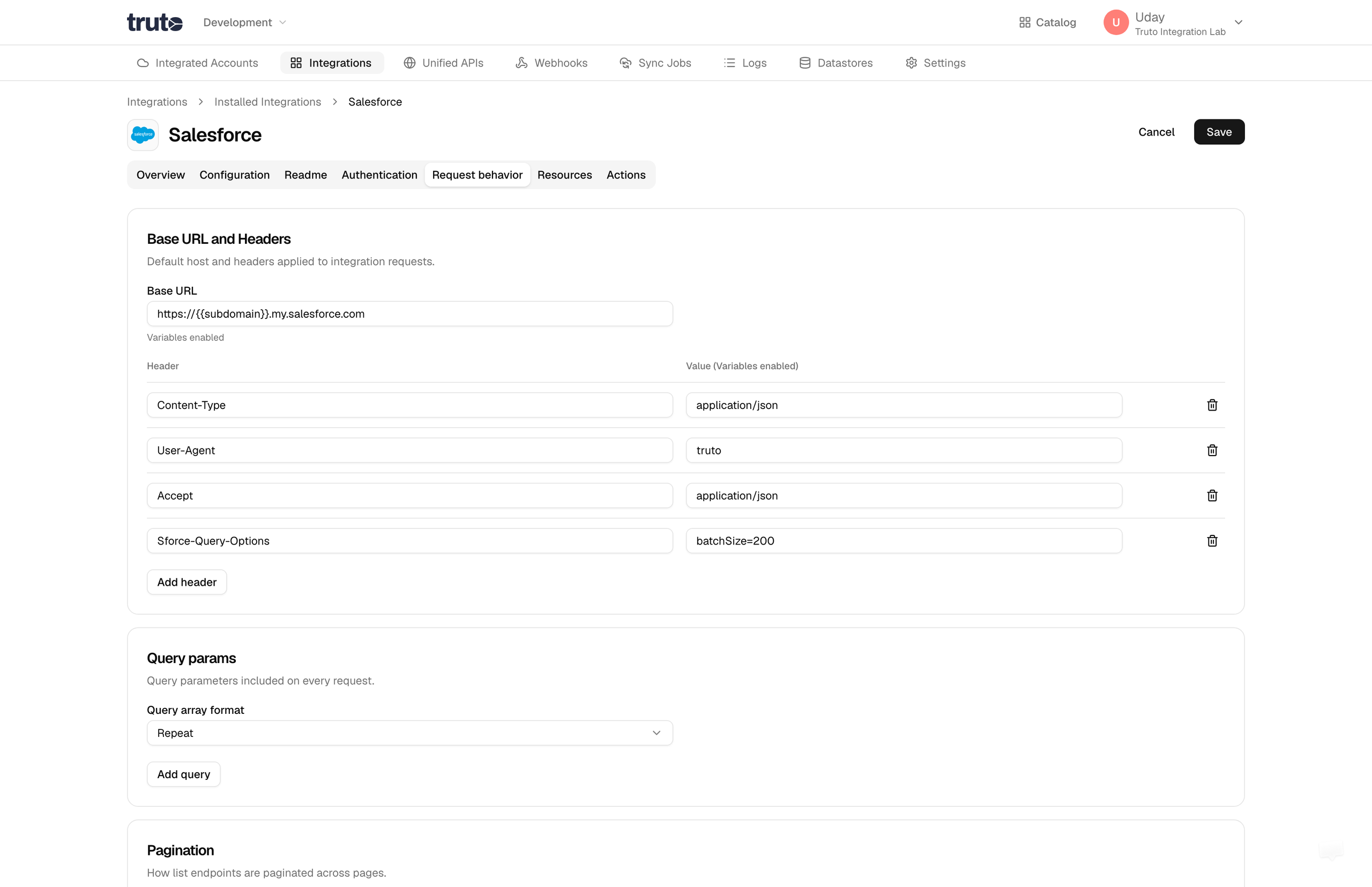
Add query params
- On the integration's Request behavior tab, open Query params.
- Add each parameter as a key and a value, for example
api_versionand{{api_version}}. - Set Query array format to the format the provider's documentation asks for.
For an API that expects colors[]=red&colors[]=green&colors[]=blue, set the format to brackets. A resource method's query, or a Unified API query mapping, then sets colors to an array:
{ "colors": ["red", "green", "blue"] }and the request goes to:
https://api.example.com/products?colors[]=red&colors[]=green&colors[]=blue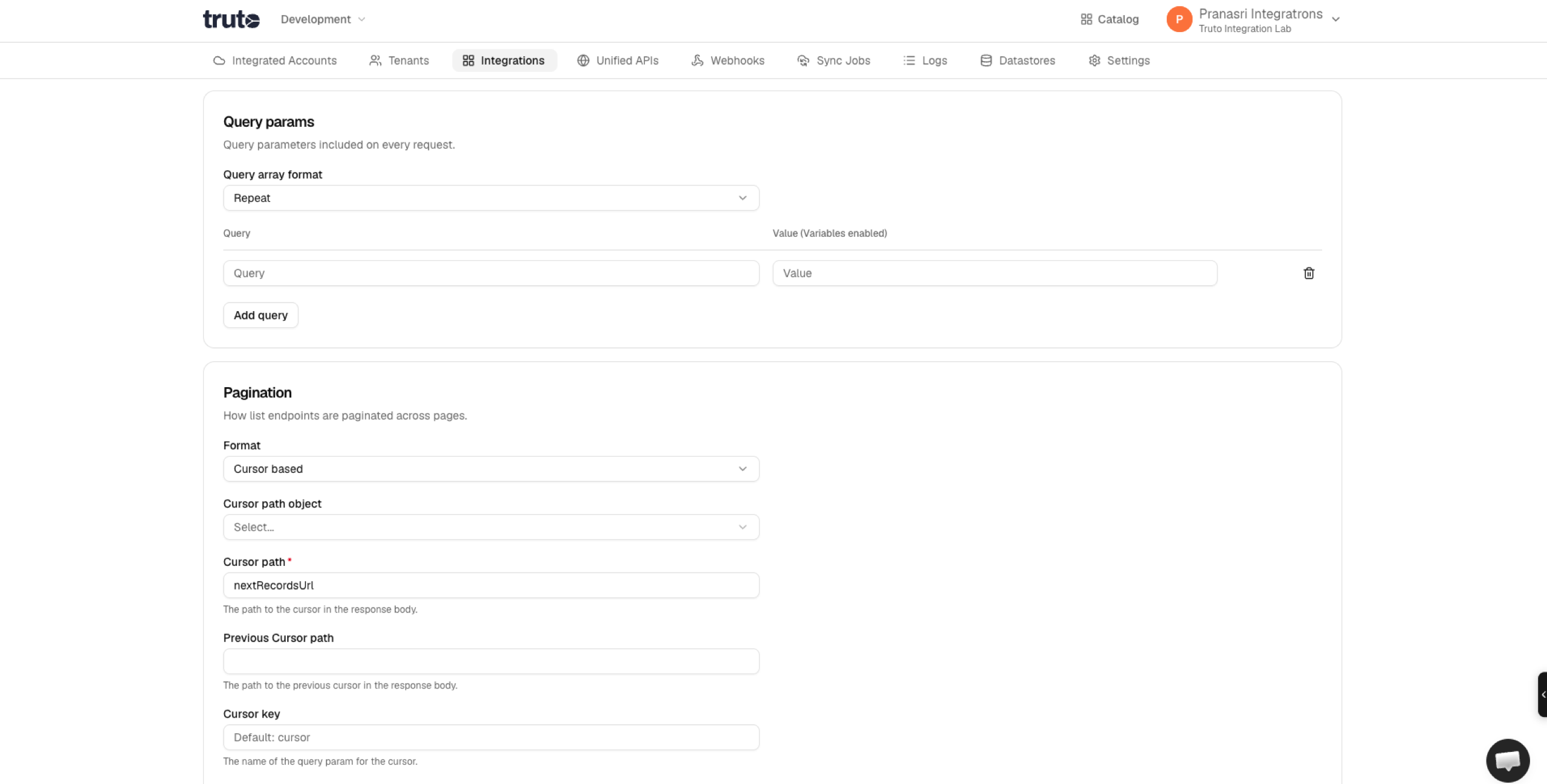
Pagination
Pagination tells Truto how the provider splits a list into pages, so that a list call returns one page and a next_cursor for the next. In the JSON it is pagination, with a format and a config; the keys below are relative to that config. null turns pagination off. A resource method can override it, and null on the method turns it off for that method.
| Format in the form | format in the JSON |
|---|---|
| No pagination | pagination is null |
| Offset based | offset |
| Cursor based | cursor |
| Page based | page |
| Range based | range |
| Link header based | link_header |
| Dynamic pagination | dynamic |
Pagination runs only for list methods.
When pagination stops
For every format, a page that comes back empty ends pagination. To keep returning the next cursor after an empty page, set allow_empty_page_cursor: true in the pagination config in the integration's JSON. Each format also stops on its own rule:
- Offset based: a page returns fewer records than the limit Truto asked for, or the next offset reaches the total at Total record path.
- Page based: a page returns fewer records than the limit Truto asked for.
- Cursor based: the cursor is missing, Has next path is false, or the cursor is the same as the last one.
- Range based: no rule of its own. Truto keeps asking for the next range until a page comes back empty.
- Link header based: the
Linkheader has norel="next"link. - With Use content hashing on, a page identical to the one before also stops pagination.
For offset and page, the limit Truto asks for is the caller's limit, capped at Max limit, and it is sent on every request. Set Max limit to no more than the provider's largest page size: if the provider returns fewer records than Truto asked for, pagination stops after the first page.
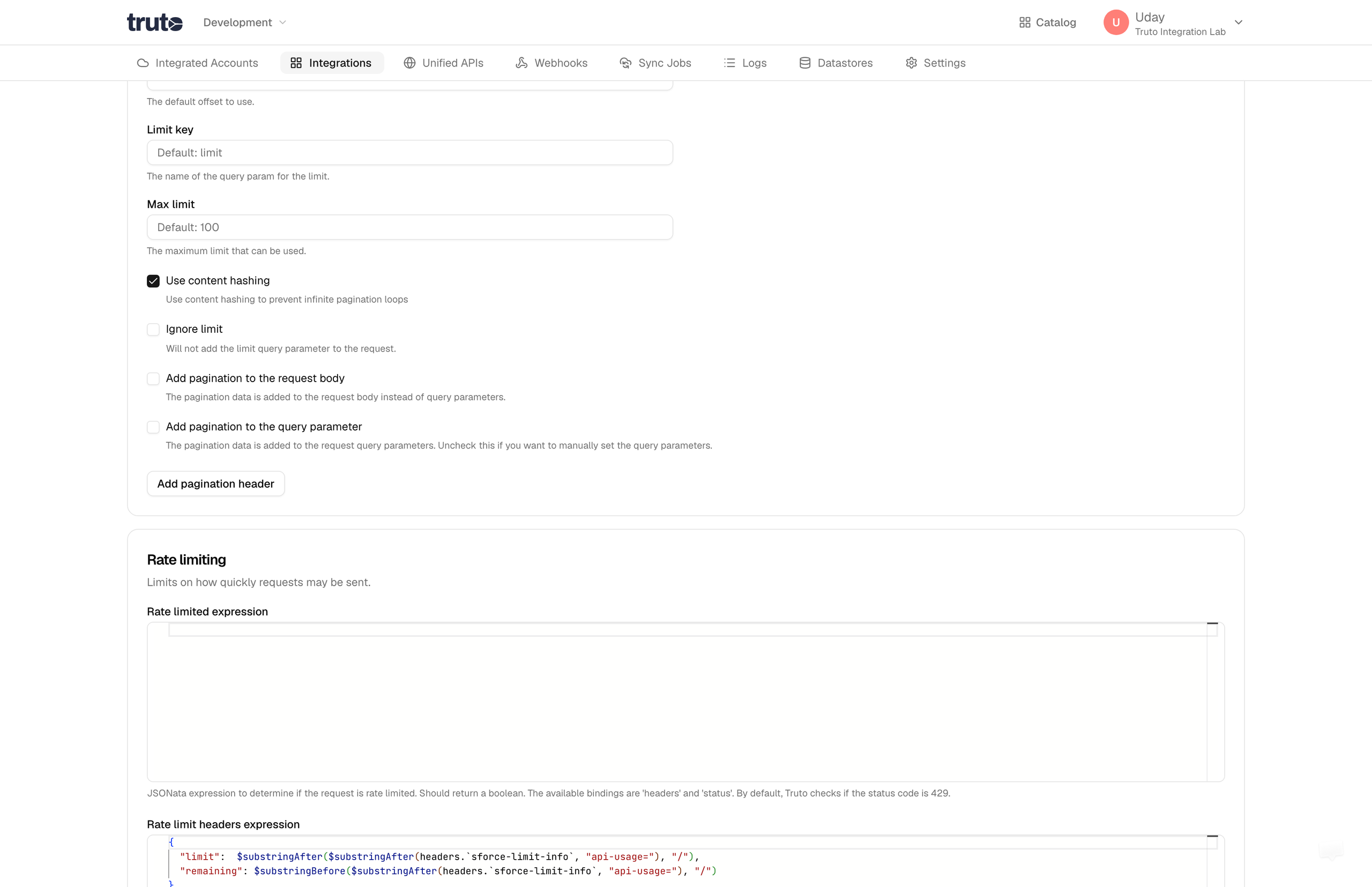
Fields every format shares
These apply to every format except Dynamic pagination.
| Field | Config key | What it does |
|---|---|---|
| Max limit | max_limit |
The largest page size Truto asks for. Default 100. |
| Add pagination to the request body | add_to_body |
Off by default. Puts the pagination values in the request body. |
| Add pagination to the query parameter | add_to_query |
On by default. Puts the pagination values in the query string. |
| Add pagination header | headers |
Headers sent with every page request, as name and value. Variables enabled. |
Turn off both Add pagination to … checkboxes to place the values yourself: the method's query and body templates read them as {{pagination.<key>}}, for example {{pagination.offset}}. Link header based pagination ignores both and always uses the query string.
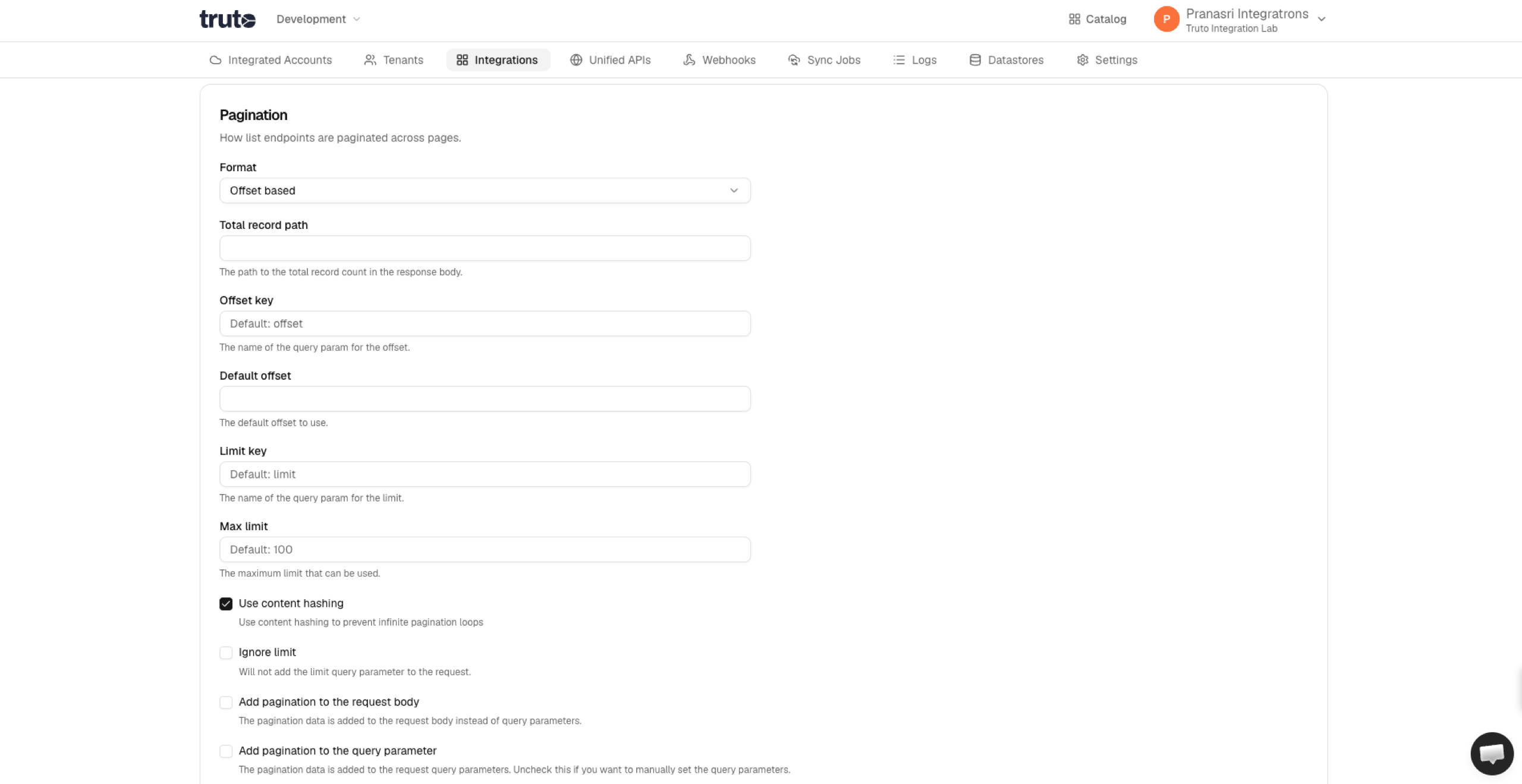
Offset based
The provider takes a starting position (offset) and a page size (limit).
| Field | Config key | What it does |
|---|---|---|
| Total record path | total_path |
The path to the total number of records in the response body, as a plain dot path, for example total_records or meta.total. |
| Offset key | offset_key |
The name of the query parameter for the offset. Default offset. |
| Default offset | default_offset |
The offset of the first request, as a string, for example "0". |
| Limit key | limit_key |
The name of the query parameter that carries the page size. Default limit. |
| Use content hashing | use_content_hash |
On by default. Stops pagination when a page is identical to the one before. |
| Ignore limit | ignore_limit |
Don't send the limit parameter. |
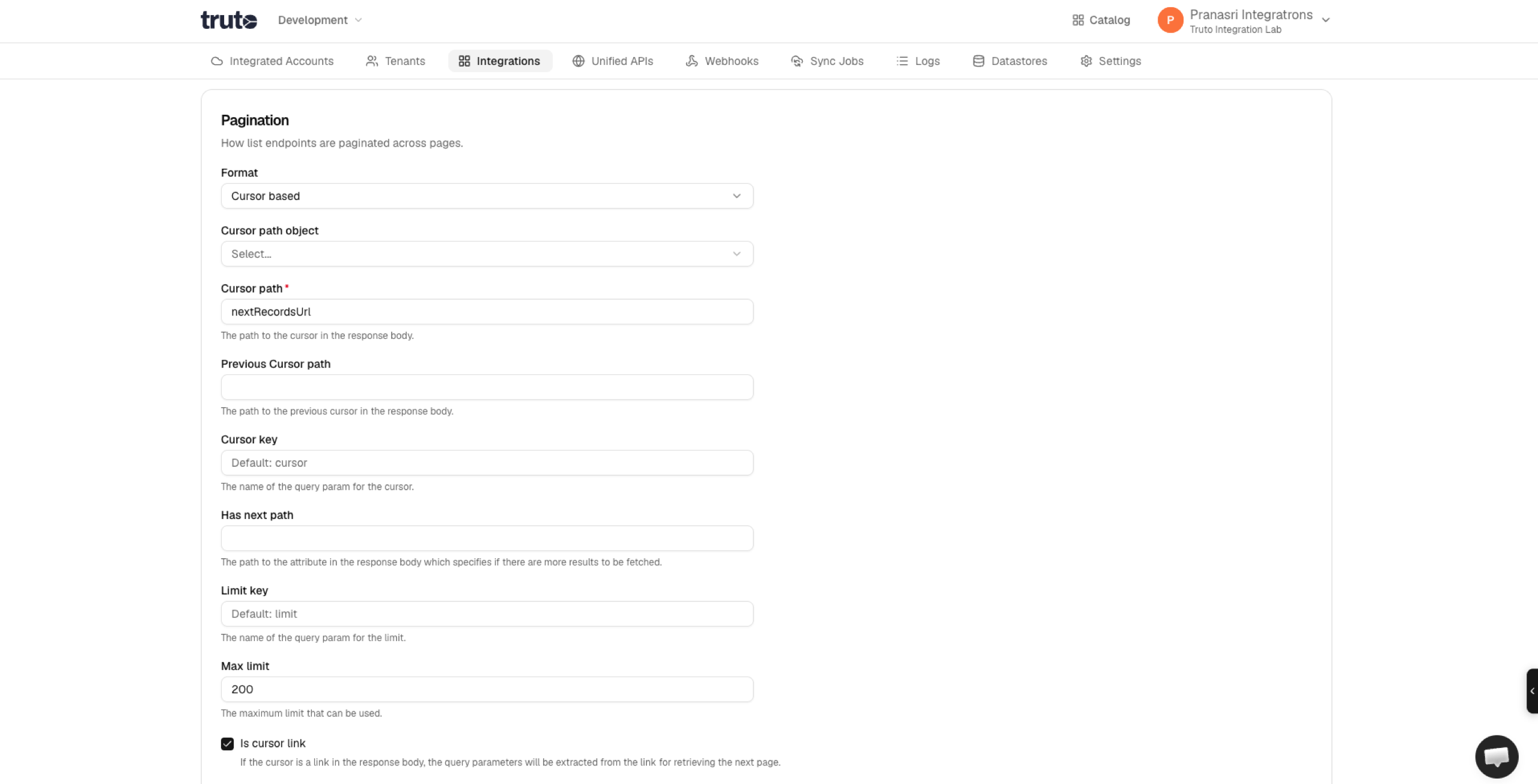
Cursor based
The provider returns a pointer (cursor) to the next page.
| Field | Config key | What it does |
|---|---|---|
| Cursor path object | cursor_path_object |
Where the cursor is in the response: body (Body, the default) or header (Headers). |
| Cursor path | cursor_path |
Required. The path to the cursor in the response. |
| Previous Cursor path | prev_cursor_path |
The path to the previous page's cursor, if the API returns one. |
| Cursor key | cursor_key |
The name of the query parameter for the cursor. Default cursor. |
| Has next path | has_next_path |
The path to a field that says whether more results are available. |
| Limit key | limit_key |
The name of the query parameter that carries the page size. Default limit. Truto sends the limit only when the caller passes limit, capped at Max limit. |
| Is cursor link | is_link |
The cursor is a full URL: its query parameters are used to get the next page. |
| Use the path retrieved from the cursor link | include_path |
With Is cursor link on, also use the cursor URL's path for the next page. |
| Cursor is URL-encoded | is_cursor_url_encoded |
Decode the cursor before sending it, for APIs that return URL-encoded cursors. |
| Ignore limit in pagination | ignore_limit_in_pagination |
Don't send the limit on pages after the first. |
| Use content hashing | use_content_hash |
Off by default. Stops pagination when a page is identical to the one before. Applies only when the cursor is read from the body. |
One cursor setting is set in the integration's JSON rather than the form:
| Key | What it does |
|---|---|
limit_data_type |
number (default) or string. The type of the limit when pagination is added to the request body. |
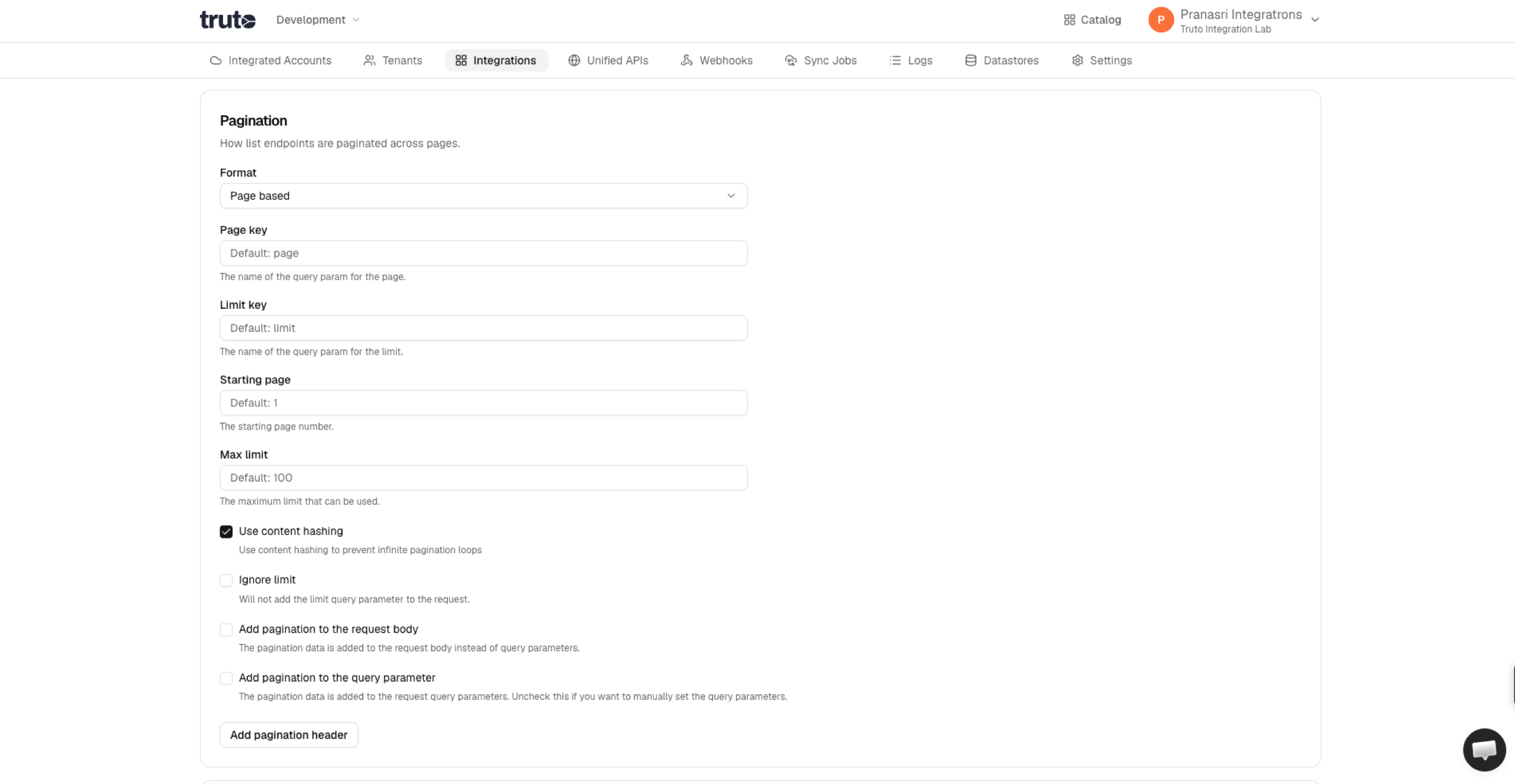
Page based
The provider takes a page number and a page size.
| Field | Config key | What it does |
|---|---|---|
| Page key | page_key |
The name of the query parameter for the page number. Default page. |
| Limit key | limit_key |
The name of the query parameter that carries the page size. Default limit. |
| Starting page | starting_page |
The first page number, as a string. Default "1". |
| Use content hashing | use_content_hash |
On by default. Stops pagination when a page is identical to the one before. |
| Ignore limit | ignore_limit |
Don't send the limit parameter. |
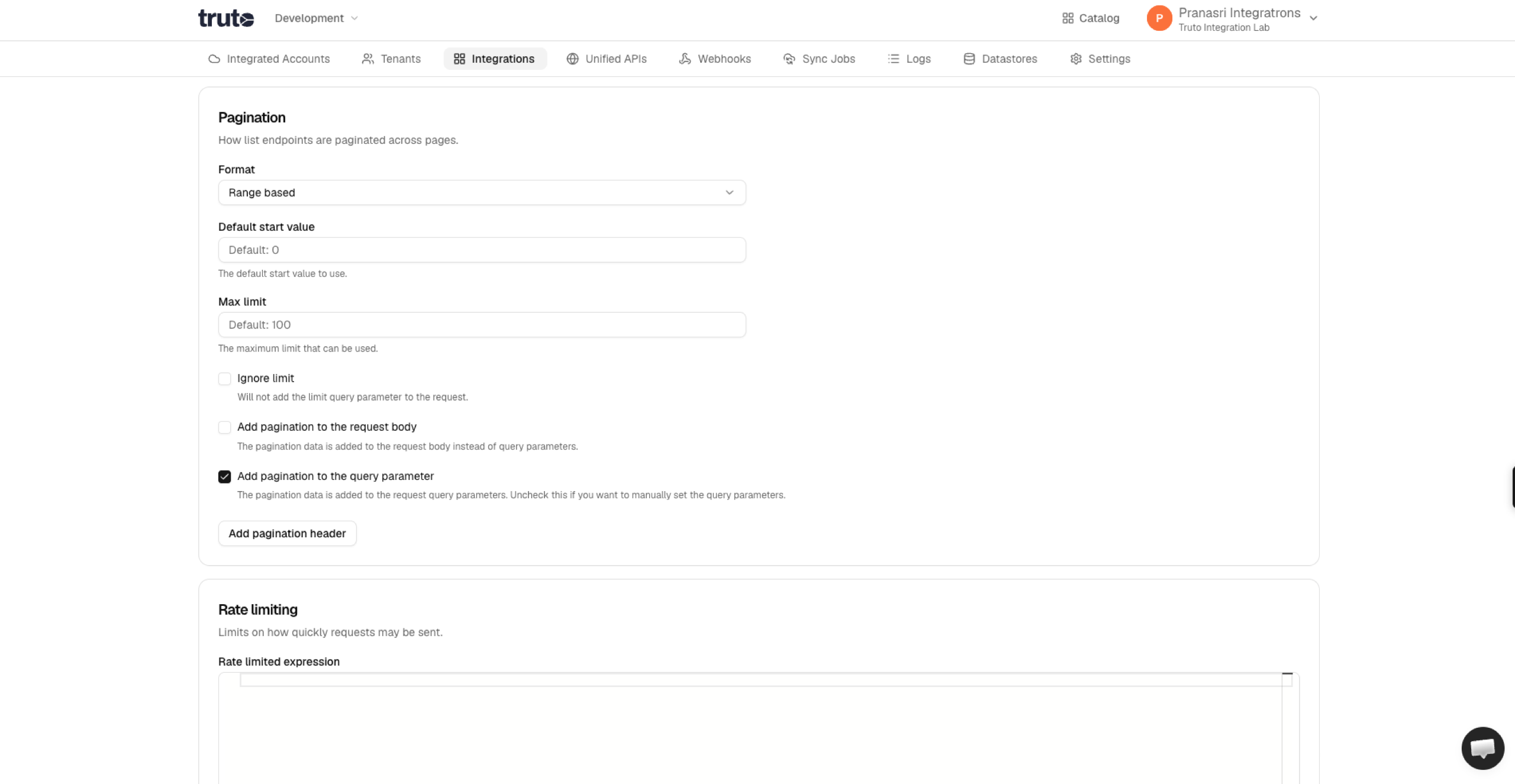
Range based
The provider takes the start and end of a range of records.
| Field | Config key | What it does |
|---|---|---|
| Default start value | default_start |
The start of the first range, as a string. Default "0". The first request asks for start = this value and end = start plus the page size, which is at most Max limit. |
| Ignore limit | ignore_limit |
Don't send the start and end parameters. |
The parameter names are set in the integration's JSON: start_key (default start) and end_key (default end).
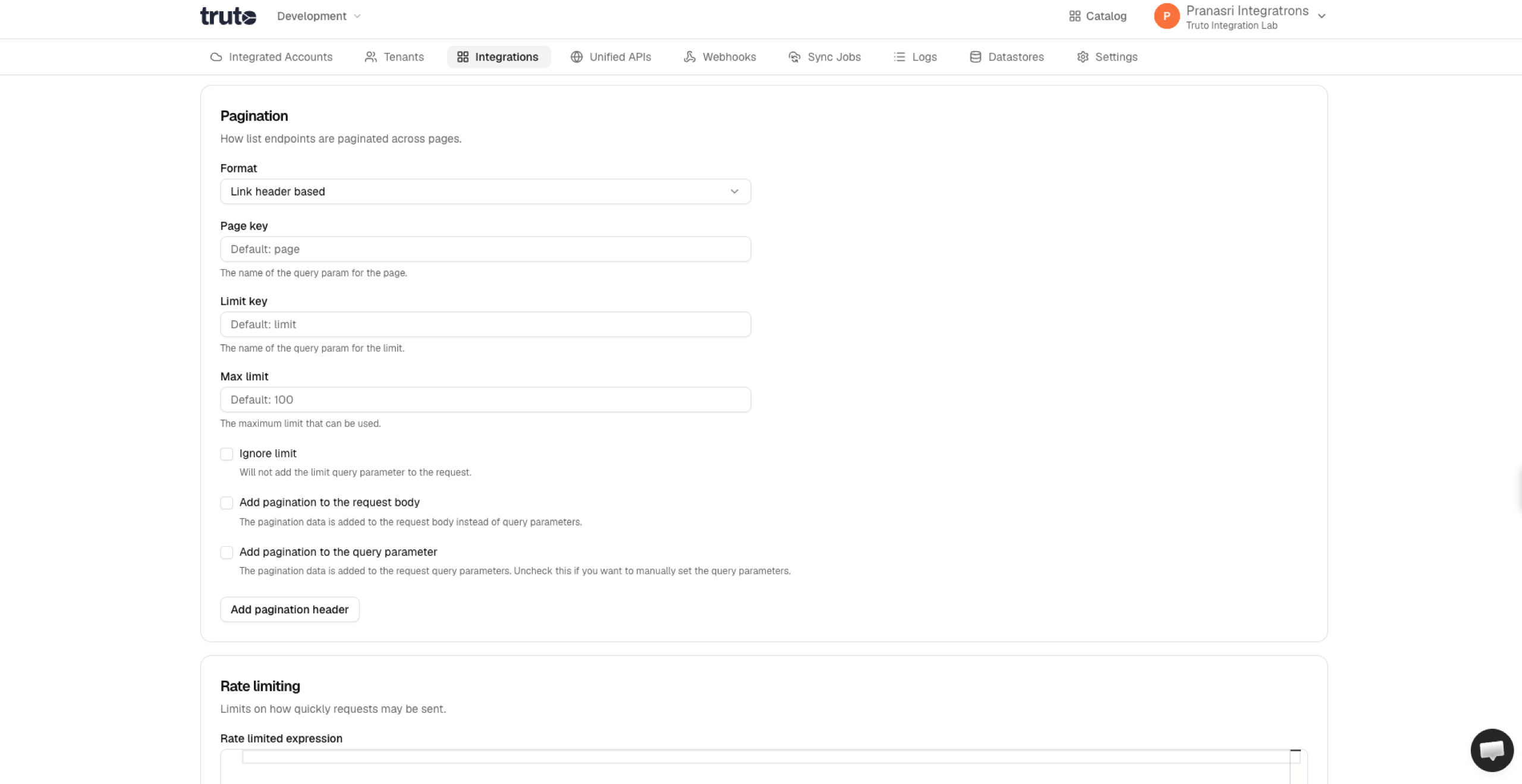
Link header based
The provider returns the next page's URL in a Link response header, for example Link: <https://api.example.com/items?page=2>; rel="next".
| Field | Config key | What it does |
|---|---|---|
| Limit key | limit_key |
The name of the query parameter that carries the page size. Default per_page. Truto sends the limit only when the caller passes limit, capped at Max limit. |
| Ignore limit | ignore_limit |
Don't send the limit parameter. |
For the next page, Truto replaces the request's whole query string with the query of the rel="next" link. The link's path is not used.
Dynamic pagination
Dynamic pagination is for APIs none of the formats above fit. You write the pagination yourself as three JSONata expressions: choose Dynamic pagination as the Format. The shared fields above don't apply to it.
Fields and Settings:
-
Format: Dynamic pagination (
dynamicin the integration's JSON) -
Initial Pagination Values Expression (
get_initial_pagination_values_expression, optional):- When it runs: On the first page, when the request has no
next_cursor. - Receives:
url(the request URL),query(the request's query parameters) andrequestOptions(the request's options, includingheaders). - Returns: An object with any of the outputs below.
- When it runs: On the first page, when the request has no
-
Get Pagination Values Expression (
get_pagination_values_expression, required):- When it runs: On every later page, when the request has a
next_cursor. - Receives: The same
url,queryandrequestOptions.query.next_cursoris already decoded, so it holds exactly the cursor your Get Cursor From Response Expression returned. - Returns: An object with any of the outputs below.
- When it runs: On every later page, when the request has a
-
Get Cursor From Response Expression (
get_cursor_from_response_expression, required):- When it runs: After each response whose body is a JSON object or array.
- Receives:
body(the parsed response),results(the records at the method's response path),headers(the response headers),url,query(next_cursorhere is still encoded) andpaginationValues. - Returns:
nextCursor(a string, ornullwhen there are no more pages), optionallyprevCursor, and optionallyisLooping: trueto stop and drop the current page. Return an empty object to stop.
Both values expressions return the same outputs, all optional:
| Output | What it does |
|---|---|
query |
Query parameters merged into the request URL. |
body |
An object merged into the request body. |
requestOptions |
Request options merged into the request, such as headers or method. |
url |
A URL object that replaces the request URL. Build one with $parseUrl(). |
paginationValues |
Values the method's query and body templates can read as {{pagination.<key>}}. |
Truto base64-encodes nextCursor before returning it as next_cursor, and decodes it again on the next request. As with other formats, an empty page ends pagination unless allow_empty_page_cursor is true in the pagination config.
Example Use Case for Dynamic Pagination:
An API that takes page_size and page_token and returns the next token as next_page_token in the body:
{
  "format": "dynamic",
  "config": {
    "get_initial_pagination_values_expression": "{ \"query\": { \"page_size\": \"100\" } }",
    "get_pagination_values_expression": "{ \"query\": { \"page_size\": \"100\", \"page_token\": query.next_cursor } }",
    "get_cursor_from_response_expression": "{ \"nextCursor\": body.next_page_token ? body.next_page_token : null }"
  }
}
Rate limiting
Rate limiting tells Truto how to recognise a rate-limited response from the provider. Truto does not slow your requests down. When a response is rate limited, Truto returns 429, with a Retry-After header when it can tell how long to wait. Proxy API and Unified API calls are not retried: your code gets the 429 and backs off. Sync jobs wait that long and retry. With a Rate limit headers expression, Truto also copies the provider's quota into the ratelimit-limit, ratelimit-remaining and ratelimit-reset headers of its responses; see Rate limits.
In the JSON it is rate_limit, with three keys, one per expression. Each expression receives the provider's response headers (names in lowercase) and status.
| Field | Config key | Default |
|---|---|---|
| Rate limited expression | rate_limit.is_rate_limited |
status = 429 |
| Rate limit headers expression | rate_limit.rate_limit_header_expression |
None |
| Retry after header expression | rate_limit.retry_after_header_expression |
The Retry-After header, in seconds or as an HTTP date |
The expressions
-
Rate limited expression (
is_rate_limited)- What It Is: A JSONata expression that checks if your request was rate-limited.
- Should Return:
trueorfalse. - Data Available:
headers: API response headers. Header names are lowercase.status: HTTP status code.
- Default: Checks if the status code is
429(rate limit exceeded). - Example Expression:
status = 429
-
Rate limit headers expression (
rate_limit_header_expression)- What It Is: A JSONata expression to get rate limit details from the response headers. Truto copies them into the
ratelimit-limit,ratelimit-remainingandratelimit-resetheaders of its response. - Should Return: An object with
limit,remaining, andreset. - Data Available:
headers: API response headers. Header names are lowercase.status: HTTP status code.
- Example Expression:
{
  "limit": headers."x-ratelimit-limit",
  "remaining": headers."x-ratelimit-remaining",
  "reset": headers."x-ratelimit-reset"
}
- What It Is: A JSONata expression to get rate limit details from the response headers. Truto copies them into the
-
Retry after header expression (
retry_after_header_expression)- What It Is: A JSONata expression to get how long to wait before retrying. Truto puts the result in the
Retry-Afterheader of its429. - Should Return: A number of seconds to wait.
- Data Available:
headers: API response headers. Header names are lowercase.status: HTTP status code.
- Default: Looks for the
Retry-Afterheader. - Example Expression:
$number(headers."retry-after")
- What It Is: A JSONata expression to get how long to wait before retrying. Truto puts the result in the
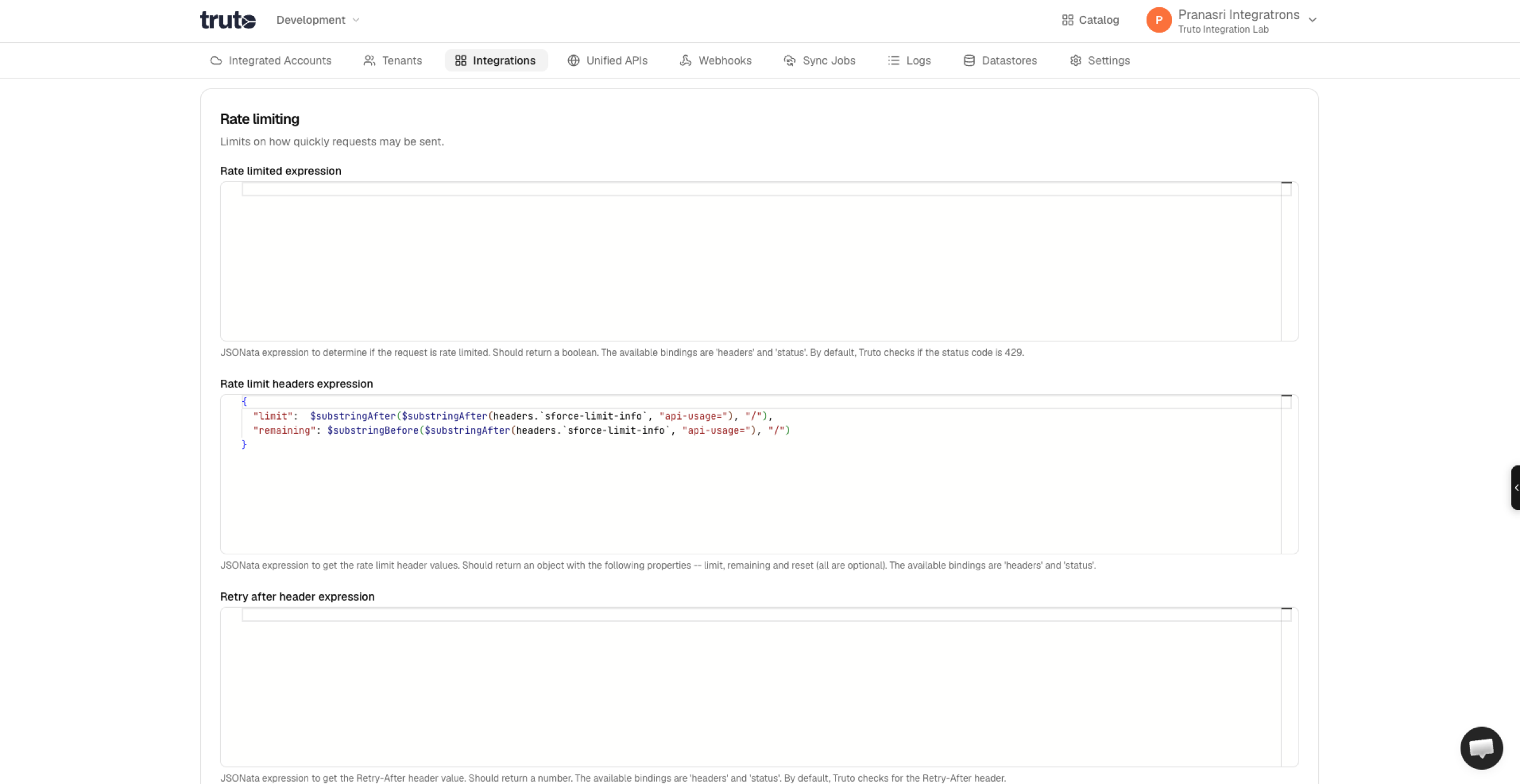
With no expressions set, Truto treats a 429 from the provider as rate limited and reads its Retry-After header. Set the expressions for a provider that signals rate limits another way, for example a 200 with a quota header at zero.
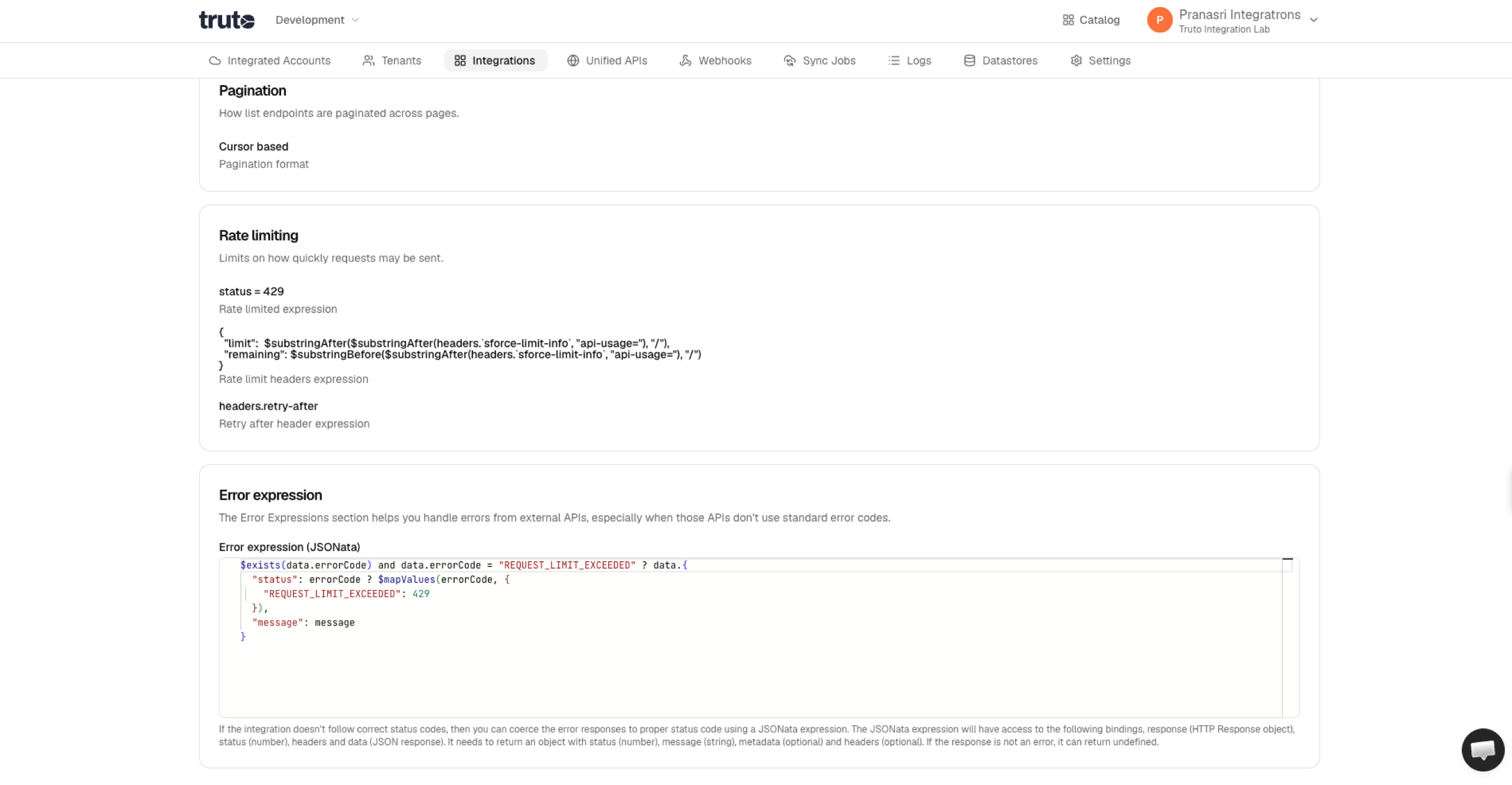
Error expression
Error expression (error_expression) turns a provider's error responses into standard HTTP status codes and messages, for APIs that don't use standard error codes. A resource method can override it.
The expression
- Error expression (JSONata)
- What It Is: A JSONata expression that turns API errors into standard error codes and messages.
- Data Available:
response: The entire API response.status: The HTTP status code.headers: Response headers. Header names are lowercase.data: The response body (usually JSON).- For a successful (2xx) response that isn't JSON, XML or
multipart/mixed, such as a file download,datais empty. Usestatusandheadersfor those.
- For a successful (2xx) response that isn't JSON, XML or
- Should Return: An object with:
status(number): HTTP status code for the error.message(string): A clear error message.metadata(optional): Extra info about the error.headers(optional): Any related headers.result(required whenstatusis below400): The body to return instead of an error. Use it to turn an error response from the API into a successful one.
- When to Use: The expression runs on every response, successful or not. Return an object only when the response is an error. Otherwise return nothing (undefined), and Truto handles the response as usual. Returning a
statusbelow400without aresultfails the request. - Example Expression:
data.errorCode or status >= 400 ? { "status": data.errorCode = "INVALID_TOKEN" ? 401 : (status >= 400 ? status : 500), "message": data.message ? data.message : "Unknown error occurred", "metadata": data, "headers": headers } - Explanation:
- The object is returned only when the body has an
errorCodeor the status is400or above. - If
data.errorCodeis"INVALID_TOKEN", setstatusto 401 (Unauthorized). Other errors in a successful response become 500. - Use
data.messageif available; otherwise, use a generic message. - Include
metadataandheadersfor more details.
- The object is returned only when the body has an
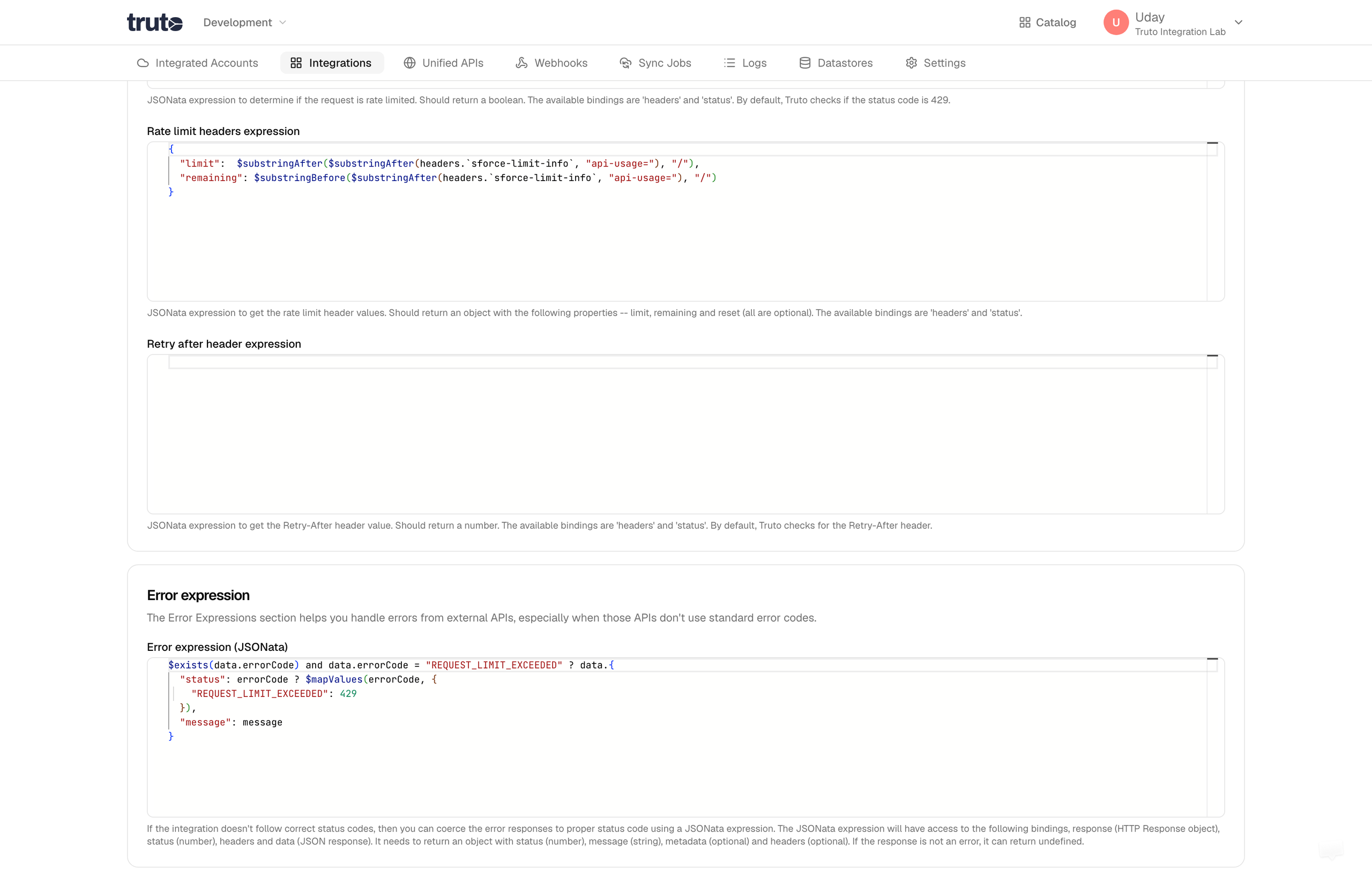
Example Use Case: Salesforce Integration Error Handling
Suppose Salesforce sometimes returns custom errors like this:
{
  "errorCode": "INSUFFICIENT_ACCESS",
  "message": "You do not have permission to perform this action"
}
You can handle it with this Error Expression:
data.errorCode or status >= 400 ? {
  "status": data.errorCode = "INSUFFICIENT_ACCESS" ? 403 : (status >= 400 ? status : 500),
  "message": data.message ? data.message : "Unknown error occurred",
  "metadata": data
}- Status:
"INSUFFICIENT_ACCESS"becomes 403 (Forbidden). - Message: Uses the message from Salesforce.
- Metadata: Includes the whole error response for more info.
Benefits of Using Error Expressions
- Consistency: Handle errors the same way, making it easier to manage.
- Customization: Tailor error handling to fit the API’s specific needs.
- Better User Experience: Provide clear and understandable error messages.
Resources
Resources are the provider's endpoints, grouped by the kind of data they handle, such as contacts or invoices. Each resource has methods, and each method is one request to the provider. The Proxy API calls them as /proxy/<resource> and /proxy/<resource>/<id>, and Unified API mappings build on them. In the JSON they sit at resources.<resource>.<method>.
Operations
Truto uses the CRUD model (Create, Read, Update, Delete). Each of the five standard methods has a default HTTP method, used when the method sets none:
| Method | What it does | Default HTTP method |
|---|---|---|
list |
Gets all items. The only method that paginates. | GET |
get |
Gets one item by ID. | GET |
create |
Adds a new item. | POST |
update |
Changes an existing item. | PATCH |
delete |
Removes an item. | DELETE |
Method also offers OPTIONS and the WebDAV and CalDAV methods PROPFIND, REPORT, PROPPATCH, MKCALENDAR and MKCOL.
Custom methods
Any method name besides these five is a custom method. Click Add custom method on a resource to add one, for example search or archive. Callers run it with POST /proxy/<resource>/<method>. Its HTTP method defaults to POST.
Enable or disable a method
Each method has an Enable switch. On an installed integration, turning it off disables the method in that environment only: it is stored as null in the environment's override, and calls to it return 404. See Customising integrations.
Key Elements of Resources Configuration
-
Resource Name:
- What It Is: A name that identifies the type of data.
- Example:
accounts,contacts,orders. - Use Case: In Salesforce, a resource could be named
accounts.
-
Operations (Methods): Each Resource can have several methods that define what actions you can take:
-
List:
- Path: The endpoint to get all records.
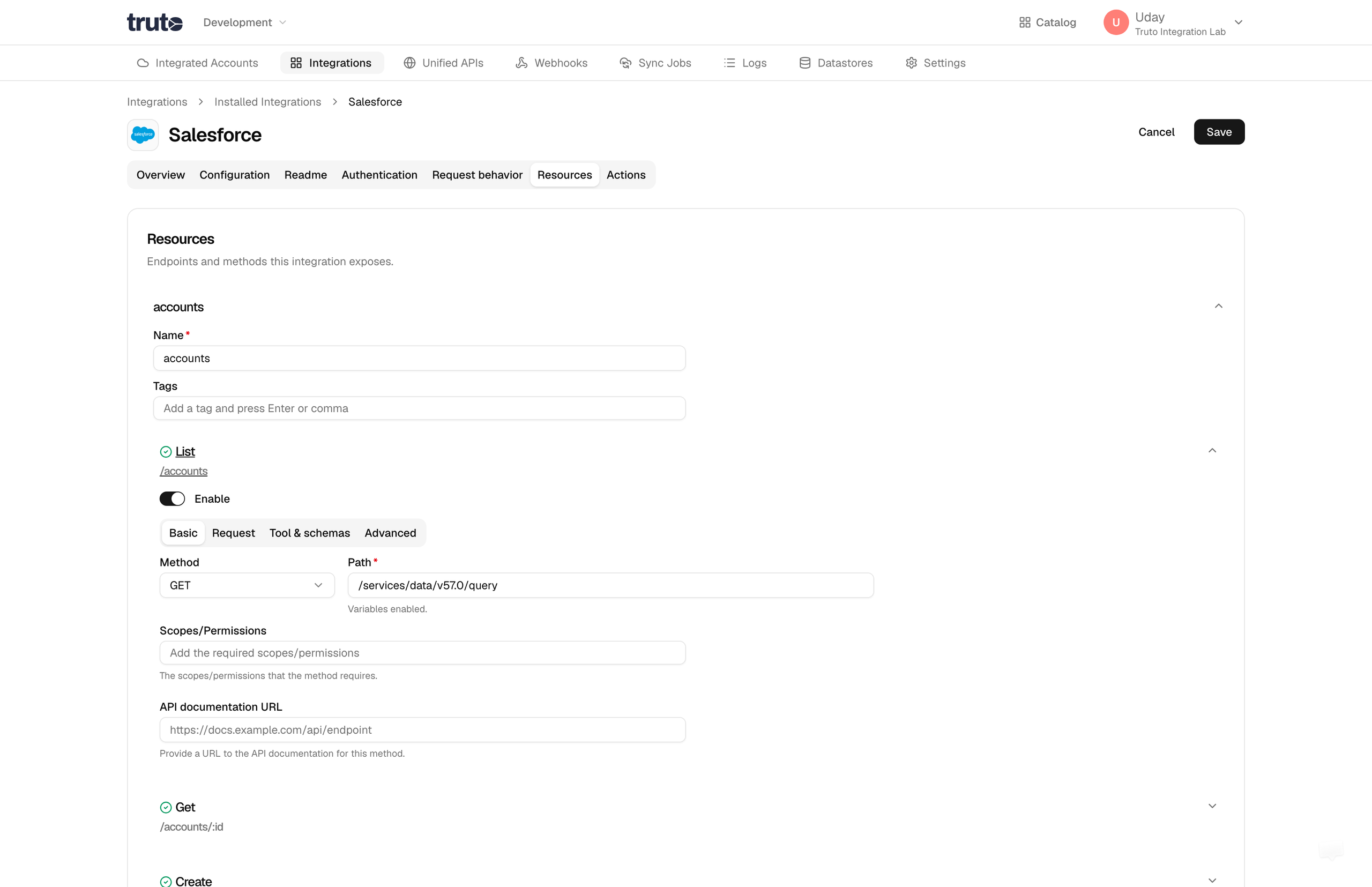
- Method:
GET - Example:
/services/data/v57.0/query- Gets a list of accounts. - Response Path: Where the data array is in the response.
- Example: In Salesforce, data might be under
records. - Use Case: Helps Truto find the list of items in the response.
- Example: In Salesforce, data might be under
-
Get:
- Path: The endpoint to get a specific record.
- Method:
GET - Example:
/services/data/v57.0/sobjects/Account/{{id}}- Gets a specific account by
id.
- Gets a specific account by
- Variables Enabled: Use placeholders like
{{id}}to get specific records.
-
Create:
- Path: The endpoint to add new records.
- Method:
POST - Body Format: See Body format.
- Example:
/services/data/v57.0/sobjects/Account- Adds a new account. - Body: The default data sent when creating a new record.
-
Update:
- Path: The endpoint to change existing records.
- Method:
PATCHorPUT - Example:
/services/data/v57.0/sobjects/Account/{{id}}- Updates an existing account by
id.
- Updates an existing account by
- Body Format: See Body format.
- Body: The data you want to update.
-
Delete:
- Path: The endpoint to delete a record.
- Method:
DELETE - Example:
/services/data/v57.0/sobjects/Account/{{id}}- Deletes a specific account by
id.
- Deletes a specific account by
-
Method fields
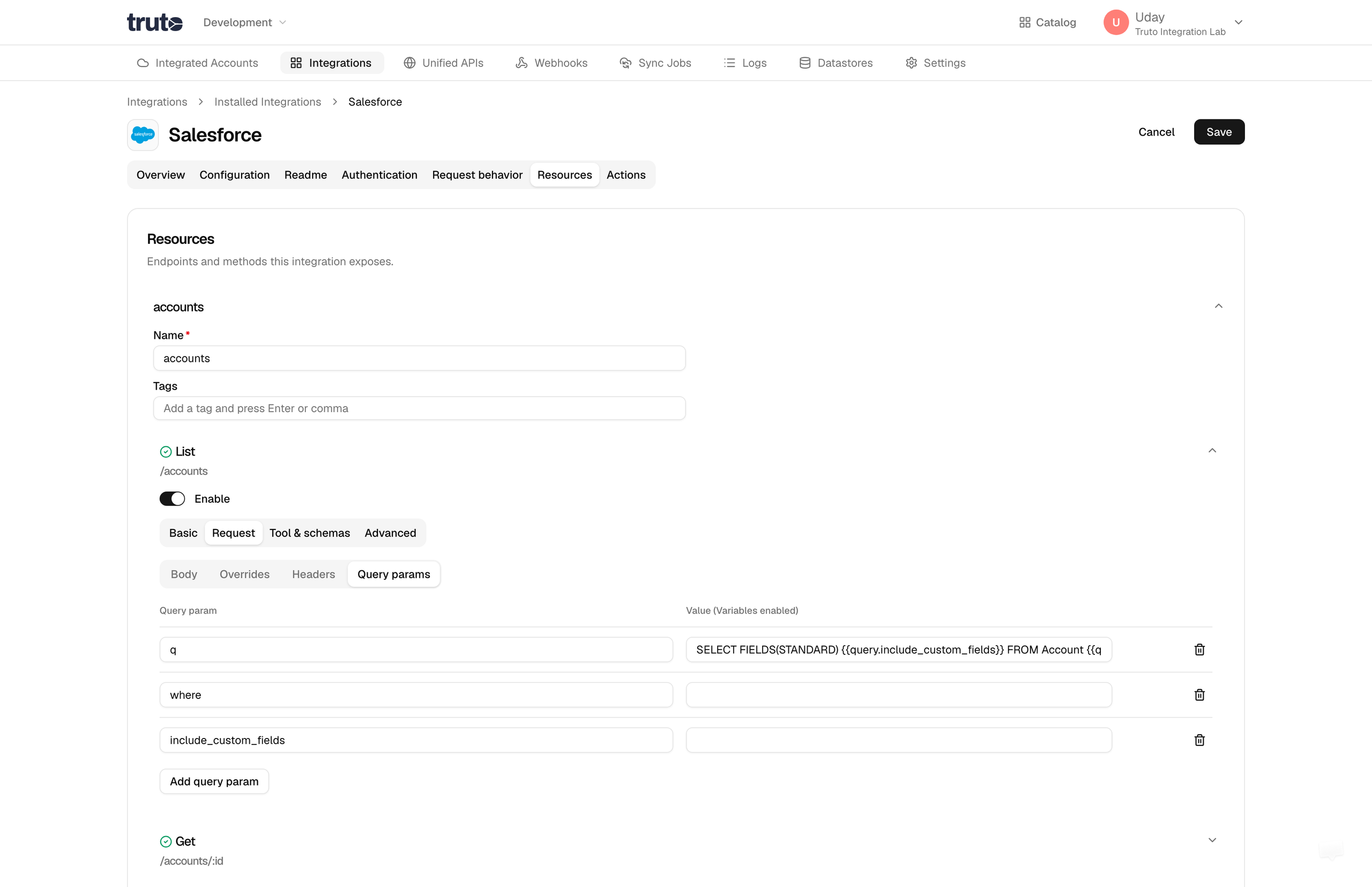
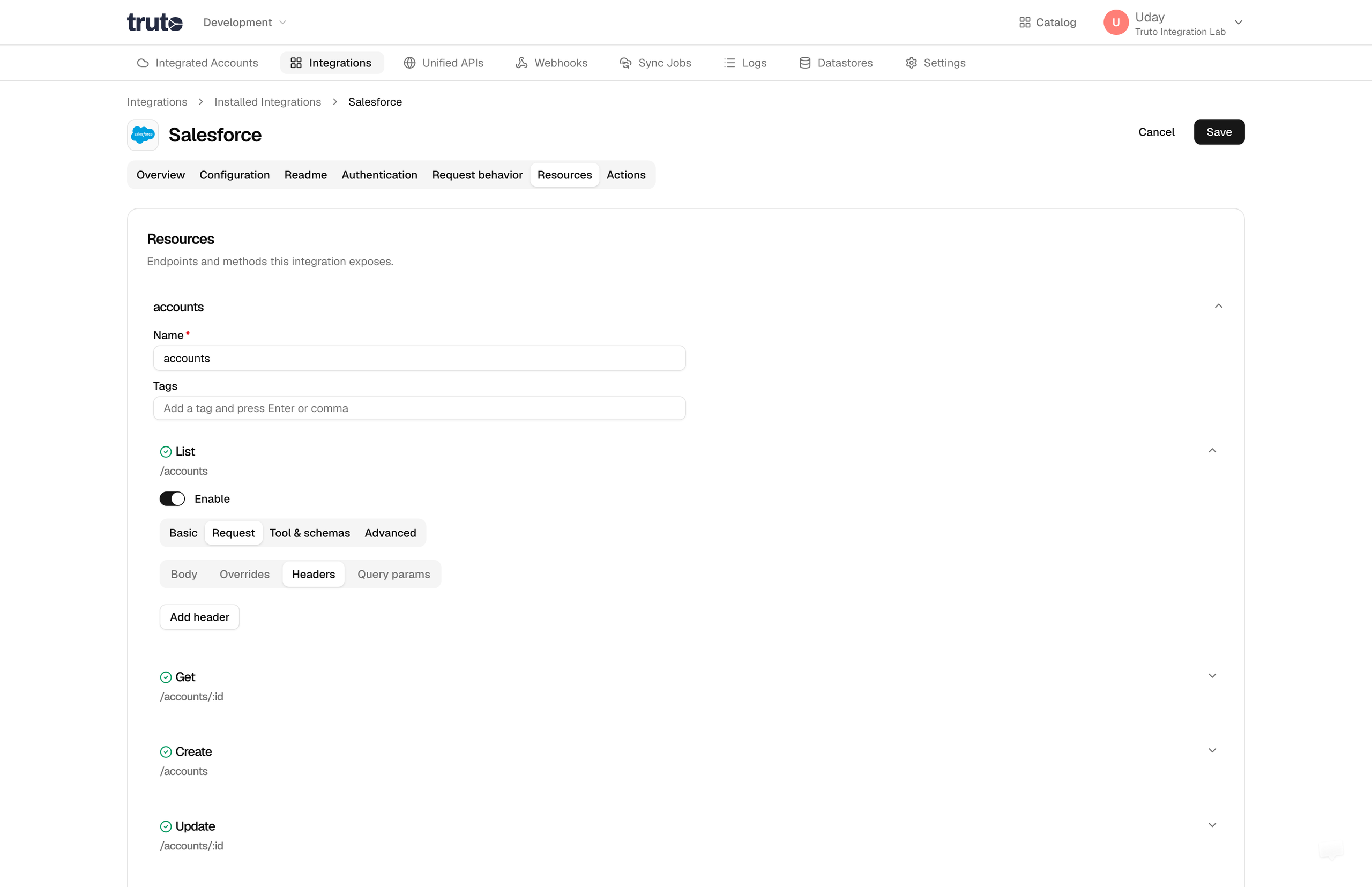
A method's form has four tabs: Basic, Request (Body, Overrides, Headers, Query params), Tool & schemas and Advanced (Execution, Notes). The config keys are relative to resources.<resource>.<method>.
| Field | Config key | What it does |
|---|---|---|
| Slug | the method's key | A custom method's name, the last part of its Proxy API path. |
| Method | method |
The HTTP method, in lowercase in the JSON: get, post, put, patch, delete, options, propfind, report, proppatch, mkcalendar or mkcol. |
| Path | path |
Required. The endpoint, joined to the base URL. Variables enabled, for example /contacts/{{id}}. |
| Scopes/Permissions | scopes |
The permissions the method needs. Truto names them when it explains a provider 403; see Permission vocabulary. |
| What calling this does, Safe to retry (idempotent) | mcp_annotations |
Whether the method only reads, changes or deletes data, and whether a retry is safe. They become the hints on the method's MCP tool (readOnlyHint, destructiveHint, idempotentHint, openWorldHint). |
| Method tags | tool_tags["<resource>.<method>"] (top level) |
Tags added to the resource's Tags for this method's tool. See tool_tags under Top-level keys. |
| API documentation URL | api_documentation_url |
A link to the provider's documentation for this endpoint. |
| Body Format | body_format |
See Body format. |
| Body | body |
Default body data added to the request. |
| Ignore body when paginating | ignore_body_in_pagination |
list only. Sends the body on the first request only. |
| — | pagination_path |
list only. The path used for pages after the first; defaults to Path. Set in the JSON. |
| Response path | response_path |
Where the data is in the response, for example records. Leave it blank when the response is already the array (for list) or the item. |
| API response format | api_response_format |
The response's media type, such as application/json or text/html, for an API that sets the wrong Content-Type or none. Default: detect from the response. |
| Headers | headers |
Headers for this method only. Set authorization in Authorization or Override authorization, not here. |
| Query params | query |
Query parameters for this method only. Variables enabled. |
| Add query to body | add_query_to_body |
Sends the query parameters in the body instead of the URL. |
| Throw error on invalid response | throw_error_on_parse_error |
On by default. Turn it off to return the raw text when the response can't be parsed. |
Body format
Set Body Format (body_format) on every method that sends a body. Without it, Truto sends create, update and custom methods with no body. list uses json when it is not set, and so does delete when its HTTP method is DELETE. The dashboard fills in json when you pick POST, PUT, PATCH or DELETE, so this matters most when you write the JSON yourself.
| Body Format | body_format |
Notes |
|---|---|---|
| JSON | json |
|
| Form Data (x-www-form-urlencoded) | form |
|
| Form Data (multipart/form-data) | multipart |
No square brackets (body_format_config.noSquareBrackets) sends data instead of data[] for an array field. Show array indexes (body_format_config.showLeafArrayIndexes) sends data[0] instead of data[]. |
| Raw (set Content-Type header manually) | raw |
Set Content type (body_format_config.content_type). |
| XML | xml |
Override Options
The Overrides tab replaces an integration-level setting for this method:
| Field | Config key | What it does |
|---|---|---|
| Override base URL | base_url |
A different base URL for this method. |
| Override pagination | pagination |
A different pagination for this method. null turns pagination off. |
| Override query array format | query_array_format |
A different query array format for this method. |
| Override error expression | error_expression |
A different error expression for this method. |
| Override authorization | authorization |
A different authorization for this method. It replaces the integration's Authorization for this method. |
| No auth | no_auth |
Sends the request with no authorization. Use it only for endpoints that need none. Headers from Base URL and Headers are still sent. |
| Ignore credentials on redirect | ignore_credentials_on_redirect |
Doesn't send the authorization when the provider redirects the request. |
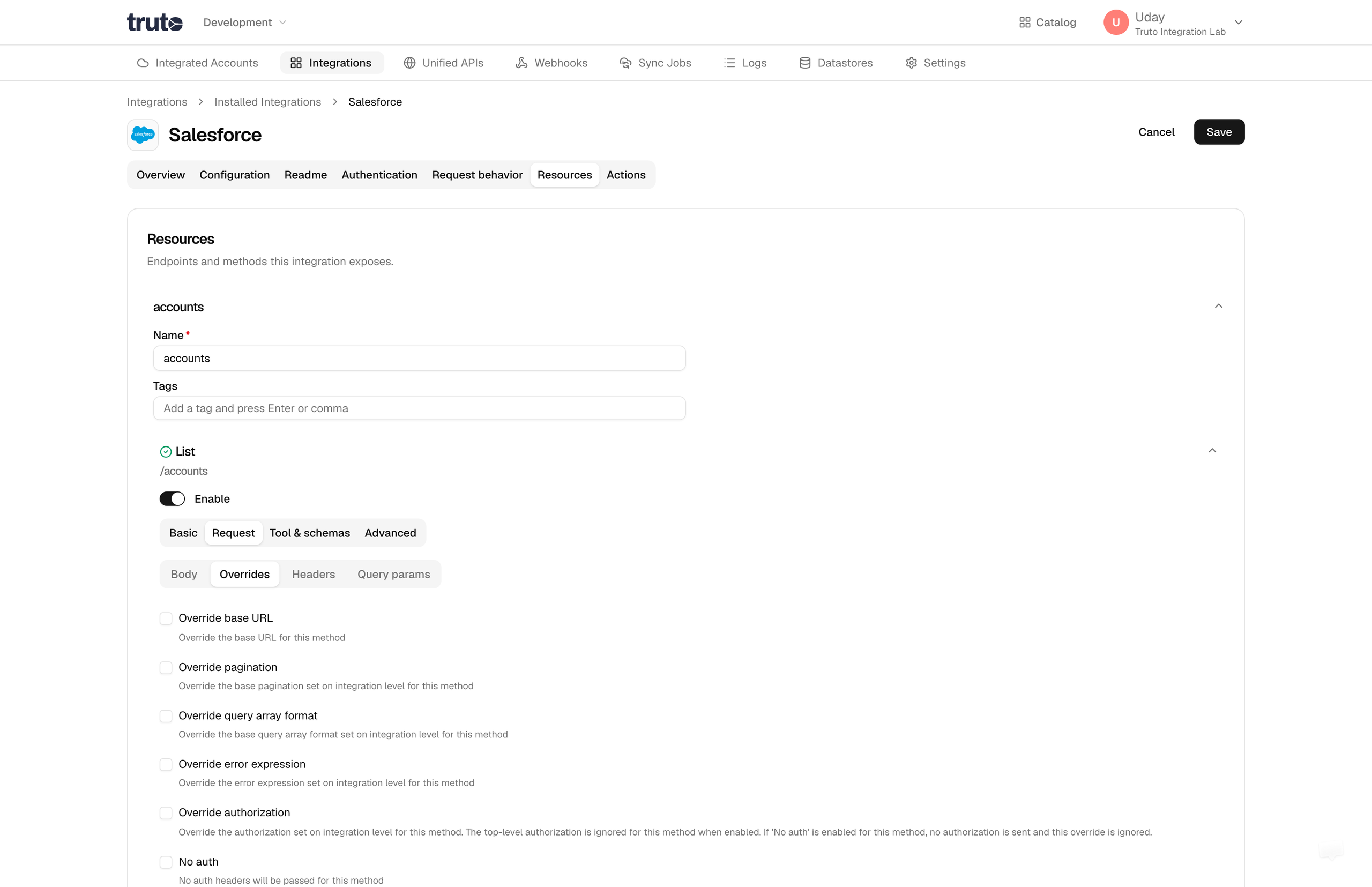
Tool & schemas
The Tool & schemas tab holds the method's Tool metadata (its tool name and description), Query schema, Request body schema and Response schema. Truto builds the method's tool from them, for MCP servers and LLM frameworks; see Tools.
Permission vocabulary
A method's scopes and scopes_any_of name the permissions it needs, and Truto uses them to explain a provider 403 in forbidden_error. Truto works out from the integration's configuration whether they are OAuth scopes, API-key permissions or role names. To set it yourself, add permission_vocabulary (oauth_scope, api_key_permission or role_label) to the method at config.resources.<resource>.<method>; a declared value wins over the derived one.
- A value outside those three is rejected when you save the integration through the API. One that reaches Truto any other way is ignored, and the derived value is used.
- A declared
oauth_scopeis ignored when the method's permission list contains a space, since an OAuth scope can't contain one. - An environment can override it, with
scopesandscopes_any_of, atoverride.resources.<resource>.<method>on the installed integration.
Actions
Actions are steps Truto runs at set points in an integrated account's life, for example to read the account's subdomain from the provider after it connects. In the JSON each action is actions.<key>, with type, config and a list of steps.
When Actions Run
post_install, validation and post_connect_user_form run because of their key:
post_install(Post install steps): Runs right after an account connects. While it runs, the account isconnecting. If it fails, the account moves topost_install_error.validation(Validation steps): Runs afterpost_installsucceeds, to check the connection works. If it fails, the account moves tovalidation_error. You can also run it again on an existing account.post_connect_user_form: A form shown to the user in the Connect UI after the account connects, to collect more details. See RapidForm.
A scheduled action is any action with "type": "scheduled". The dashboard stores it under refresh_token and labels it Scheduled Actions. Give it config.duration (Duration, in seconds) or config.cron_expression (Cron Expression). Turn on Reactivate auth (config.reactivate_auth: true) to make an account active again when the scheduled action succeeds. An optional config.run_if JSONata expression, checked against the account's context when Truto schedules the action, skips accounts it returns false for. Without "type": "scheduled", the action never runs:
{
  "refresh_token": {
    "type": "scheduled",
    "config": { "cron_expression": "0 */6 * * *" },
    "steps": [
      { "type": "request", "config": { "type": "proxy", "resource": "session", "method": "create" } },
      { "type": "update_context" }
    ]
  }
}- While a scheduled action runs, Proxy API and Unified API calls on that account return
503; retry once it finishes. - A cron must leave at least 5 minutes between runs. Truto doesn't check this when you save, so a shorter cron is never scheduled and nothing tells you.
- Truto schedules the action for an account when the account connects or reconnects, or is created through the API. Adding a scheduled action, or changing its schedule, doesn't reach accounts that are already connected until they reconnect. To schedule an account that is already connected without a reconnect, call
POST /integrated-account/run-post-install-actionswith itsid(this also reruns post-install and validation).
Step types
Steps run in order and pass one value from each step to the next. The first step starts with an empty object ({}). A step's placeholders, such as {{subdomain}}, read the value the step before it passed on.
| Step | type |
What it does |
|---|---|---|
| Get Context | get_context |
Replaces the value with the integrated account's context. Put it first when later steps need the context. |
| Transform | transform |
Replaces the value with the result of the JSONata expression in config.expression. |
| Update Context | update_context |
Merges the value into the integrated account's context, key by key, so later API calls and templates can read it as {{key}}. |
| Set Context | set_context |
Merges the fixed key-value pairs in its config into the account's context as written, for example {"region": "eu"}. Placeholders in them are not filled. |
| Request | request |
Calls one of the integration's resources or a Unified API, and passes the response on. |
| — | form |
The RapidForm step of post_connect_user_form. It is set up under RapidForm, not picked as a step. |
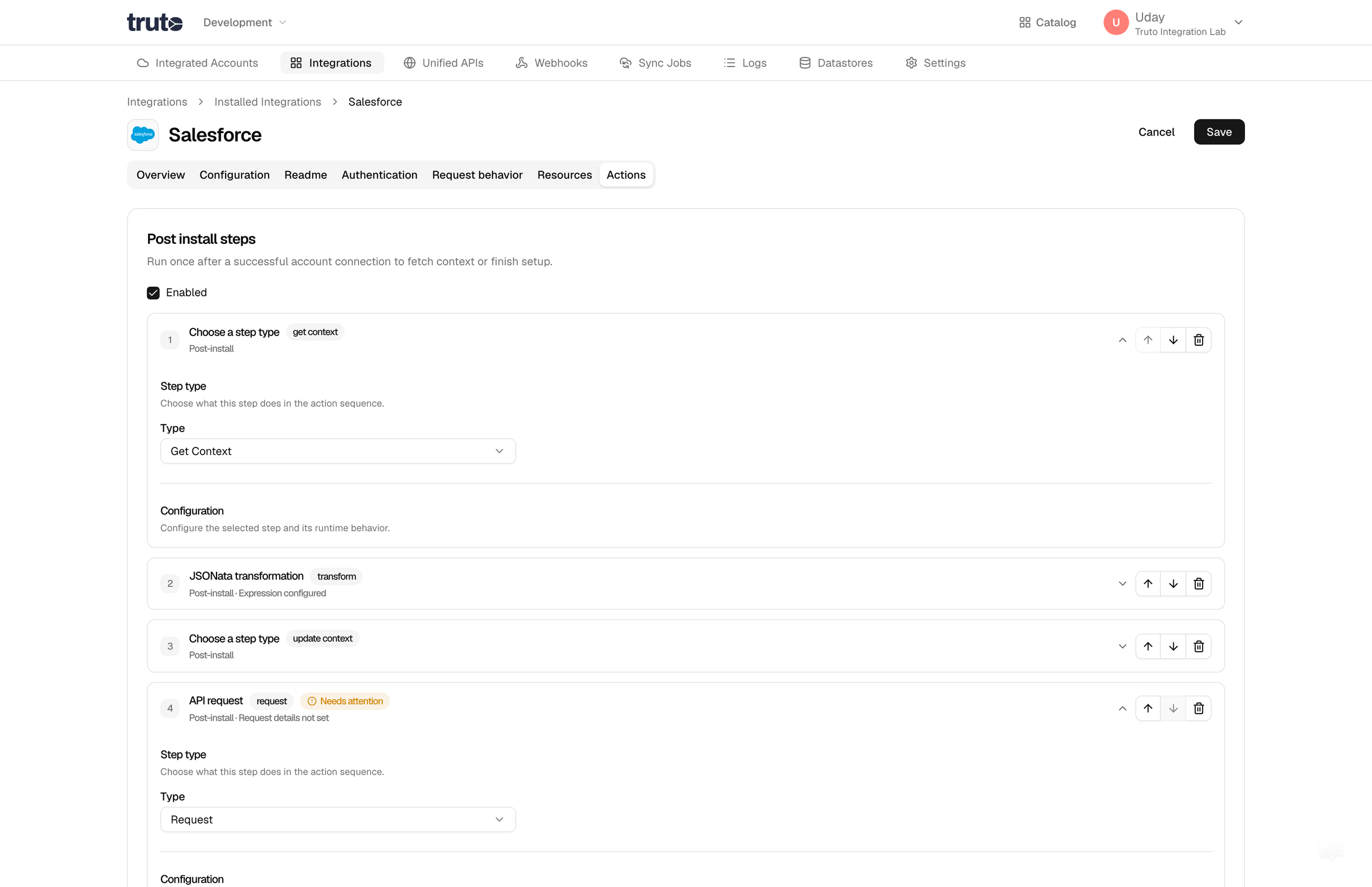
Transform example
{
  "label": $.subdomain
}
Creates a label from the subdomain to make the account easier to recognize.
Request step fields
| Field | Config key | What it does |
|---|---|---|
| Request type | config.type |
proxy (Proxy API) calls one of the integration's resources. unified (Unified API) calls a Unified API resource, such as crm/contacts. |
| Resource | config.resource |
The resource to act on, like accounts or contacts. |
| Method to call | config.method |
The resource method to run, such as list, get, create, update, delete, or a custom method. |
| ID | config.config.id |
The record ID, for the get method. |
| Body | config.config.body |
The data sent with the request, for methods like create or update. |
| Query | config.config.query |
Query parameters for the request. |
| Throw error | config.throw_error |
On by default (throw), so a failed request fails the action. Turn it off (process) to pass the error to the next step, such as a Transform, instead. A string, not a boolean. |
| Run conditionally | config.run_if |
Run the step only when this JSONata expression returns true. |
Salesforce Example: Setting Up Actions
Here’s how you might set up actions when connecting a Salesforce account:
-
Step 1: Get Context:
- Type: Get Context
- Action: Retrieve the Salesforce subdomain provided by the user.
- Use Case: Needed to make API requests to the correct Salesforce instance.
-
Step 2: Transform:
- Type: Transform
- JSONata Expression:
{ "label": $.subdomain } - Explanation: Creates a user-friendly label using the subdomain.
-
Step 3: Update Context:
- Type: Update Context
- Action: Merges
{"label": …}into the integrated account's context. Thelabelin an account's context is the label the dashboard shows for it.
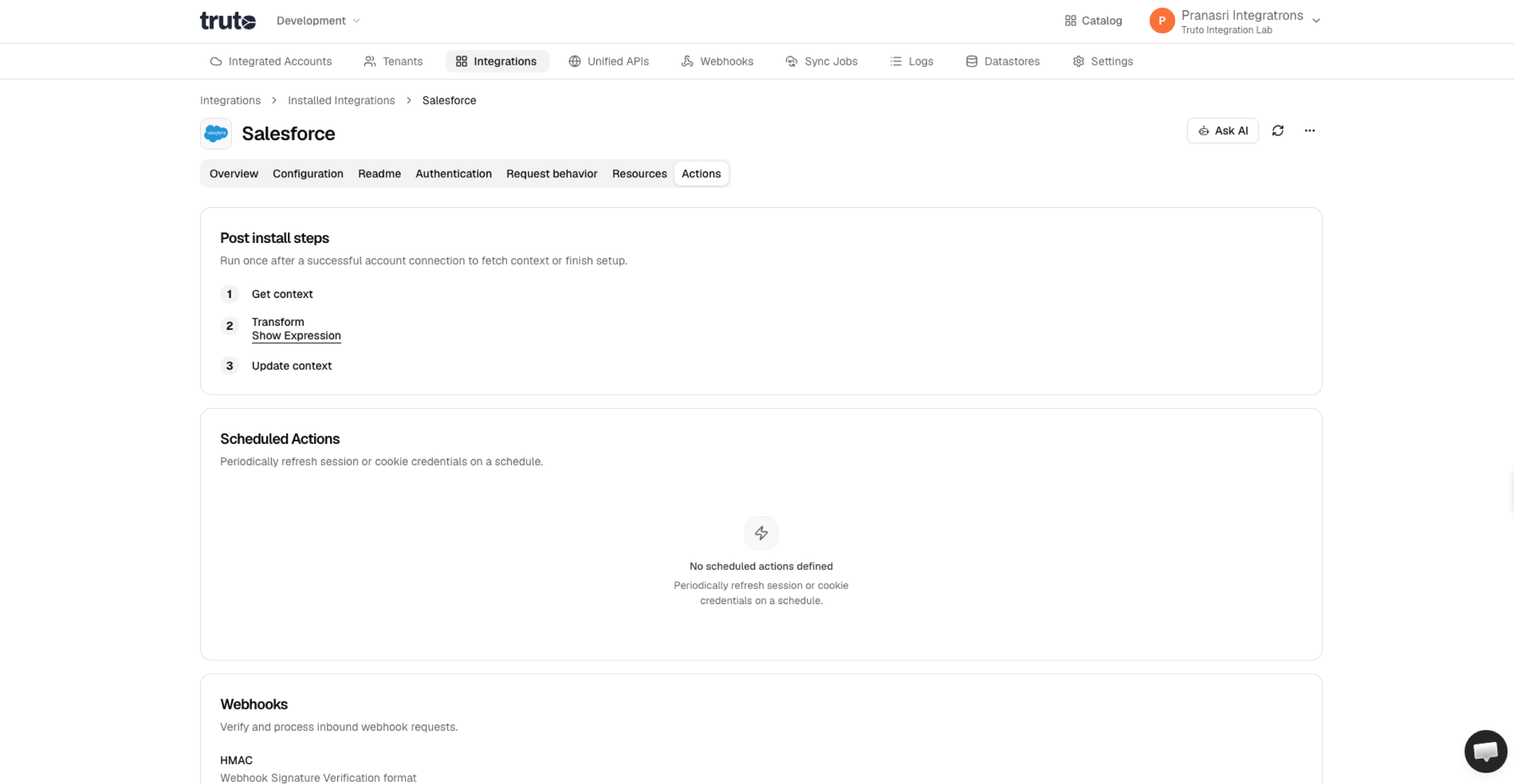
Example of Salesforce Action Setup
Here’s how the Salesforce integration might look after setting up actions:
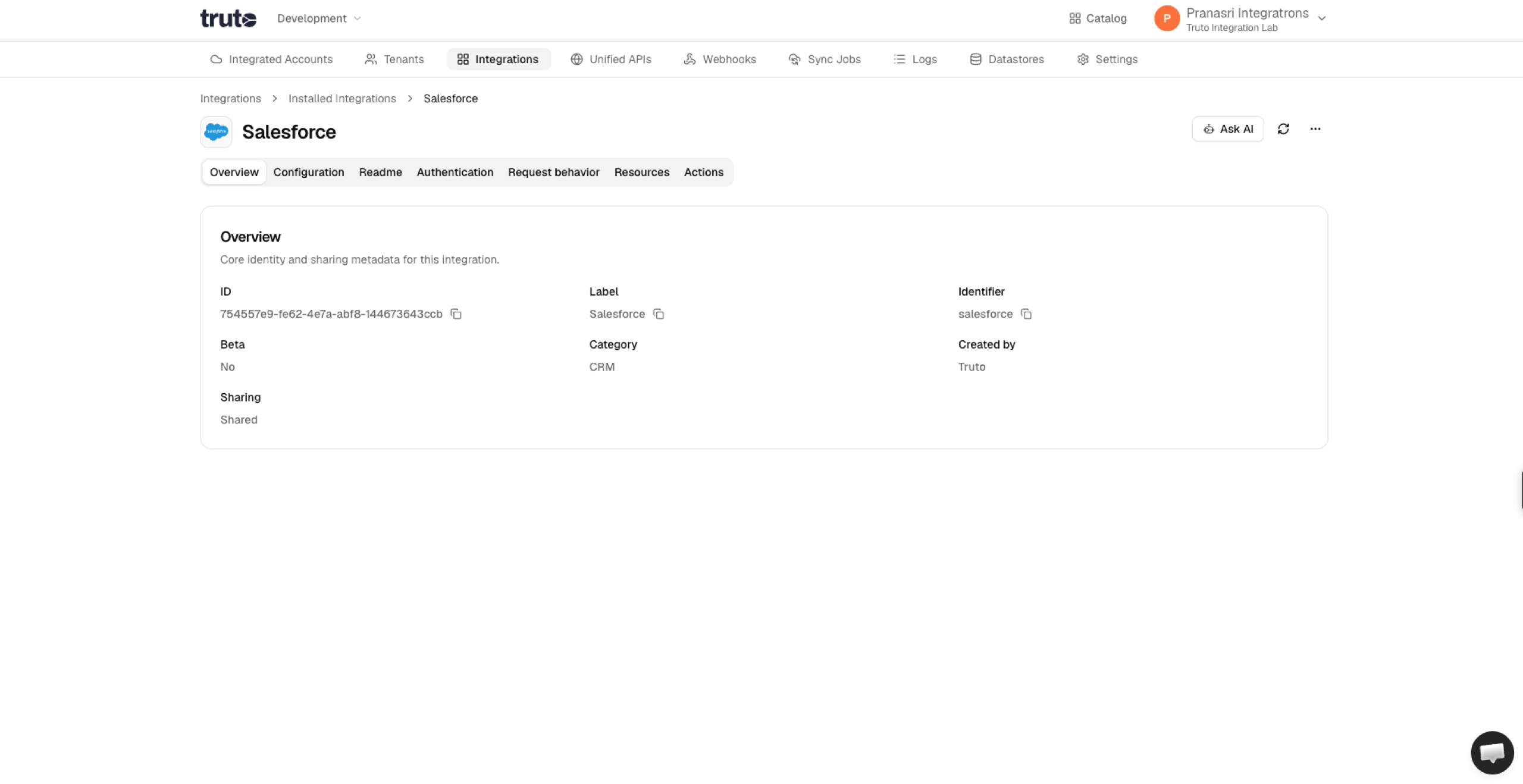
After connecting the account, the label appears like this, making it easy to recognize:
Webhooks
Webhooks (webhook) say how Truto receives and checks the events a provider sends. With no webhook block, the integration's environment webhook URL answers 400 "Webhook support is not yet enabled for this integration." Truto applies three keys to each incoming request in this order:
payload_transform— a JSONata expression that reshapes the incoming request (body,raw_body,headers,query_params,context) before anything else runs.handle_verification— a JSONata expression that returns an object withtype. Returnverifyto answer a vendor's verification handshake, orpayload(ormeta) to process the request as an event. Averifyanswer returns before the signature check.signature_verification— checks that an event came from the vendor.formatishmac,basic,bearer,jwt, ornoneto accept unsigned events (leavingformatout does the same). A request that fails the check is rejected with a400.
unverified_auth_methods lists sign-in methods, such as api_key, whose integrated accounts skip the signature check. It applies only on the per-account webhook URL.
The signature_verification.config keys are templates, filled from the incoming request after payload_transform, so a value can read the request's headers, body or context:
| Key | Used by | What it does |
|---|---|---|
secret |
hmac, bearer, jwt |
The signing secret or expected token. |
algorithm |
hmac, jwt |
The hash or signing algorithm. |
parts |
hmac |
Which part of the request is signed, such as body or raw_body. |
verification_content |
hmac |
The pieces to join into the signed string, instead of parts. |
string_type |
hmac |
How the signature is encoded: base64 (the default), base64url or hex. |
compare_with |
all | The signature, token or Authorization value the request carried. |
username, password |
basic |
The expected credentials. |
jwks_uri, issuer, audience, email, subject, claims |
jwt |
Verify the token against the provider's published keys and check its claims. |
context_lookup_field_name, context_lookup_field_value |
environment URL | Match an event to an integrated account by a field of its context. |
For how events reach your endpoint, see Receiving vendor webhooks.
RapidForm
RapidForm helps you create customizable forms to collect user input during the integration process. You can use it to gather required credentials or other information needed to set up your integration successfully. Learn more in the RapidForm Documentation.
Environment override
An installed integration keeps its changes for one environment in override, which takes the same keys as config (see Customising integrations). A few keys exist only there, and a few settings sit on the installed integration beside override:
| Key | Where | What it does |
|---|---|---|
credentials.<method>.enabled |
override |
false turns a sign-in method off in this environment. |
resources.<resource>.<method> set to null |
override |
Turns the method off in this environment. Calls to it return 404. |
environment_variables |
override |
Values for this environment, read as {{environment_variables.<key>}}. See Store per-environment values. |
description |
override |
Description on the General card, up to 2,000 characters. |
tags |
override |
Tags on the General card. |
is_beta |
override |
Marks the integration as beta in this environment. |
is_enabled, show_in_catalog |
beside override |
Enabled and Show in Connect UI. With either off, the Connect UI doesn't offer the integration; accounts already connected keep working. See Enabling and disabling integrations. |
link_ui_config |
beside override |
The Connections widget card: visible_when (which tenants see it), group, connect_label (Connect button) and configure_label (Configure button). |
oauth_app_headers and browser_file_picker_requires_access_token can't be overridden: an override that sets them is refused.
Next
To change an installed integration for one environment without touching the catalog copy, see Customising integrations. To read any integration's configuration as JSON, run truto integrations get <integration_id> -o json.