Bulk import
When you're migrating from another platform, seeding staging with a known list of customers, or onboarding a batch of new tenants at once, use the bulk-import endpoint. It accepts up to 1000 tenants in a single request and reports per-row status.
Skip the reading — fast path for coding agents
truto tenants create-bulk --stdin < tenants.json/skill truto
From the dashboard
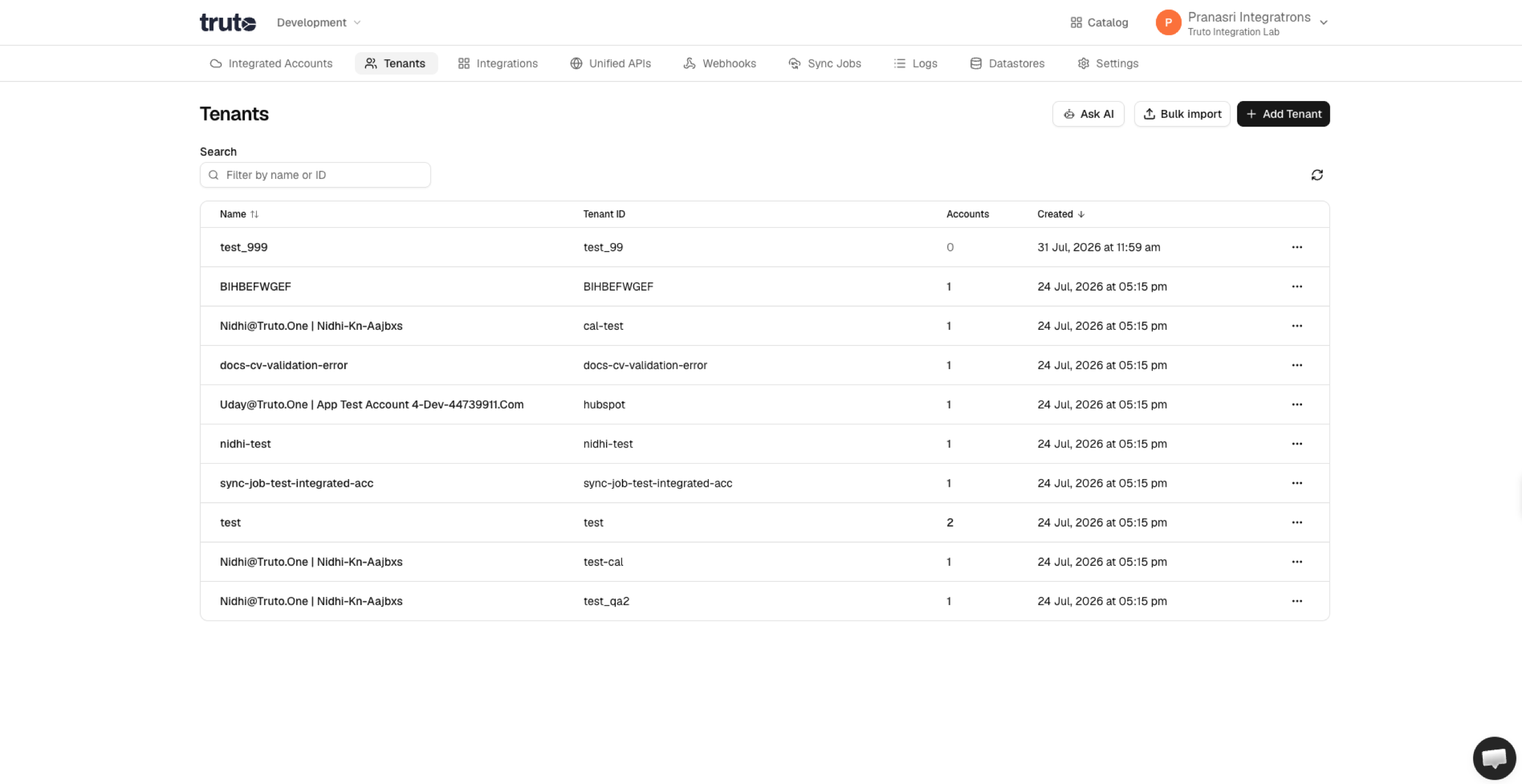
- Open Tenants and click Bulk import in the top-right.
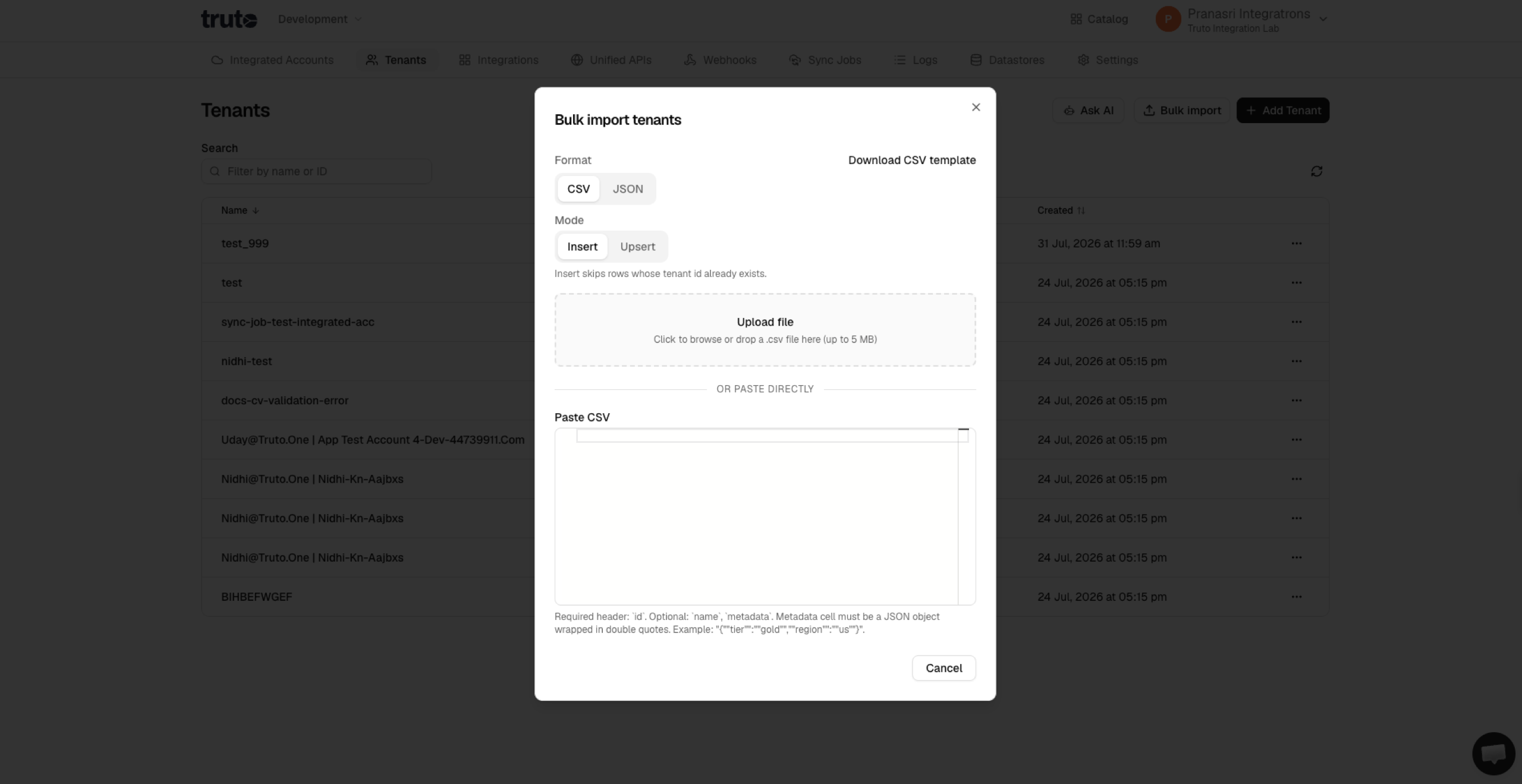
- Choose the format — CSV or JSON. Switching format clears what you pasted or uploaded.
- Choose the mode:
- Insert (default) — create new tenants; existing ids are skipped.
- Upsert — create new tenants and update
name/metadatawhen the id already exists.
- If you're using CSV, click Download CSV template for the expected header row.
- Either click the upload area (or drag-and-drop) a
.csv/.jsonfile (up to 5 MB), or paste the content directly into the editor below. - Fix any error shown in the toast. The Import N button, where N is the number of rows, appears once every row is valid.
- Click Import N (or Upsert N). A toast reports how many tenants were created, updated, or skipped.
Allowed fields
Each row may only include:
| Field | Required | Rules |
|---|---|---|
id |
Yes | 1–255 characters; no control characters, no leading or trailing whitespace, not . or ... Unique within the file. |
name |
No | Non-empty string, max 255 characters. Defaults to id on insert when omitted. |
metadata |
No | JSON object (not an array or primitive). Blank keys are rejected. |
Unknown columns (CSV) or unknown keys (JSON) are rejected. CSV data rows may not have more values than the header defines.
CSV format
Headers required: id. Optional: name, metadata. Header names are case-insensitive, and rows with an empty id are skipped. Wrap metadata in double quotes — the JSON is what's stored:
id,name,metadata
acme-corp,Acme Corp,"{""tier"":""gold"",""region"":""wnam""}"
globex-inc,Globex Inc,"{""tier"":""silver""}"
initech,Initech,
JSON format
A top-level array of tenant objects:
[
  { "id": "acme-corp", "name": "Acme Corp", "metadata": { "tier": "gold" } },
  { "id": "globex-inc", "name": "Globex Inc" },
  { "id": "initech" }
]
From the API
curl --location 'https://api.truto.one/tenant/bulk' \
--header 'Content-Type: application/json' \
--header 'Authorization: Bearer <your-api-token>' \
--data '{
    "mode": "insert",
    "tenants": [
        { "id": "acme-corp", "name": "Acme Corp", "metadata": {"tier":"gold"} },
        { "id": "globex-inc", "name": "Globex Inc" },
        { "id": "initech" }
    ]
}'
truto tenants create-bulk -b '[{"id":"acme-corp","name":"Acme Corp","metadata":{"tier":"gold"}},{"id":"globex-inc","name":"Globex Inc"},{"id":"initech"}]'result = await truto_api.tenants.bulk_create({
"mode": "insert",
"tenants": [
{"id": "acme-corp", "name": "Acme Corp", "metadata": {"tier": "gold"}},
{"id": "globex-inc", "name": "Globex Inc"},
{"id": "initech"},
],
})mode is optional and defaults to insert. Set "mode": "upsert" to update existing tenants.
Truto checks every row before writing any. An invalid row (an ID that breaks the rules, a blank name, an unknown key, a repeated id) answers 400, the error names the row, and no tenants are stored. A successful request answers 201. If the request fails for any other reason, none of its rows are stored either, so you can send it again.
Insert response
{
  "created": [
    {
      "id": "acme-corp",
      "environment_id": "…",
      "name": "Acme Corp",
      "metadata": { "tier": "gold" },
      "created_at": "…",
      "updated_at": "…"
    },
    {
      "id": "initech",
      "environment_id": "…",
      "name": "initech",
      "metadata": {},
      "created_at": "…",
      "updated_at": "…"
    }
  ],
  "updated": [],
  "skipped": [
    { "id": "globex-inc", "reason": "already_exists" }
  ]
}
Rows in skipped already exist in this environment. Existing IDs never fail the request.
Upsert response
{
  "created": [{ "id": "initech", "name": "initech", "metadata": {}, "…": "…" }],
  "updated": [{ "id": "acme-corp", "name": "Acme Corp", "metadata": { "tier": "gold" }, "…": "…" }],
  "skipped": []
}
On upsert, an omitted name or metadata keeps the tenant's current value, and a sent metadata replaces the stored object. Newly created tenants still default name to id and metadata to {} when omitted.
Caps: at most 1000 tenants per request. Split larger inputs client-side and call POST /tenant/bulk multiple times.
From the CLI
# Insert (default) — skips existing ids
truto tenants create-bulk -b '[{"id":"acme"},{"id":"globex"}]'

# Upsert — updates name/metadata on existing ids
truto tenants create-bulk --mode upsert -b '[{"id":"acme","name":"Acme Corp"}]'

# From an NDJSON file (one JSON object per line)
cat tenants.ndjson | truto tenants create-bulk --stdin

# From a JSON array file
truto tenants create-bulk -b "$(cat tenants.json)"
The CLI enforces the 1000-row cap client-side so you catch it before hitting the network. See truto tenants.
Idempotency and re-runs
Insert: re-running the same import is safe — existing ids come back in skipped, and only new ids appear in created.
Upsert: re-running applies the latest name / metadata from the file to matching ids and creates any missing ones.
Next
To create or update a single tenant, see Creating tenants. To remove tenants, see Deleting tenants.