What happens when connection validation runs
When an integration has connection validation set up, Truto runs its test API call right after your customer connects or reconnects an account, and the result decides the account's status.
Skip the reading — fast path for coding agents
truto accounts validate <integrated_account_id>/skill truto
Connect the account as usual, by following Connect an account from the dashboard.
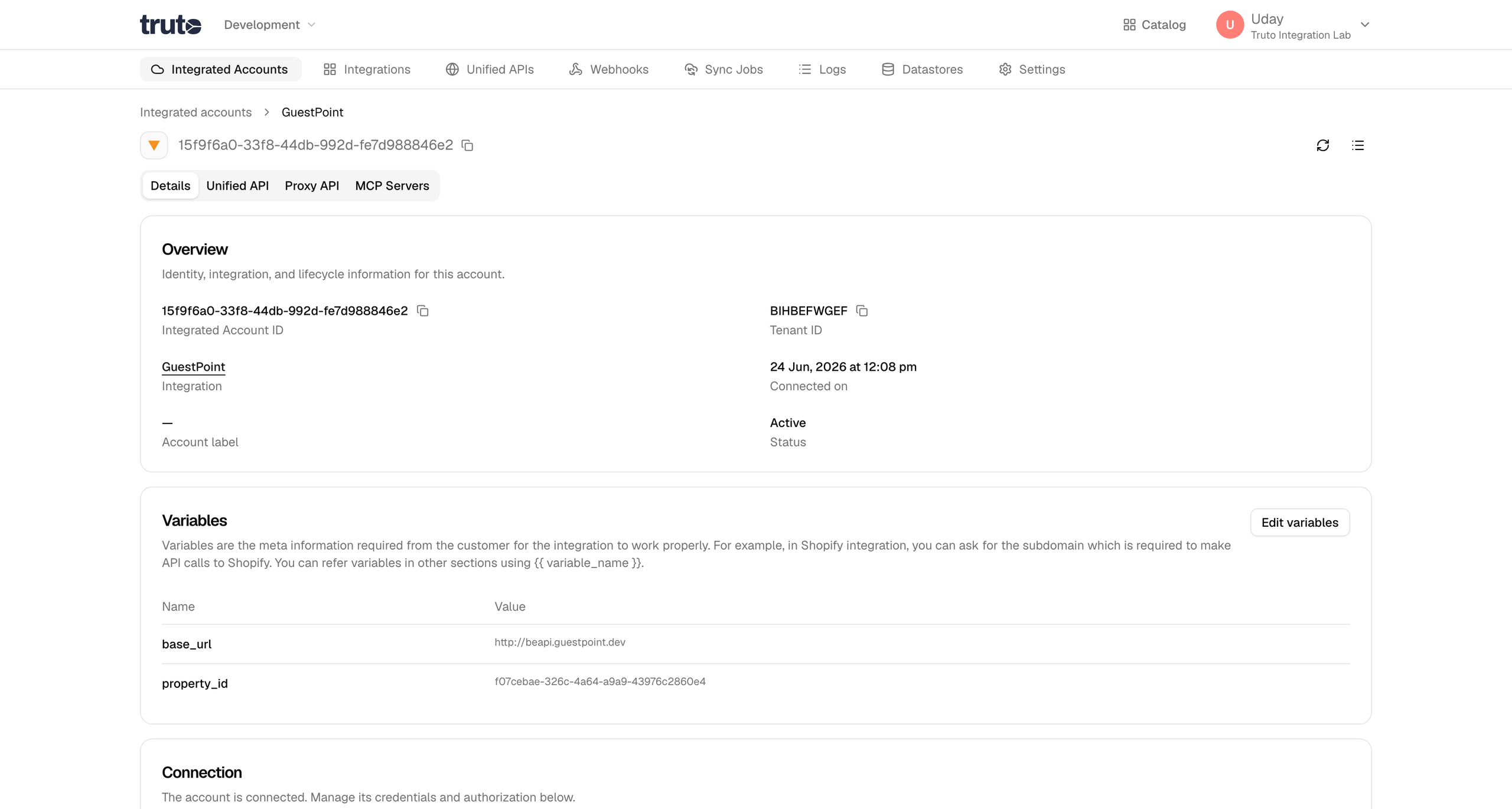
Connection Validation Outcomes:
- If Successful: The test API call succeeds, the connection is validated, and the account shows as active.
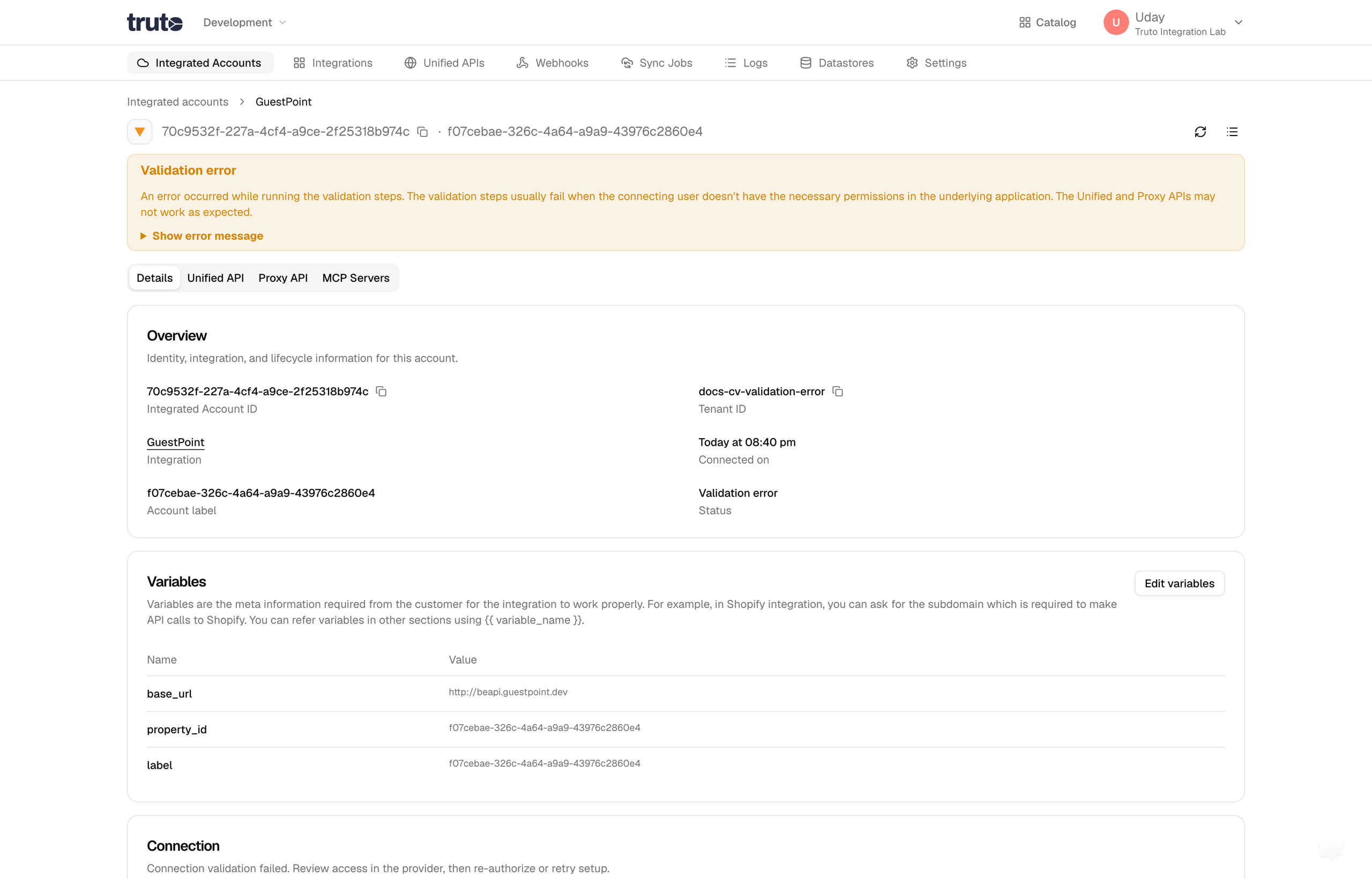
- If Unsuccessful:
- The test API call returned an error, for example because the credentials are wrong or lack a permission. The integrated account is left in a validation error state.
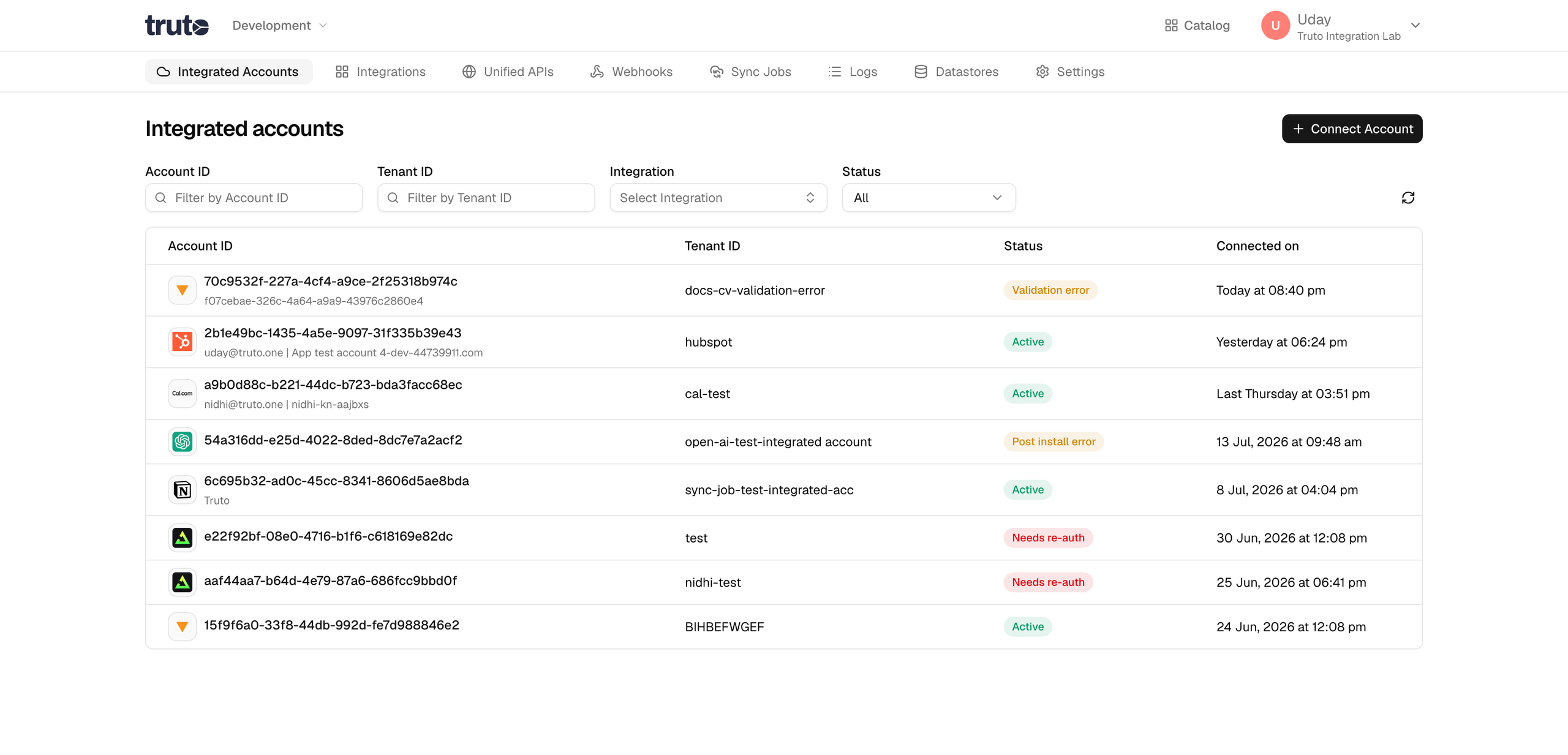
- A Validation error status is shown on the integrated accounts list, helping users understand the issue and fix it. This status is not displayed for successful connections.
- The test API call returned an error, for example because the credentials are wrong or lack a permission. The integrated account is left in a validation error state.
If using Truto Link SDK:
If you are using the Link SDK to handle your integration flows, authenticate rejects with a validation_error when a validation request fails after the integrated account is created. This error informs you (and possibly your front-end application) that the credentials you provided could not be validated.
To rerun validation once the cause is fixed, call POST /integrated-account/{id}/validate:
curl -X POST https://api.truto.one/integrated-account/<integrated_account_id>/validate \
  -H "Authorization: Bearer $TRUTO_API_TOKEN"
truto accounts validate <integrated_account_id>Next
Connection flow lists every account status, the webhook Truto sends for it, and what to do next.