Custom Validation
Check the end user's answers with a JSONata expression before RapidForm saves them, for rules that go beyond Required, such as "select at least 5 projects". Add the form's fields first.
Skip the reading — fast path for coding agents
Skill
View truto-jsonata skill on GitHub
Cursor / Claude Code:
/skill truto-jsonata
Enabling Custom Validation
Custom validation is applied at the form level and is executed on the data entered by the user across multiple fields. Turn on Custom validation below the RapidForm fields.
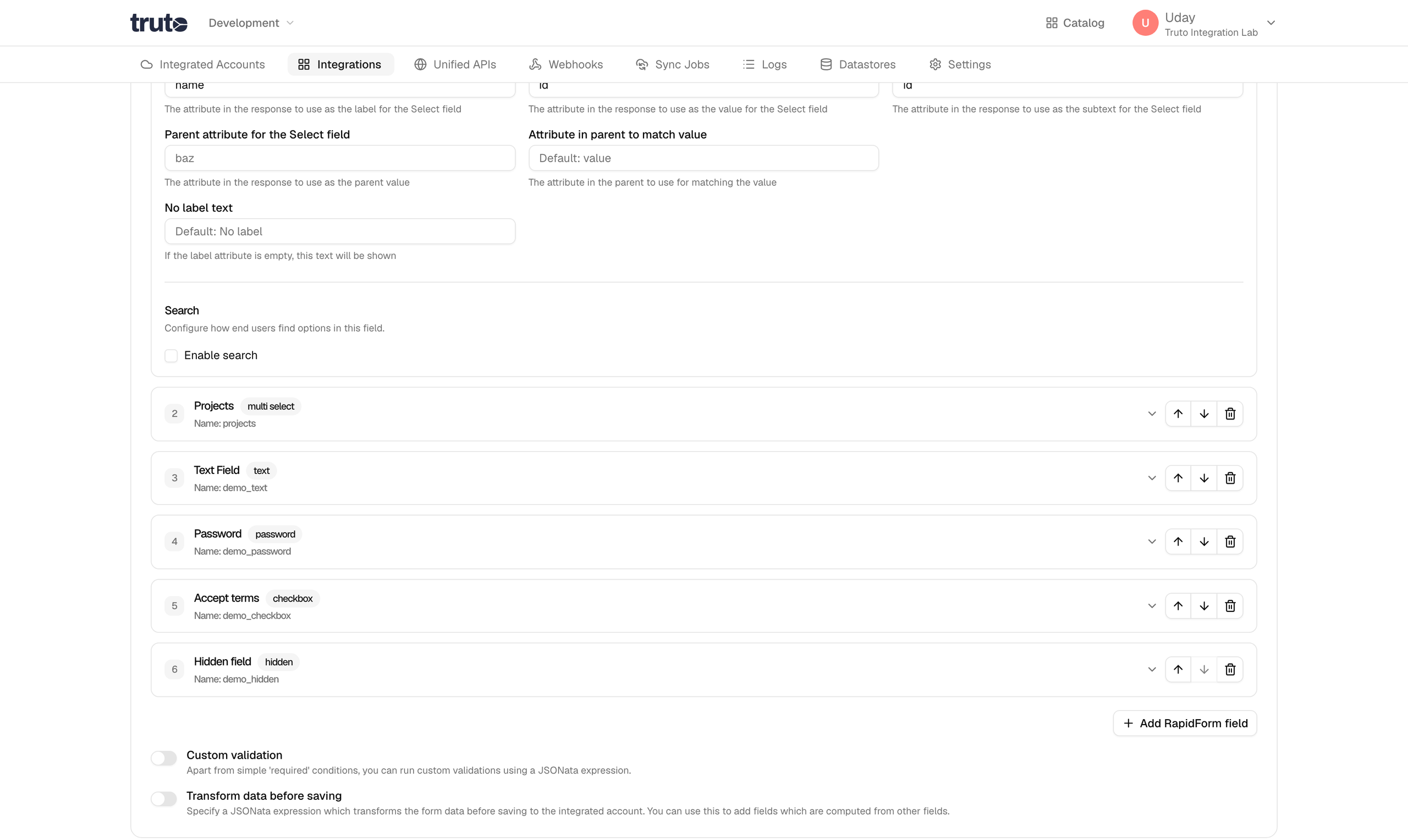
Configuring Custom Validation
With Custom validation on, the section shows three boxes:
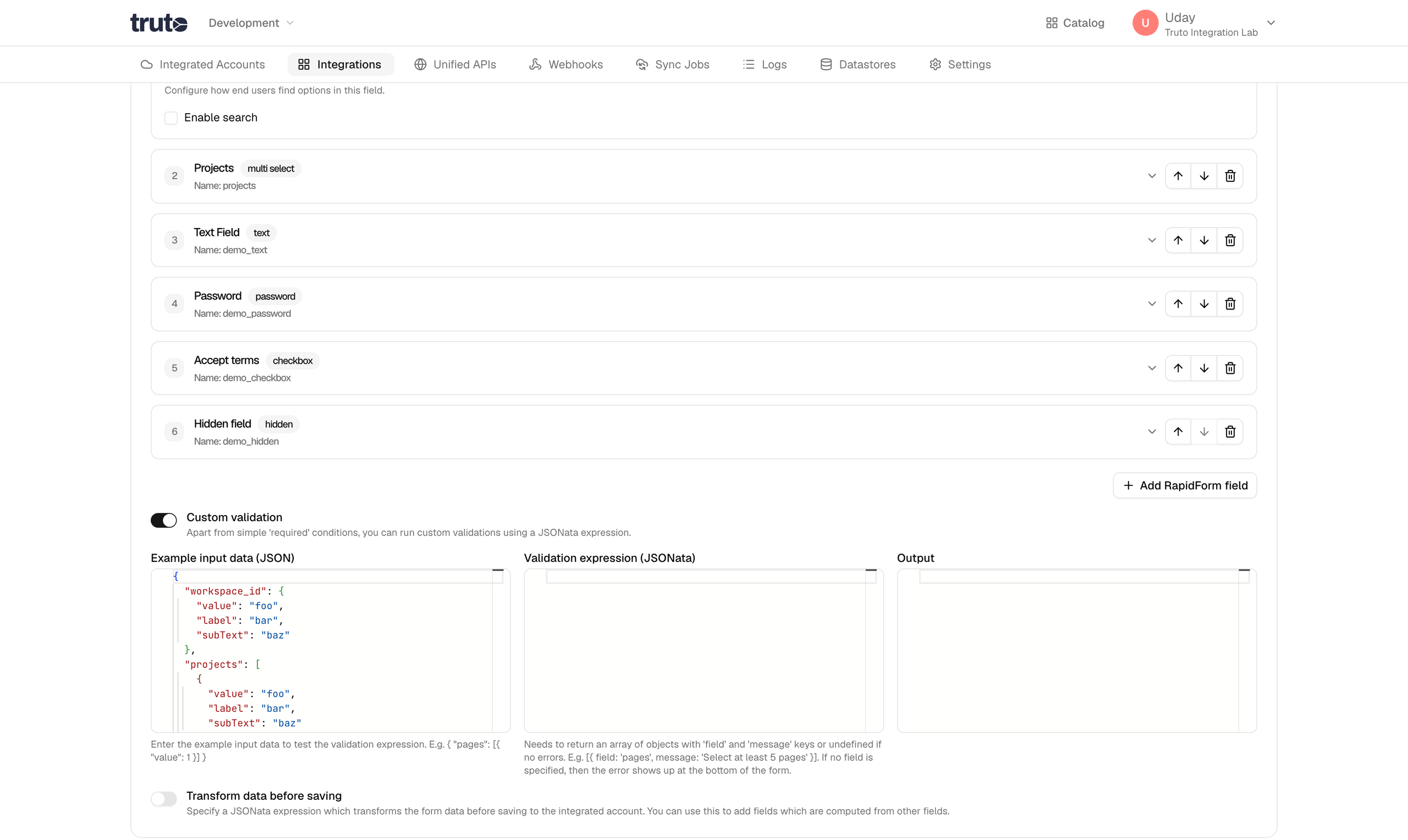
Validation Configuration Options
1. Example input data (JSON)
- Provide sample JSON data to simulate and test your validation logic.
- Example:
{
  "projects": [
    {  "value": "1" },
    {  "value": "2" },
    {  "value": "3" }
  ]
}
2. Validation expression (JSONata)
- Write a JSONata expression that evaluates the input data.
- Expected Output:
- An array of error objects with:
- field (optional): The field to which the error message applies. Leave it out to show the message as an error for the whole form.
- message: The error message to display.
- Or
undefinedif no errors are found.
- An array of error objects with:
- Example Expression:
($exists(projects) and $count(projects) >= 5) ? undefined : [{ "field": "projects", "message": "Select at least 5 projects" }] - Explanation:
$exists(projects)checks if theprojectsfield exists.$count(projects)counts the number of items in theprojectsarray.- If there are at least 5 items, the validation passes (returns
undefined). - Otherwise, it returns an error targeting the
projectsfield.
3. Output
-
View the results of your validation expression applied to the example input data.
-
For the above example, the output would look like:
[
  { "field": "projects", "message": "Select at least 5 projects" }
]
How it runs
- The expression runs when the end user clicks Save, after the Required and format checks pass.
- It gets the form values keyed by field name. Text is trimmed. A single select is an object with
value,labelandsubText, a multi select is an array of them, and a checkbox istruewhen ticked andfalseor an empty string when it isn't. - Return errors as an array: wrap a mapped result as
[ ... ]. A single object,[],null,falseandundefinedall count as no errors, so the form saves. - Point
fieldat a field the end user can see. An error on a Hidden field, or on one hidden by Show conditionally, blocks Save with no message. - The
$functions from@truto/truto-jsonataare available on top of standard JSONata. - Through the API, set the expression as
config.validation_expressionon the form step. See Creating a RapidForm through API.
Next
To change the values before they're saved, use Transform Expressions.