Creating API tokens
Create an API token to call the Truto API from your backend. Each token works in one environment.
Skip the reading — fast path for coding agents
truto api-tokens list -o json/skill truto
A token can only access resources in its environment. It can't create, update or delete API tokens: manage them in the dashboard.
Generating an API token
- Sign in to your Truto account.
- Open Settings and select API Tokens.
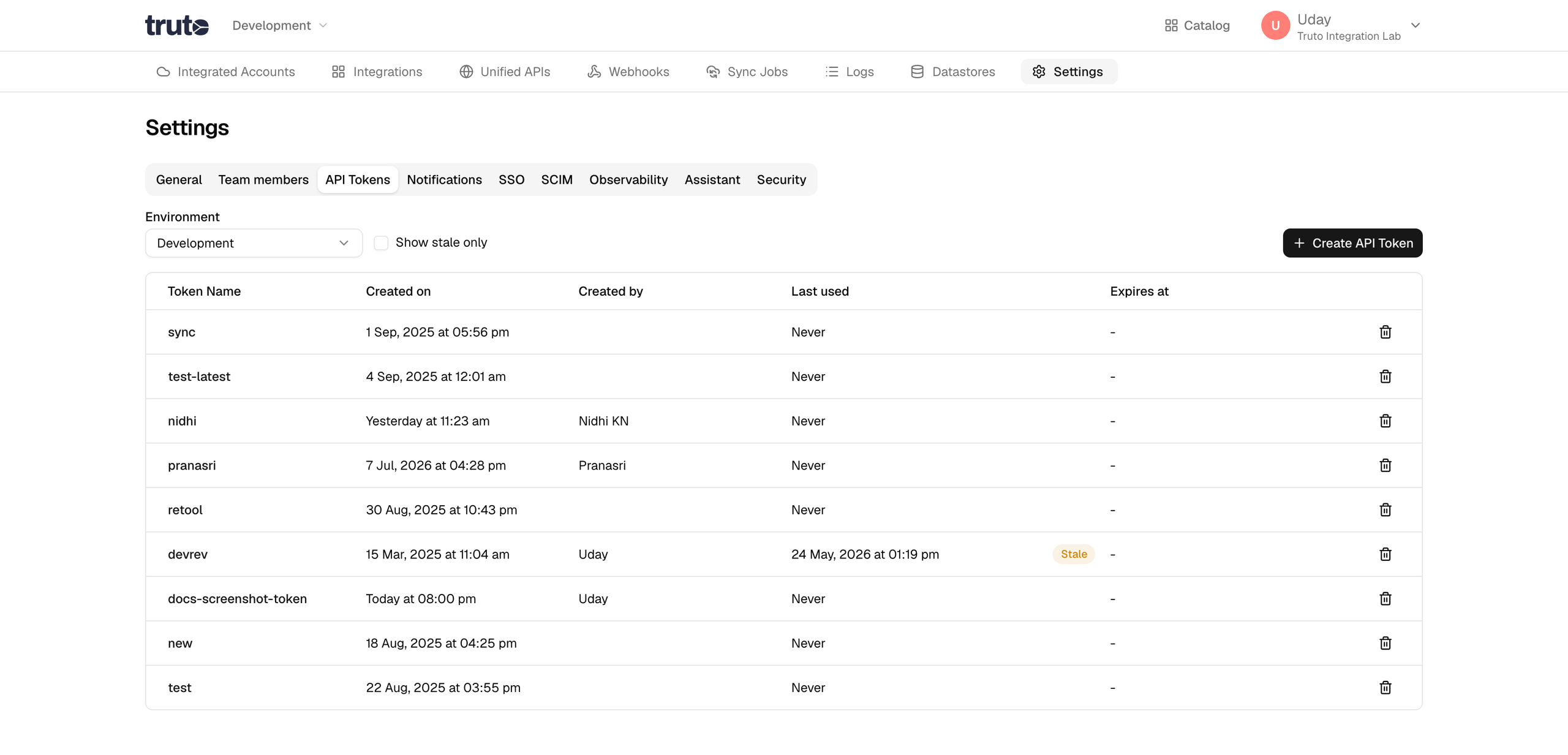
- Click Create API Token.
- Fill in the API token details:
- Environment: The environment the token can access.
- Name of the API Token: For your reference only.
- Whitelisted IPs (optional): IP addresses or CIDR ranges, such as
203.0.113.0/24, allowed to use the token. Press Enter or comma to add each one. - Expires At (optional): The date and time after which the token stops working. It must be at least 2 minutes in the future and no later than 2038-01-19 03:14:07 UTC.
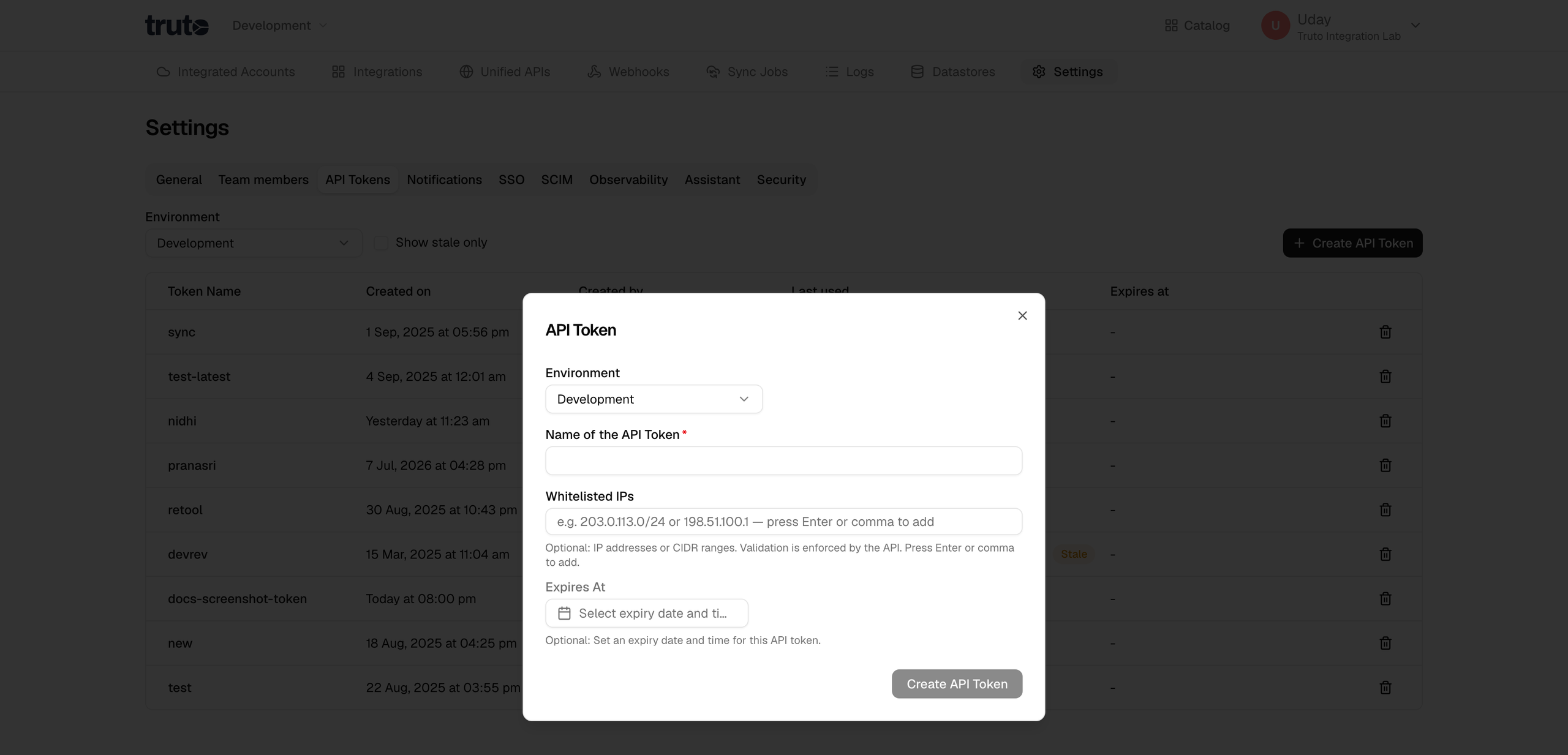
- Click Create API Token.
- In Verify it's you, confirm with one of the options shown: your passkey, the code from your authenticator app, or Email me a code if you don't use an authenticator app. If your team enforces SSO and you don't use an authenticator app, you're asked to Sign in again when you signed in more than 15 minutes ago, and not asked at all otherwise.
- Copy the token and store it securely. Truto shows the token once.
- Check I have copied my API Token shown above, then click Done.
Now you have an API token you can use to call Truto's Admin, Unified, Proxy and Custom APIs in its environment. Send it as a Bearer token in the Authorization header:
curl --location 'https://api.truto.one/integrated-account' \
--header "Authorization: Bearer $TRUTO_API_TOKEN"
Unused tokens
The API Tokens list shows when each token was last used and when it expires. Last used updates about every 30 minutes. A token is Stale when it hasn't been used for 30 days, or was never used and is more than 30 days old. Expired tokens are never stale. Check Show stale only to list just those. A stale token keeps working until you delete it or it expires.
Change a token's Whitelisted IPs
Click the token's name to open Edit Whitelisted IPs, add or remove entries, and click Save. A request from any other address gets 403 Access denied. Your IP address is not whitelisted for this API token. A change can take up to 5 minutes to apply everywhere.
Delete a token
Click the delete icon on its row, check the name and token ID in Delete API Token?, and click Delete. If Truto shows Verify it's you, confirm as in step 6 above; for the next 5 minutes, further deletions don't ask again. A deleted token can keep working for up to 5 minutes.
A token past its Expires At is deleted automatically, and destinations subscribed to API token events are told.
Next
Authentication lists what a 401 or 403 means for a call made with your token. Notifications shows how to subscribe a destination to API token events.