Greenhouse
Greenhouse connects with a Harvest API key.
- You need a Greenhouse user who can manage all of the organization's API credentials.
Greenhouse scheduled Harvest v1/v2 for removal on 31 August 2026. If Greenhouse no longer issues Harvest keys for your account, contact Truto support.
Install the Greenhouse integration
Install Greenhouse from Available integrations in each environment you connect accounts from.
Create a Harvest API key
- In Greenhouse Recruiting, click the Configure icon on the navigation bar, then Dev Center on the left.
- Click API Credential Management, then Create new API credentials.
- Fill in the form:
- API type: Harvest. The Harvest API Key field in Truto takes a Harvest key, not Harvest v3 (OAuth) credentials.
- Partner: Unlisted vendor, or Custom if you're building your own integration.
- Description: a name you'll recognise.
- Click Manage permissions. Greenhouse shows the key only once: click Copy, store it somewhere safe, then click I have stored the API key.
- Assign the permissions for the endpoints you need, and click Save.
See Greenhouse's Create a Harvest API key for an integration.
Connect a Greenhouse account
-
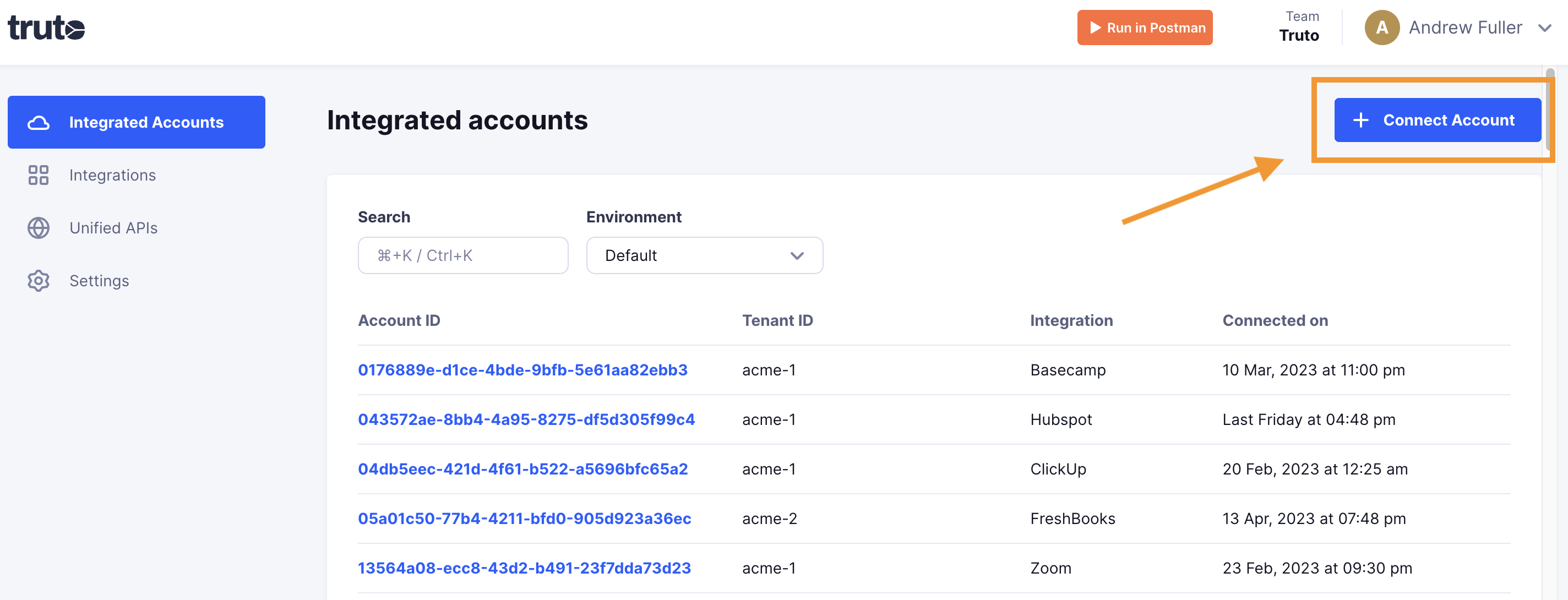
In Integrated Accounts, click Connect Account.
-
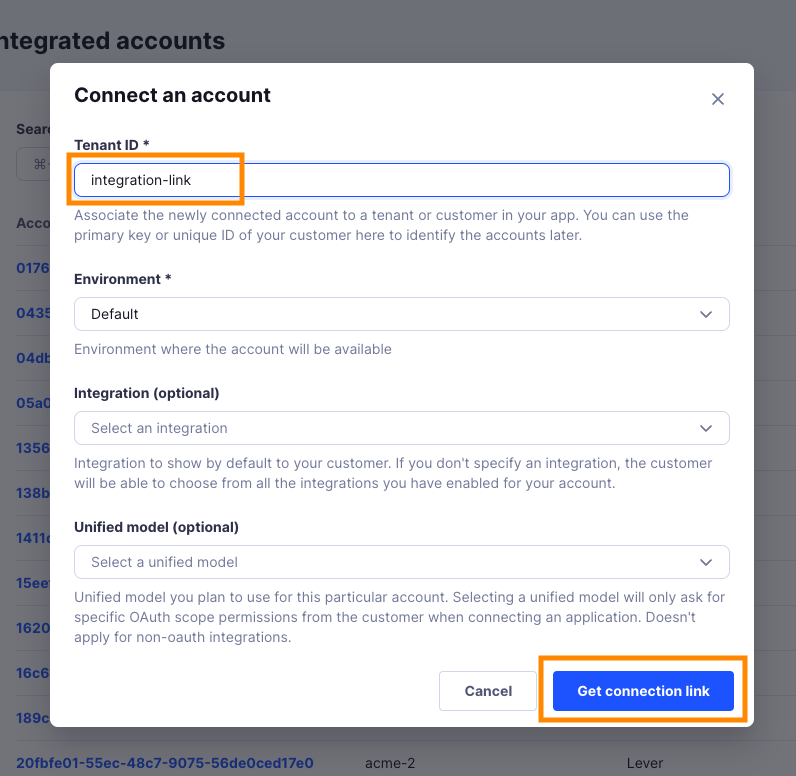
Enter a Tenant ID (your customer's ID; Truto creates the tenant if it is new), or pick one under Existing tenant (optional). Check the Environment and the Region (where Truto places the account; Western North America by default). To open the link straight on Greenhouse, pick it under Advanced settings → Integration (optional). Click Get connection link.
-
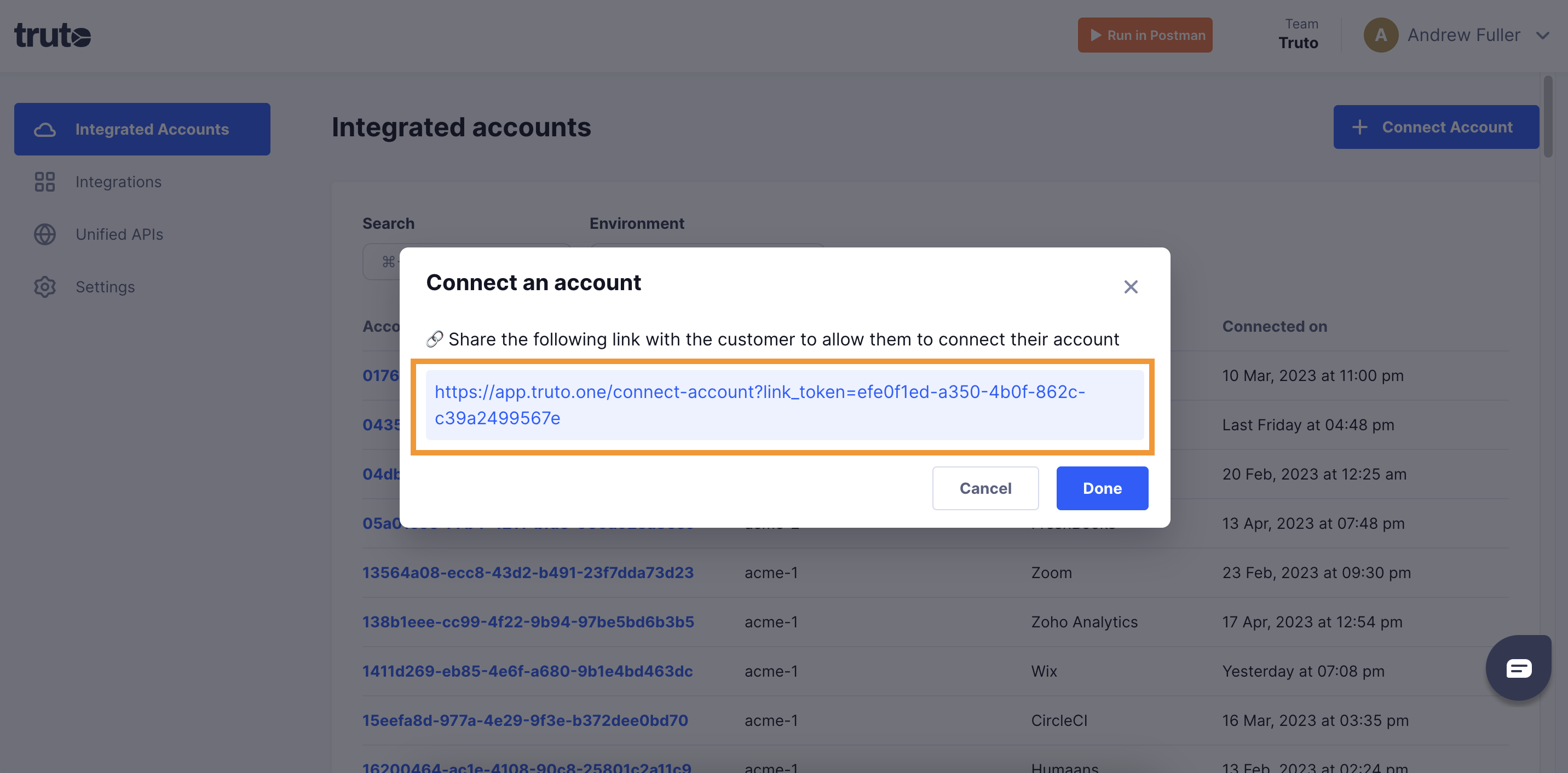
Click the open-in-new-tab button, or click Copy and send the link to your customer so they connect their own Greenhouse account. The link works for 7 days, until an account is connected with it.
-
Click Get Started if it shows, then select Greenhouse.
-
Fill in the form and click Connect:
Field Required What to enter Harvest API Key Yes The Harvest API key. See Create a Harvest API key. -
Close the tab when you see Connection successful. The new account appears under Integrated Accounts. Click its Account ID to see its details and make API calls.