Registering webhooks in Truto for Customer.io
Customer.io sends reporting webhooks to one Truto URL per integrated account, and Truto checks each request's signature with the account's webhook_secret variable. To connect a Customer.io account first, see Customer.io.
Truto checks the signature of Customer.io reporting webhooks, but no Unified API maps them to record:* events yet, so subscribing to those events delivers nothing.
-
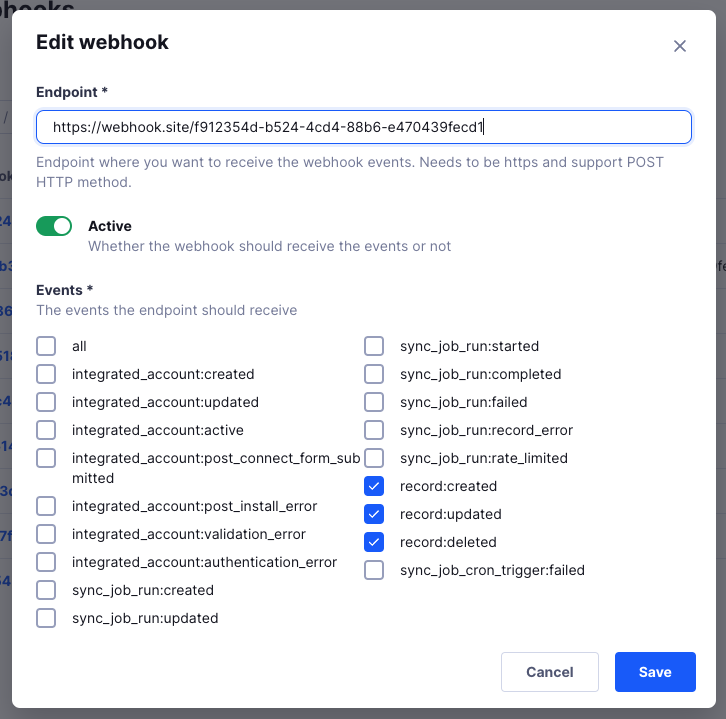
If you have not already, register a webhook in Truto. Follow this guide to create a webhook in Truto. Please make sure it is subscribed to the following events
record:createdrecord:updatedrecord:deleted
-
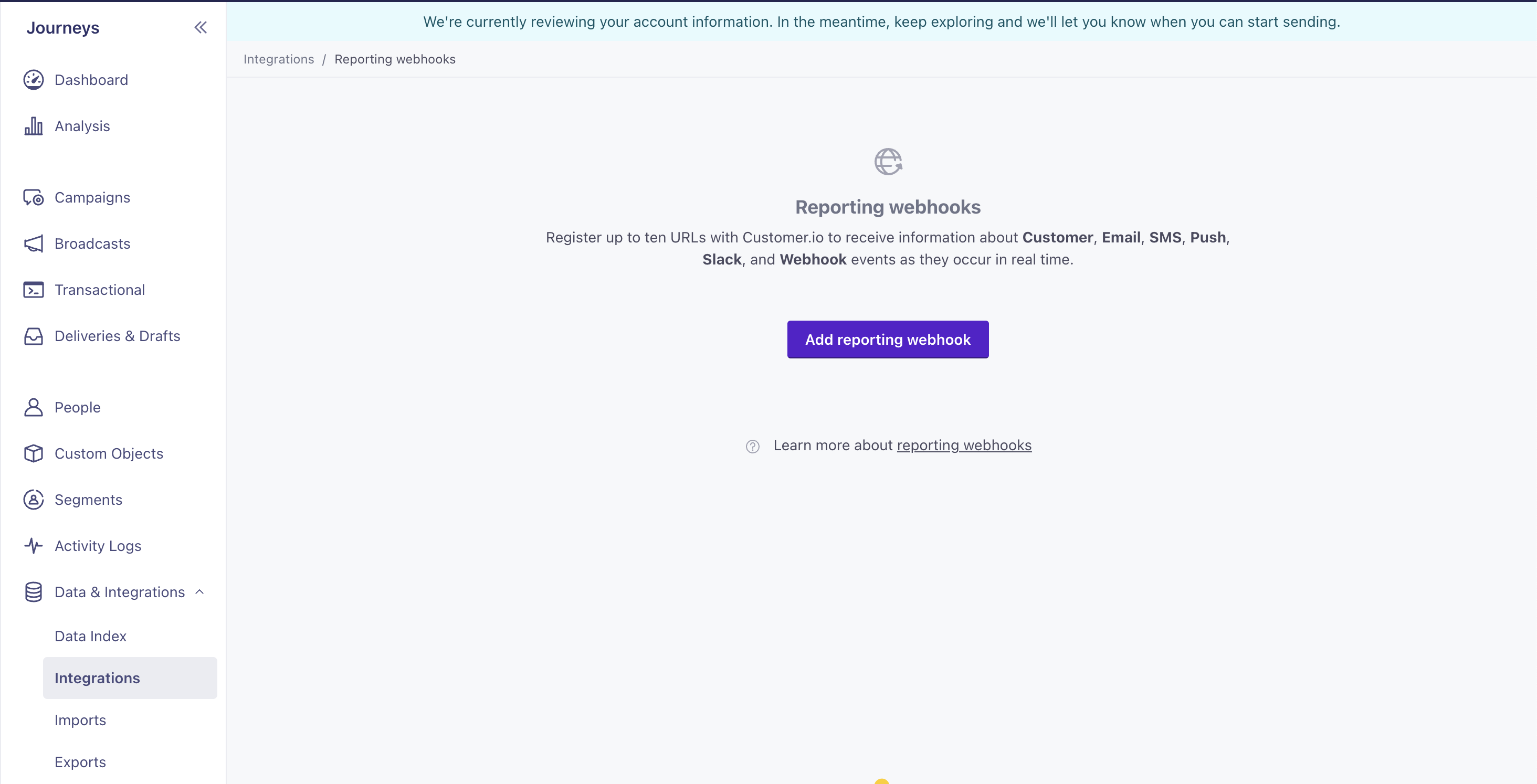
Please make a note of the integrated account ID of the Customer.io account you'd like to register the webhook for. Next, in Customer.io, open Integrations → Reporting Webhooks and click Add Reporting Webhook.
-
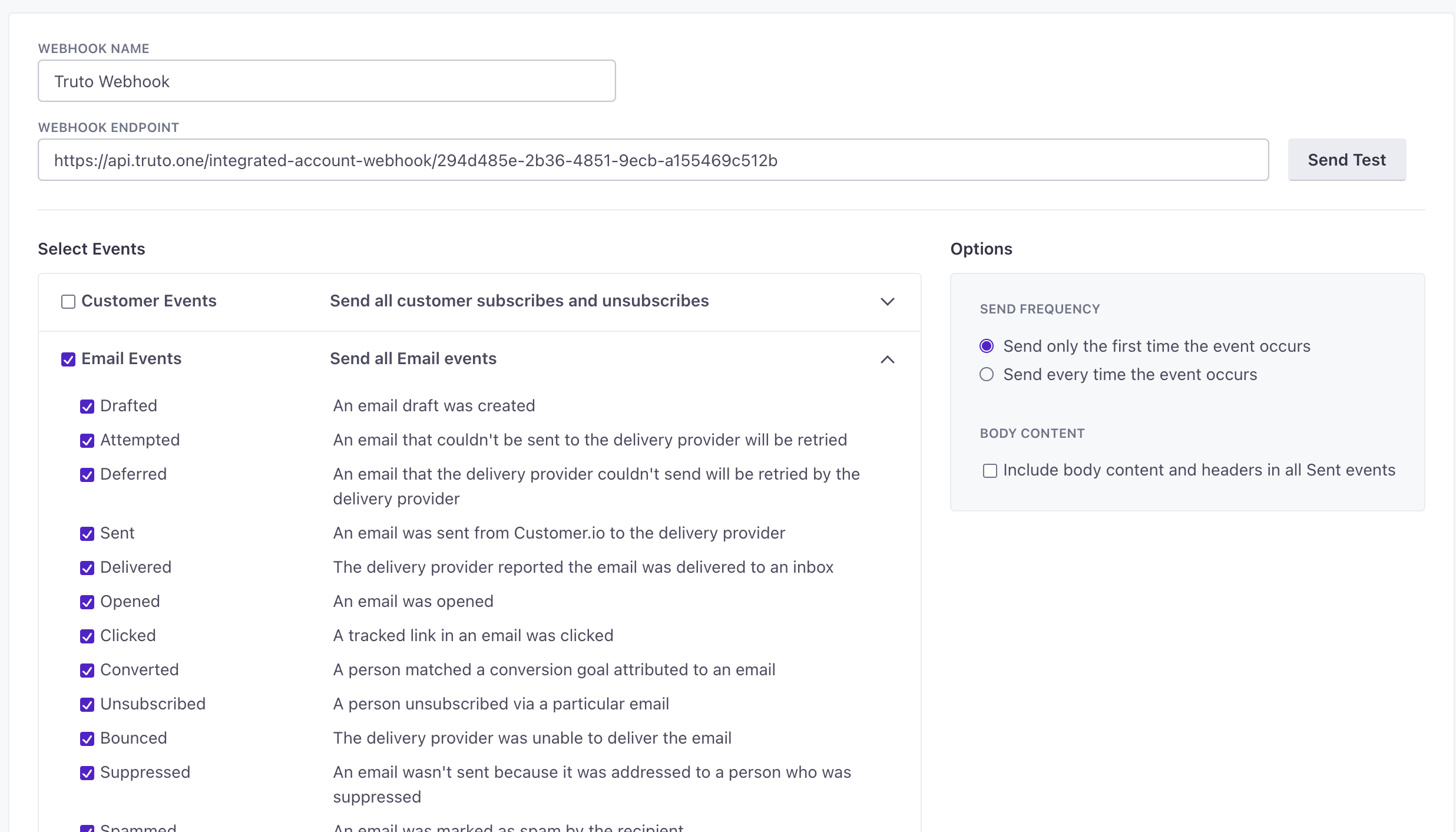
Enter a name for the webhook and paste the following URL into the
Webhook URLfield. Replace{{INTEGRATED_ACCOUNT_ID}}with the integrated account ID you noted in step 2.https://api.truto.one/integrated-account-webhook/{{INTEGRATED_ACCOUNT_ID}} -
Select the events you'd like to receive notifications for.
-
Save the webhook.
-
In the webhook list screen, click the 3-dots icon for the webhook you just registered and click
Copy signing key.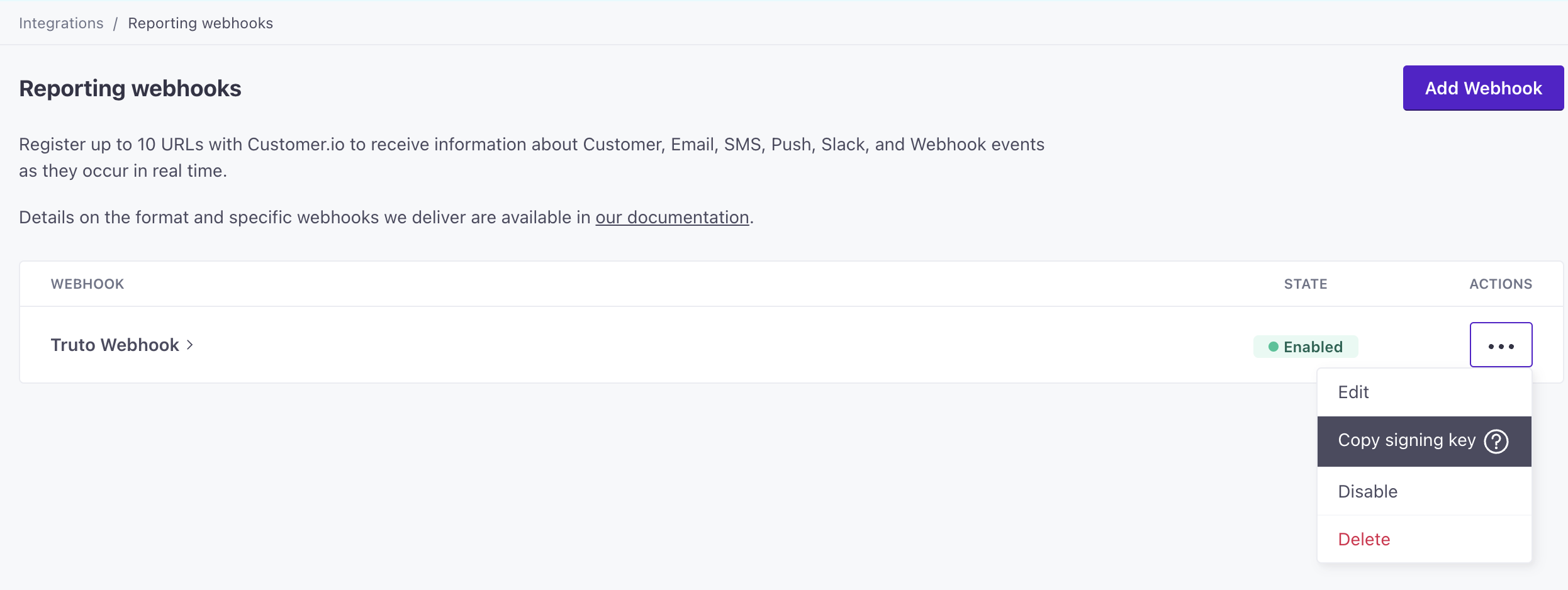
-
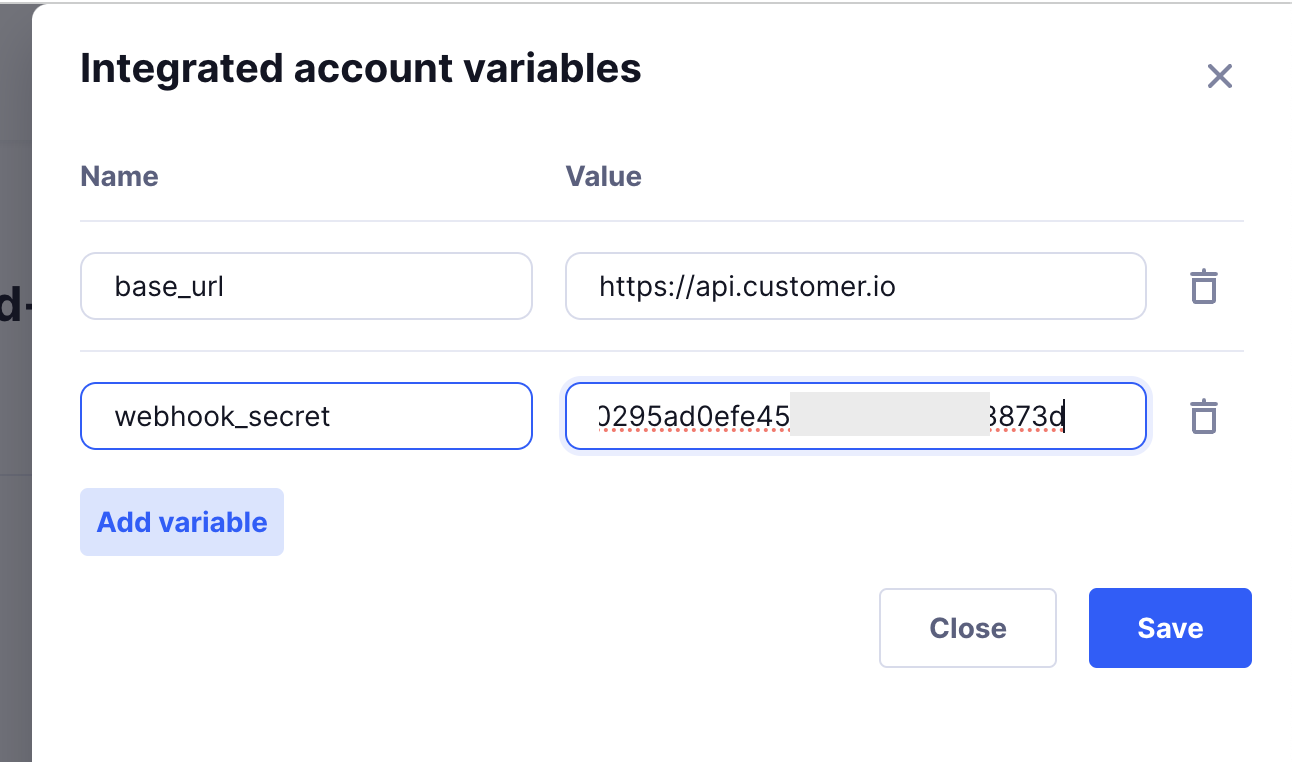
Open the integrated account's page in Truto and, in the Variables section, click Edit variables (Add variables if the account has none). Click Add variable, enter
webhook_secretunder Name, paste the signing key you copied in step 6 under Value, and click Save.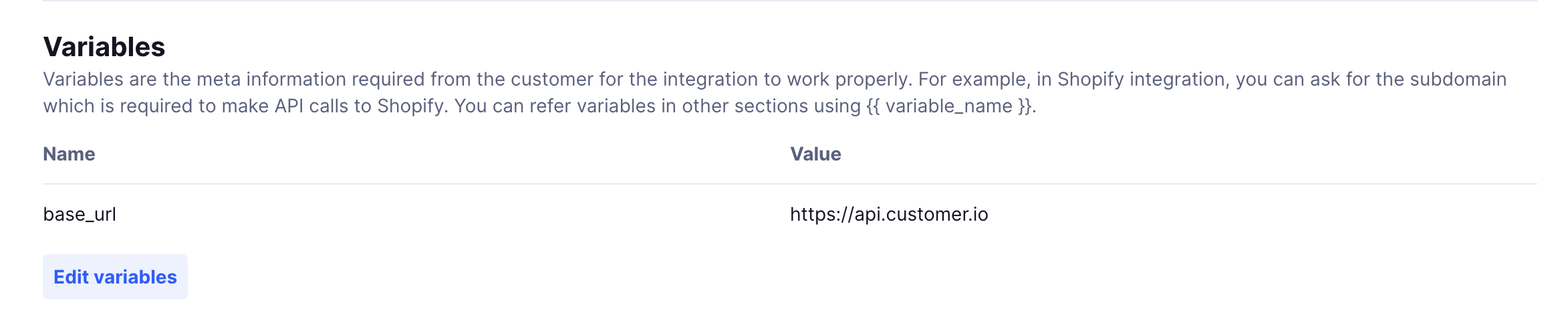
-
You're all set! Truto will now send notifications to the webhook URL you registered in Customer.io whenever a record is created, updated, or deleted in the integrated account.
Example webhook event
{
  "id": "64fbf363-7ba3-4745-8c7b-730c0fdbf40d",
  "event": "record:created",
  "payload": {
    "resource": "customerio/events",
    "records": [
      {
        "data": {
          "action_id": 42,
          "campaign_id": 23,
          "content": "Welcome to the club, we are with you.",
          "customer_id": "user-123",
          "delivery_id": "RAECAAFwnUSneIa0ZXkmq8EdkAM==",
          "headers": {
            "Custom-Header": [
              "custom-value"
            ]
          },
          "identifiers": {
            "id": "user-123"
          },
          "recipient": "test@example.com",
          "subject": "Thanks for signing up"
        },
        "event_id": "01E2EMRMM6TZ12TF9WGZN0WJQT",
        "metric": "sent",
        "object_type": "email",
        "timestamp": "2024-02-16T14:27:36.000Z"
      }
    ],
    "integrated_account_id": "37440f42-0e20-442e-a98d-04b2766247cc",
    "raw_event_type": "email.sent",
    "raw_payload": {
      "data": {
        "action_id": 42,
        "campaign_id": 23,
        "content": "Welcome to the club, we are with you.",
        "customer_id": "user-123",
        "delivery_id": "RAECAAFwnUSneIa0ZXkmq8EdkAM==",
        "headers": {
          "Custom-Header": [
            "custom-value"
          ]
        },
        "identifiers": {
          "id": "user-123"
        },
        "recipient": "test@example.com",
        "subject": "Thanks for signing up"
      },
      "event_id": "01E2EMRMM6TZ12TF9WGZN0WJQT",
      "metric": "sent",
      "object_type": "email",
      "timestamp": 1708093656
    }
  },
  "environment_id": "ac15abdc-b38e-47d0-97a2-69194017c177",
  "created_at": "2024-02-16T14:27:36.805Z",
  "webhook_id": "15d12ab3-64a8-450e-a185-ead081cee0e4"
}