Contentful Content Management
Contentful Content Management connects with a personal access token (a CMA token).
- Contentful's User Management API is available on the Premium and Enterprise plans.
Install the Contentful Content Management integration
Install Contentful Content Management from Available integrations in each environment you connect accounts from.
Create a personal access token
- Sign in to the Contentful web app and open a space with the space selector in the top left.
- Click Settings and select CMA tokens.


- Click Create personal access token.

- Enter a name and click Generate.
- Copy the token.
Connect a Contentful Content Management account
-
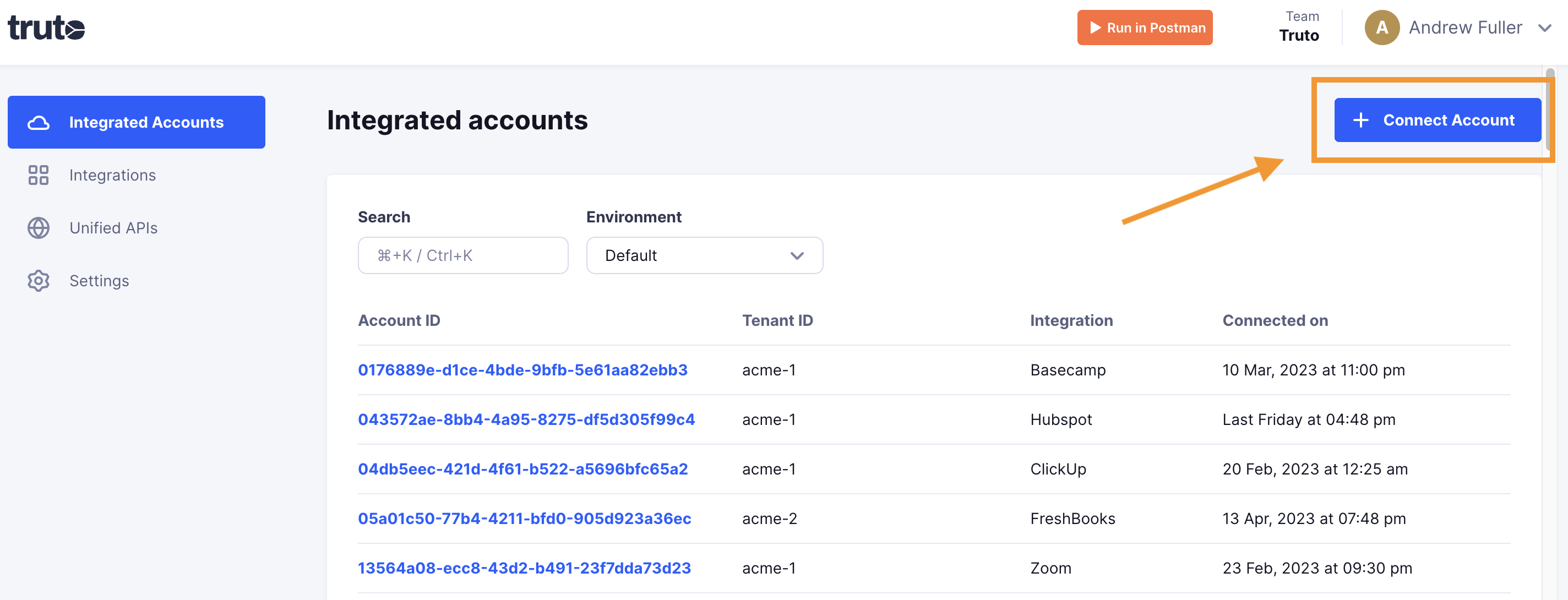
In Integrated Accounts, click Connect Account.
-
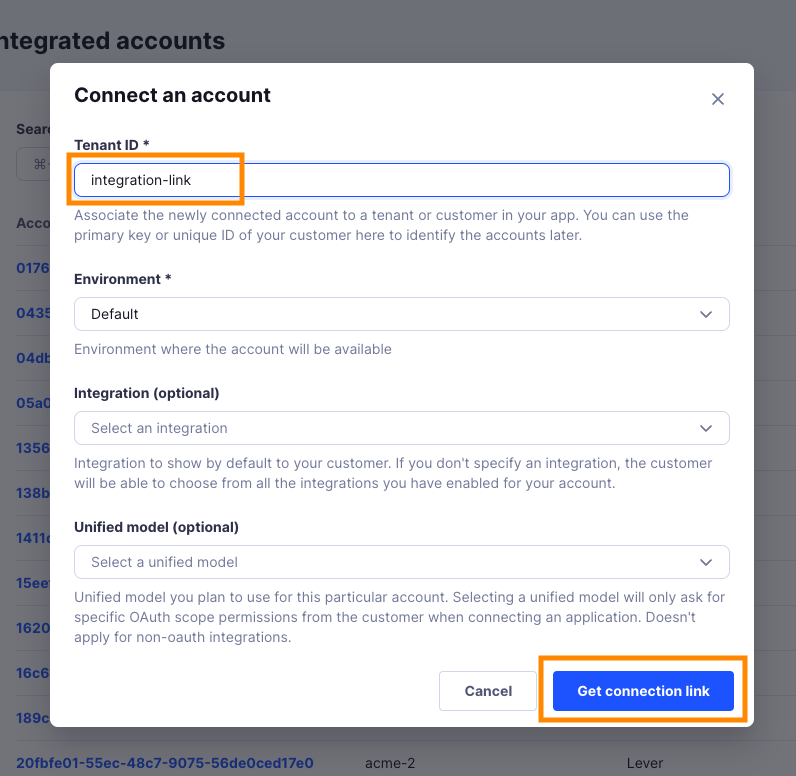
Enter a Tenant ID (your customer's ID; Truto creates the tenant if it is new), or pick one under Existing tenant (optional). Check the Environment and the Region (where Truto places the account; Western North America by default). To open the link straight on Contentful Content Management, pick it under Advanced settings → Integration (optional). Click Get connection link.
-
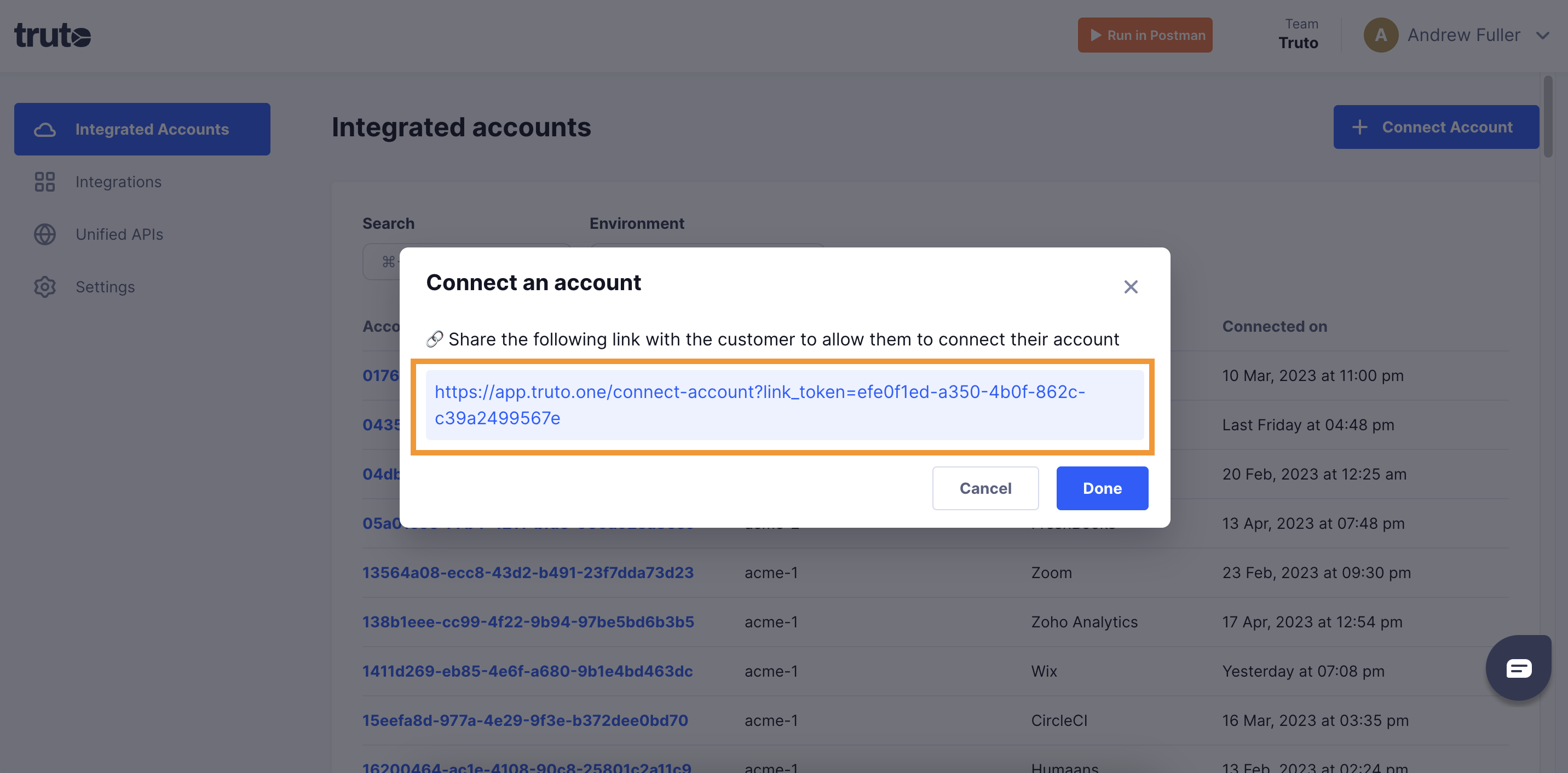
Click the open-in-new-tab button, or click Copy and send the link to your customer so they connect their own Contentful Content Management account. The link works for 7 days, until an account is connected with it.
-
Click Get Started if it shows, then select Contentful Content Management.
-
Fill in the form and click Connect:
Field Required What to enter API Key Yes Your Contentful personal access token. Contentful Region Yes Pick Europe if your Contentful organization is hosted in the EU. Pick one of Default, Europe. Defaults to Default. -
Close the tab when you see Connection successful. The new account appears under Integrated Accounts. Click its Account ID to see its details and make API calls.